Sonos Local UI
For your scripts
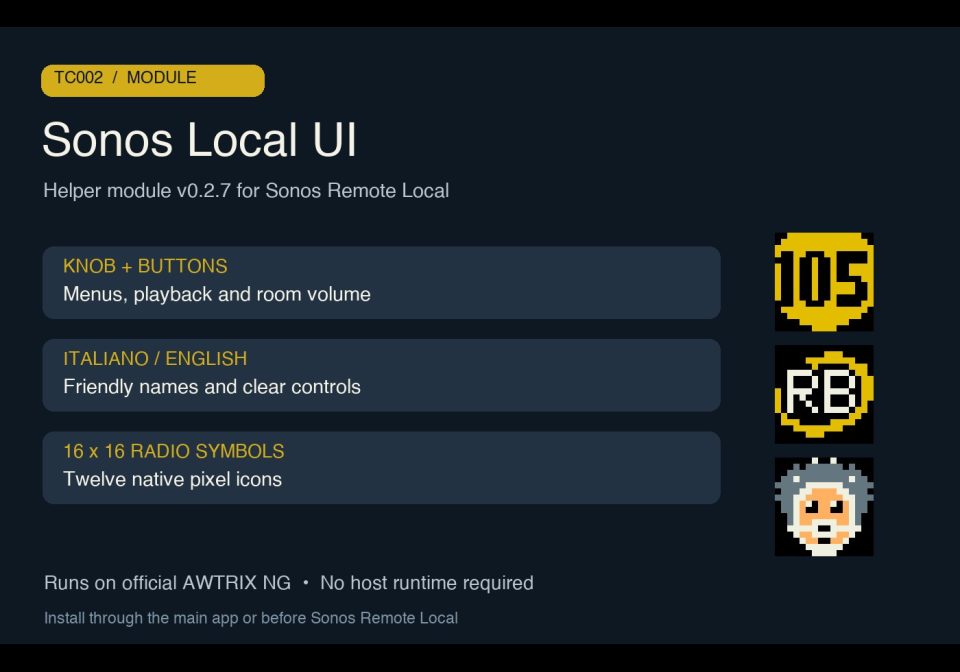
Knob menus, bilingual controls and native radio symbols for Sonos Remote Local on TC002.
A module, not an app: it shows nothing by itself and adds functions that your scripts import.
- Topic
- Smarthome
- Includes
- Module
Runs on
- Does not run on 32×8 (TC001 & DIY) Made for 52×16 (TC002).
- Runs on 52×16 (TC002)
- Does not run on 32×8 with AWTRIX 3 (TC001 & DIY) Made for AWTRIX NG.
Choose your display in the next step.
Script description
Sonos Local UI — v0.2.8
Display and controls helper for Sonos Remote Local 0.2.8, made for TC002, 52×16, with official, unmodified AWTRIX NG firmware. Version 0.2.8 checked on official firmware 1.2.0.
It provides room selection by friendly name, playlist and radio menus, play/pause, source-aware knob navigation, selected-room volume, scrolling names and an on-screen controls guide. The interface is available in Italiano and English, selected in the main app settings. Radio playback keeps the station name and logo visible and shows the current song and artist on the second line when Sonos provides readable metadata. Without usable song metadata, or while paused, stopped or starting, the display shows the selected room, volume and playback state. Technical stream filenames and packet identifiers stay hidden; command feedback keeps priority.
Twelve stations have custom native 16×16 symbols: Radio 105, Radio Bruno, Ciccio Riccio, Discoradio, R101, Radio Capital, Radio Deejay, Radio Kiss Kiss, Radio Lattemiele, RDS, RDS Relax and RTL 102.5. These can be disabled in favor of original artwork. All twelve symbols from version 0.2.7 are preserved.
Setup
Install as sonos_local_ui. It imports Sonos Local Protocol, version 0.2.4, declared as a Hub dependency. Update both helpers and the main app to use the new radio song display; keep their existing script names and settings. Install the main Sonos Remote Local app afterward, configure its seed Sonos IP, choose the language and launch it. This helper does not show a display by itself.
Controls in the main app
- Turn knob: browse menus; previous/next music track if supported; previous/next favorite station during radio playback.
- Short knob click: confirm a selection or play/pause. Hold knob: back or main menu.
- Top left/right buttons: selected-room volume; hold to repeat.
- Short middle button: controls guide. Hold middle button: exit to the carousel.
Source, setup and practical limits on GitHub. Community beta, using unofficial Sonos interoperability. The protocol/UI passed 167 isolated Berry checks on the real TC002 with zero real HTTP/audio commands in those checks; native symbols were checked on the TC002 framebuffer. Compatibility of real audio controls varies by provider and configuration. Live radio song metadata and the native framebuffer were also verified. Artwork availability and decoding depend on the source and firmware; native station symbols do not need downloads.
License: PolyForm Noncommercial 1.0.0. Required Notice: Copyright © Stephan Mühl (Blueforcer) https://github.com/Blueforcer/awtrix-ng
Sign in to view and copy the code of this script.
Discussion 0
Ask a question, suggest a change or share how you use it.
No comments yet. Start the conversation.
Have an idea?
Sign in to ask questions and join the conversation.