ScriptAWTRIX NG
Weather Clock
On an AWTRIX display
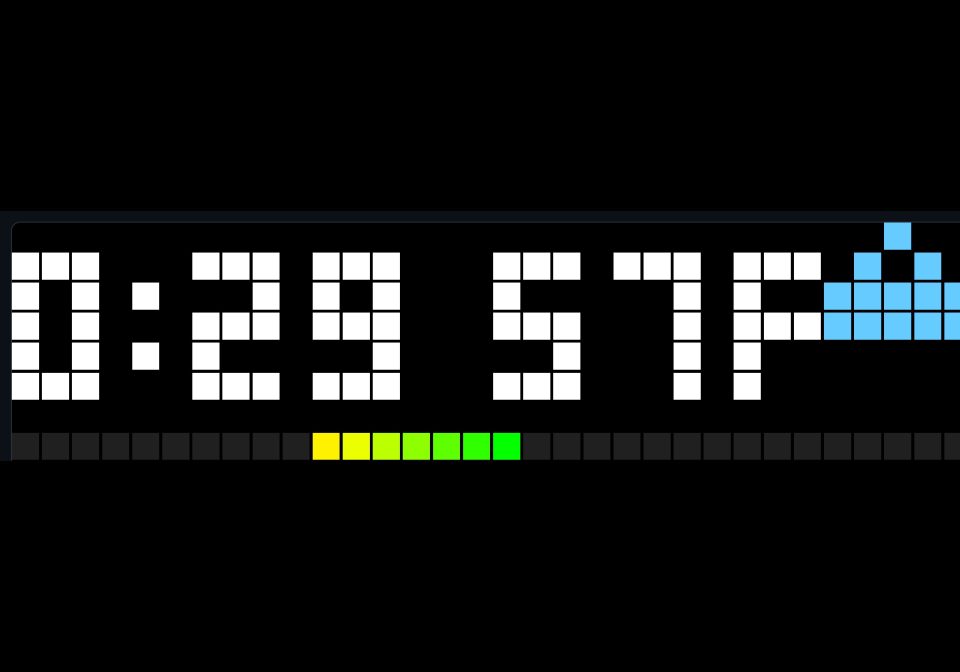
On your display
Shows the time and outdoor temperature along with a bar showing the difference between indoor and outdoor as a bar
Which AWTRIX do you have?
See below where it runs, or choose your device.
- Topic
- Smarthome
- Includes
- Script
Runs on
- Runs on 32×8 (TC001 & DIY)
- Runs on 52×16 (TC002)
- Does not run on 32×8 with AWTRIX 3 (TC001 & DIY) Made for AWTRIX NG.
Choose your display in the next step.
Script description
Needs an mqtt feed containing temp and cond.
This is a fork of the flow at https://awtrix.de/flow/BVxjfPPqTRpo which also contains instructions for generating mqtt topics if you don't have them configured from another project.
Sign in to view and copy the code of this script.
Community
Discussion 1
Ask a question, suggest a change or share how you use it.
Newest first
Have an idea?
Sign in to ask questions and join the conversation.