Pixel Fireplace
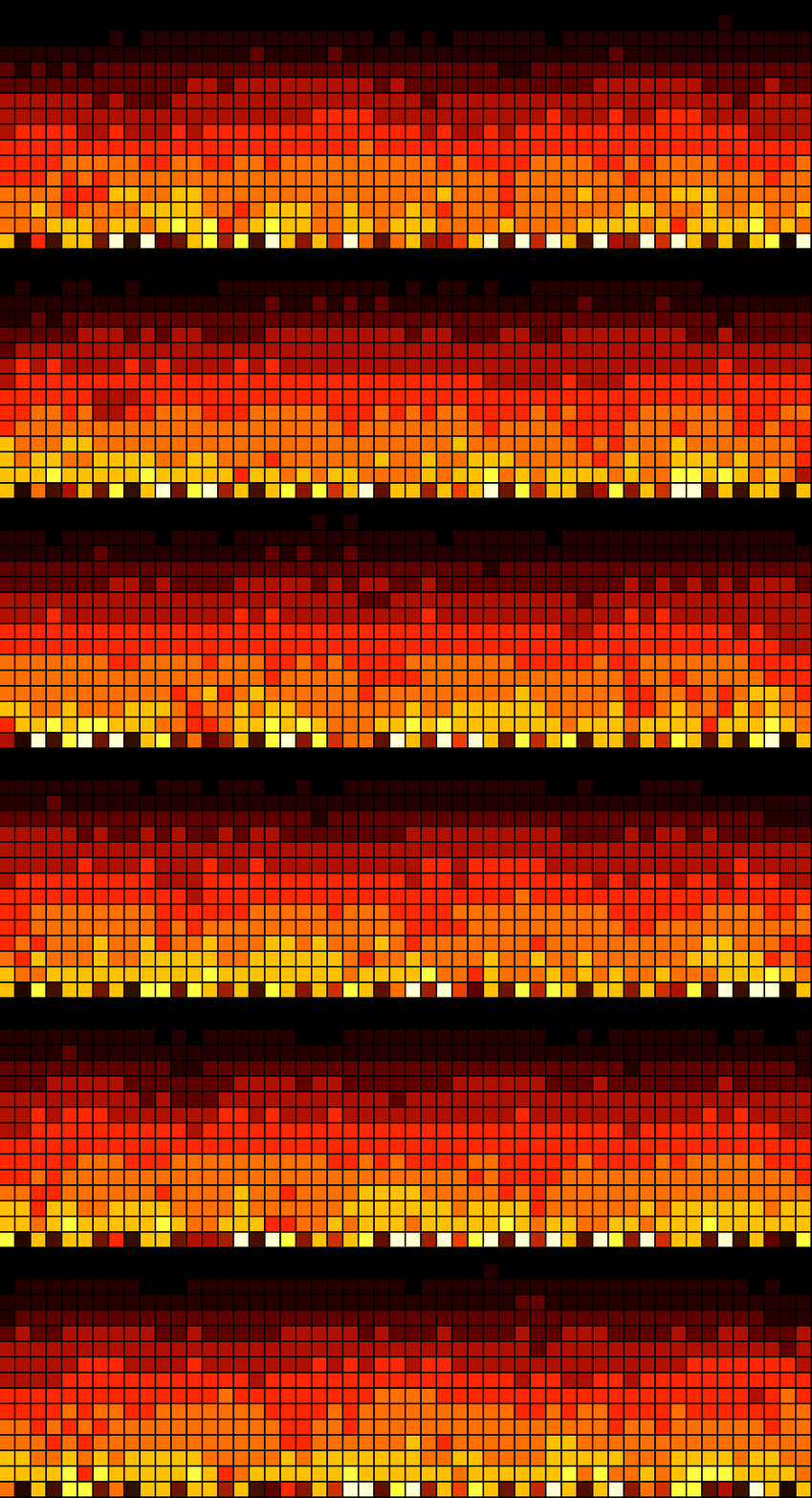
On your display
Turn your AWTRIX NG into a tiny, cozy 32×8 pixel fireplace. 🔥
- Topic
- Miscellaneous
- Includes
- Script
Runs on
- Runs on 32×8 (TC001 & DIY) 32×8 (TC001 & DIY) version
- Runs on 52×16 (TC002)
- Does not run on 32×8 with AWTRIX 3 (TC001 & DIY) Made for AWTRIX NG.
Choose your display in the next step.
Script description
Bring some warmth to your pixel clock with Pixel Fireplace.
This isn't a looping animation. The fireplace uses a continuously evolving heat simulation, creating flames that rise, spread, cool and flicker naturally across the display.
Hot white and yellow cores emerge from the glowing ember bed, transition through orange and deep red, and disappear into the darkness. Small sparks occasionally escape from the flames, making the entire display feel alive.
Sign in to view and copy the code of this script.
Discussion 0
Ask a question, suggest a change or share how you use it.
No comments yet. Start the conversation.
More scripts in Miscellaneous
Something wrong with this script? Report it.
Have an idea?
Sign in to ask questions and join the conversation.