ScriptAWTRIX NG
NightScout.1.0.2
On an AWTRIX display
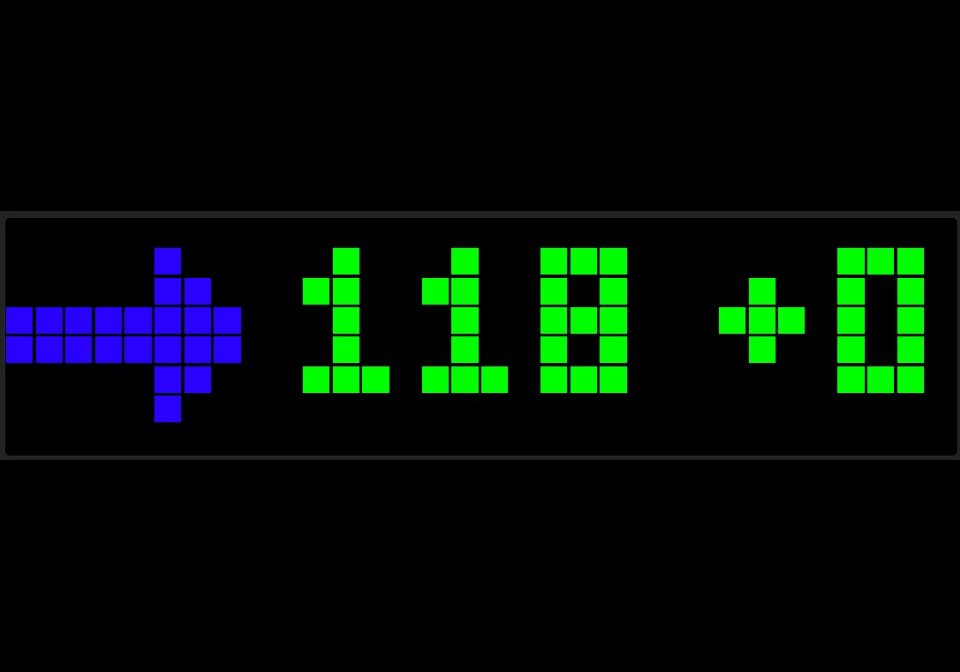
On your display
Pulls glucose info from Nightscout compliant sources (discovered Gluroo will suffice)
Which AWTRIX do you have?
See below where it runs, or choose your device.
- Topic
- Miscellaneous
- Includes
- Script
Runs on
- Runs on 32×8 (TC001 & DIY)
- Runs on 52×16 (TC002)
- Does not run on 32×8 with AWTRIX 3 (TC001 & DIY) Made for AWTRIX NG.
Choose your display in the next step.
Script description
All I did was update the icons to be useful and they should auto-download. Severe increase and decrease are animated, as is maintaining... wheee.
If you want the desc; go see the original and give them some appreciation: https://awtrix.de/script/V2g0tmLenXtM
Sign in to view and copy the code of this script.
Community
Discussion 1
Ask a question, suggest a change or share how you use it.
Newest first
More scripts in Miscellaneous
Something wrong with this script? Report it.
Have an idea?
Sign in to ask questions and join the conversation.