Nightscout CGM Monitor
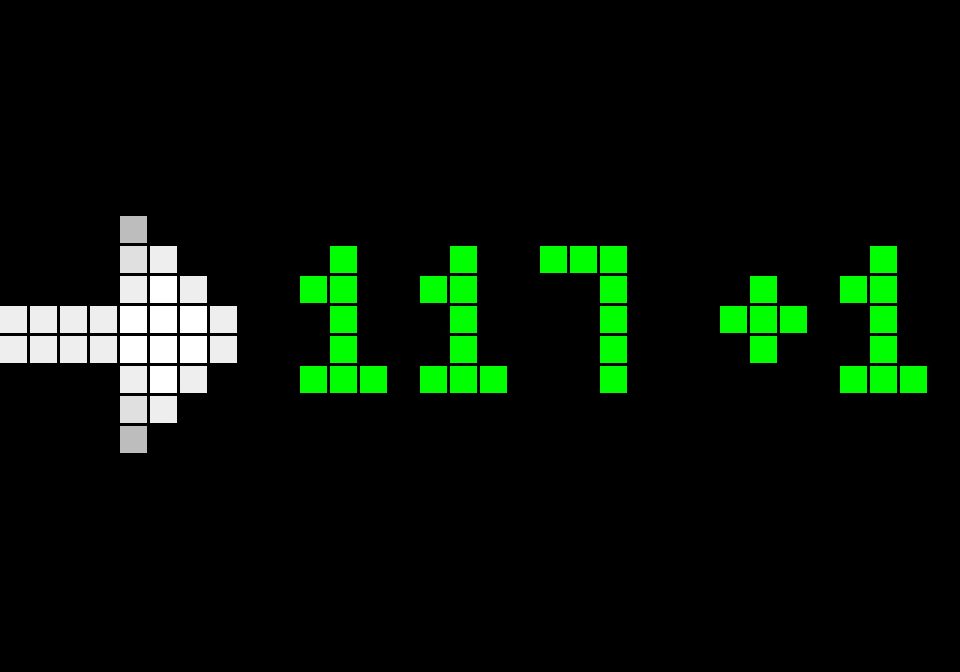
On your display
Real-time Nightscout CGM blood glucose readings, delta, and trend arrows with color alerts and stale data detection.
- Topic
- Miscellaneous
- Includes
- Script · 8 icons
Runs on
- Runs on 32×8 (TC001 & DIY)
- Runs on 52×16 (TC002)
- Does not run on 32×8 with AWTRIX 3 (TC001 & DIY) Made for AWTRIX NG.
Choose your display in the next step.
Script description
Autonomous on-device CGM monitor for your pixel clock. It polls your Nightscout instance directly over HTTP/HTTPS, displaying your current blood glucose level, delta change, and directional trend arrow.
Features
- Trend Arrows: Automatically downloads and displays LaMetric CGM directional arrows (Flat, 45° Up/Down, Single Up/Down, Double Up/Down, Stale).
- Live Delta: Shows change from the previous reading (e.g.
+3or-5). - Color-Coded Thresholds:
- 🟢 Green: In target range.
- 🟠 Orange: High glucose (customizable threshold, default
> 250). - 🔴 Red: Low glucose (customizable threshold, default
< 70).
- Stale Warning: Automatically displays in white with a
?icon if no new reading has arrived in over 11 minutes. - Adaptive Display: Automatically fits both 32×8 (TC001/DIY) and 52×16 (TC002) screens.
Setup & Configuration
After installing, go to Apps → ⚙ Settings in your AWTRIX web interface to configure:
- Nightscout URL: Your base Nightscout URL (e.g.,
https://cgm.example.comorhttp://192.168.1.50:1337). - API Token (optional): Your readable token if your Nightscout site requires authentication.
- High Threshold: Upper threshold in mg/dL (default:
250). - Low Threshold: Lower threshold in mg/dL (default:
70). - Poll Interval: How often to fetch new data in seconds (default:
60).
Sign in to view and copy the code of this script.
Discussion 0
Ask a question, suggest a change or share how you use it.
No comments yet. Start the conversation.
More scripts in Miscellaneous
Something wrong with this script? Report it.
Have an idea?
Sign in to ask questions and join the conversation.