Sonos Playlists
For your scripts
Settings module for Sonos Remote: up to ten user-configured playlists or favourites.
A module, not an app: it shows nothing by itself and adds functions that your scripts import.
- Topic
- Smarthome
- Includes
- Module
Runs on
- Does not run on 32×8 (TC001 & DIY) Made for 52×16 (TC002).
- Runs on 52×16 (TC002)
- Does not run on 32×8 with AWTRIX 3 (TC001 & DIY) Made for AWTRIX NG.
Choose your display in the next step.
Flow description
Sonos Playlists — settings module
A dependency of Sonos Remote for TC002. This module provides ten playlist/favourite slots; it does not draw a screen or start music on its own. Tested with Sonos Remote 3.3.1 on official AWTRIX NG TC002 beta 1.1.6.
Installation
Install under the exact name sonos_playlists. When installing Sonos Remote, select Install with dependencies in the Hub (Install all in the clock web UI) if its dependency prompt appears. For a manual installation, install this module before the main app.
Settings
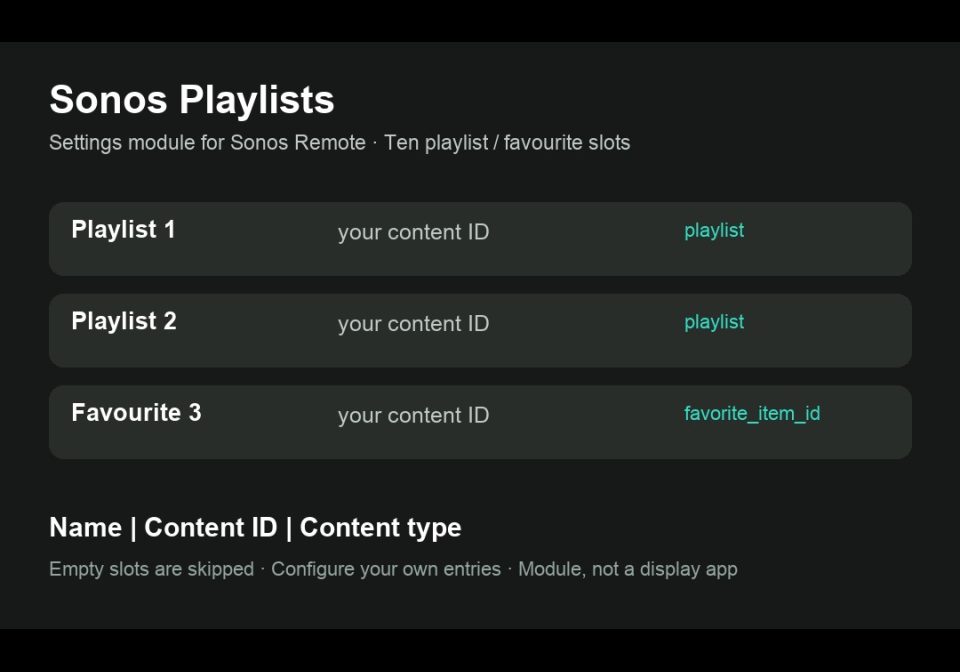
Open Apps → Modules → Sonos Playlists → settings. Each field uses Name|content id|content type. Leave unused slots empty; the remote skips them. Use your own source URL/URI or favourite ID and the content type accepted by Home Assistant's Sonos integration. Test it with media_player.play_media in Home Assistant first. No Spotify sign-in is stored on the clock.
Sonos Remote needs Home Assistant's Sonos and MQTT integrations plus the companion blueprint; installing this module does not configure Home Assistant.
Source and setup: https://github.com/lucaamo/tc002-sonos-remote
License: PolyForm Noncommercial 1.0.0, supplied in the source repository. Required Notice: Copyright © Stephan Mühl (Blueforcer) https://github.com/Blueforcer/awtrix-ng. Community contribution by lucaamo; no official endorsement is implied.
Sign in to view and copy the code of this flow.
Discussion 0
Ask a question, suggest a change or share how you use it.
No comments yet. Start the conversation.
More flows for AWTRIX NG Scripts or Smarthome
Something wrong with this flow? Report it.
Have an idea?
Sign in to ask questions and join the conversation.