HomeAssistant Washdata
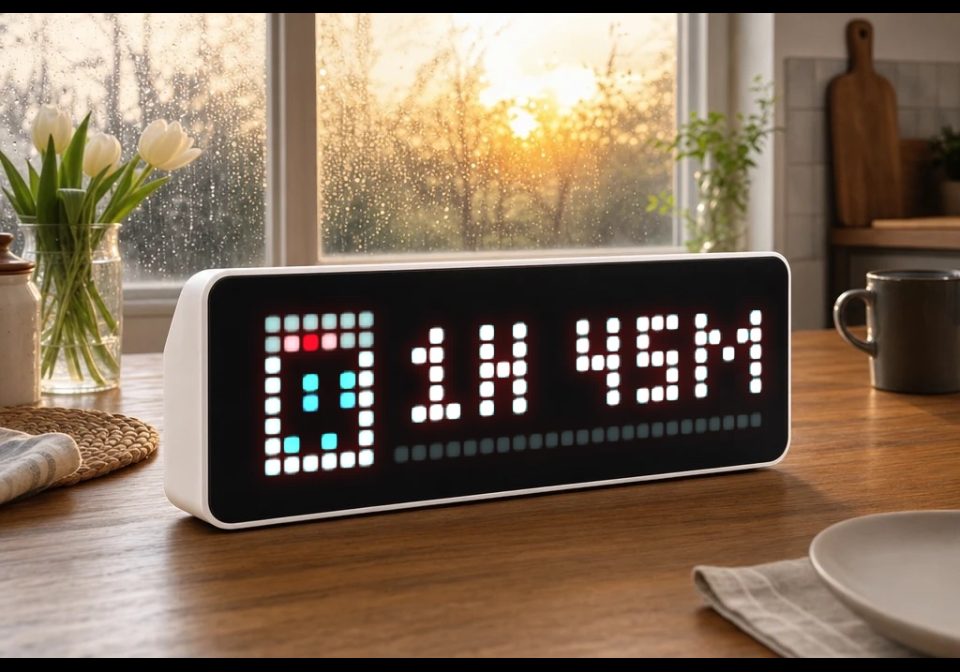
Use with Home Assistant Blueprint
Shows remaining time & progress of a washing machine, dishwasher, or dryer with icon and progress bar on AWTRIX NG.
- Topic
- Smarthome
- Includes
- Flow
Runs on
- Might run on 32×8 (TC001 & DIY)
- Might run on 52×16 (TC002)
- Does not run on 32×8 with AWTRIX 3 (TC001 & DIY) Made for AWTRIX NG.
? The author has not said which devices it runs on.
Is this your flow?
If you created this flow, open your saved edit link to add it to your account. You can then manage it whenever you sign in. Adding it to your account replaces the edit link.
Flow description
What it does
Shows the progress of a running machine (washing machine, dishwasher, dryer, ...) as its own app on your AWTRIX NG display: icon, progress bar (0–100%), and remaining time as text (e.g. 1h 23m or 45min). Once the machine is done, it briefly shows "Done!" and then the app is automatically removed.
Features
- Multiple machines at once – set up this blueprint once per machine as its own automation, each getting its own app slot in the rotation.
- Device instead of manual topic prefix – pick your AWTRIX device from a dropdown, the MQTT prefix is read automatically from the device.
- Freely selectable trigger sensors – only updates on an actual sensor change (remaining-time and/or progress sensor), no time-pattern polling, keeping automation traces clean and easy to follow.
- Progress either comes directly from a percentage sensor or is calculated automatically from remaining time + total cycle duration.
- Automatic topic sanitizing – the internal app name is automatically converted into a safe MQTT topic name (lowercase, no umlauts/special characters).
- Freely configurable colors (text, progress bar, bar background), display duration, lifetime timeout, and a "Done" notification.
Requirements
- An AWTRIX NG device (via the MQTT integration in Home Assistant)
- A sensor providing the remaining time in minutes
- A binary sensor indicating whether the machine is running
- Optional: a progress sensor (percentage)
- An icon ID from the AWTRIX icon browser for each machine. e.g:
Dishwasher: 17590
Washing Maschine: 26671
Sign in to view and copy the code of this flow.
Discussion 1
Ask a question, suggest a change or share how you use it.
Newest first
More flows for Home Assistant Blueprint or Smarthome
Something wrong with this flow? Report it.
Have an idea?
Sign in to ask questions and join the conversation.