Hadouken
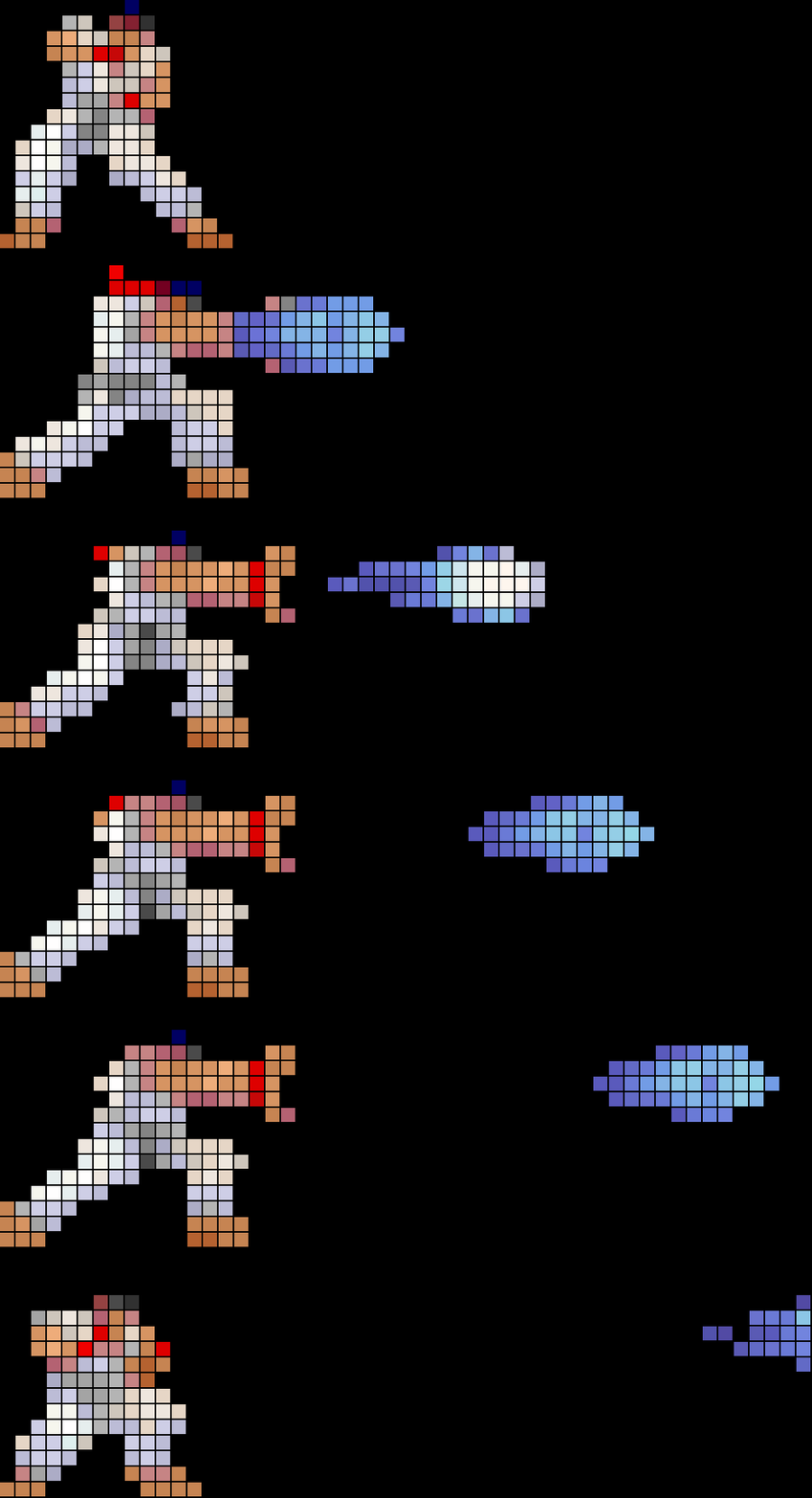
On your display
Displays the animated 52x16 Hadouken icon
- Topic
- Animations
- Includes
- Script · 1 icon
Runs on
- Does not run on 32×8 (TC001 & DIY) Made for 52×16 (TC002).
- Runs on 52×16 (TC002)
- Does not run on 32×8 with AWTRIX 3 (TC001 & DIY) Made for AWTRIX NG.
Choose your display in the next step.
Script description
Hadouken
Displays the animated 52x16 Hadouken icon.
The script loads the icon directly onto the matrix. You can customize the on-screen time or let it use the default system rotation duration.
Supported panels: 52×16 only
Features
- Displays the 52×16
hadouken-16animated gif icon - Customizable duration in seconds
- Option to use the clock's default app rotation duration
- Fallback text (
no icon) when the icon is missing or not yet cached - Instantly skippable via physical button presses
Requirements
- A 52×16 matrix display (
@display 52x16) - The
hadouken-16icon installed or accessible via your device (@icons hadouken-16)
Setup
Open the app's settings (gear icon) in the AWTRIX web UI and fill in the field below.
| Setting | Description | Example |
|---|---|---|
| Duration (secs) | How long the icon stays on screen. Set to 0 to use the clock's default app duration. |
5 |
How it works
The script renders the icon starting at position (0, 0). When the duration is set to 0, the duration() method returns 0, instructing the AWTRIX display manager to apply the device's standard app cycle time. If set to a number greater than 0, it converts the value to milliseconds to hold the app on screen for that exact time.
Troubleshooting
| Display shows | Meaning |
|---|---|
| no icon | The hadouken-16 icon was not found on the device. Check your internet connection or verify the icon is downloaded and cached. |
Sign in to view and copy the code of this script.
Discussion 0
Ask a question, suggest a change or share how you use it.
No comments yet. Start the conversation.
More scripts in Animations
Something wrong with this script? Report it.
Have an idea?
Sign in to ask questions and join the conversation.