ScriptAWTRIX NG
Shelly Pro 3EM Power (Gen2)
On an AWTRIX display
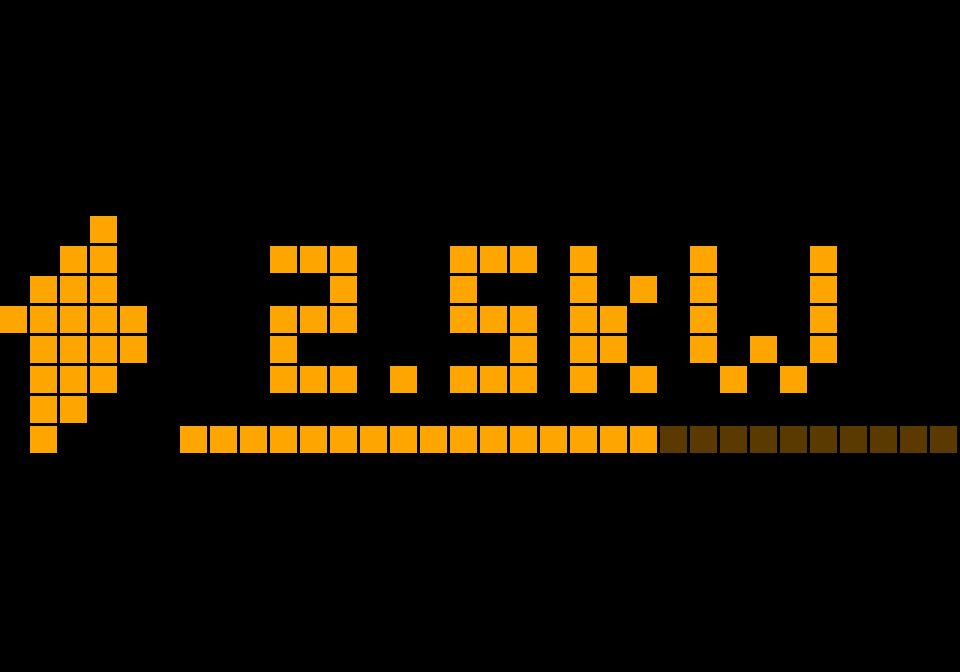
On your display
Live active power from Shelly Pro 3EM (Gen2) with solar PV export support, dynamic colors & power bar
Which AWTRIX do you have?
See below where it runs, or choose your device.
- Topic
- Smarthome
- Includes
- Script
Runs on
- Runs on 32×8 (TC001 & DIY)
- Runs on 52×16 (TC002)
- Does not run on 32×8 with AWTRIX 3 (TC001 & DIY) Made for AWTRIX NG.
Choose your display in the next step.
Script description
Displays real-time total active power from a Shelly Pro 3EM (local Gen2 RPC API) on your AWTRIX NG clock. Adapted from the original Shelly 3EM Power (Gen1) script by Fukkel, rewritten for Gen2 devices with full solar PV export support (negative values), an all-English configuration UI, and configurable display duration.
Features
- Local Gen2 API: Polls
/rpc/EM.GetStatus?id=0(total_act_power) directly over LAN – no cloud or MQTT required. - Solar PV Export Ready: Displays negative values with a minus sign (e.g.
-450W,-1.8kW) and includes a dedicated high-export threshold. - Dynamic Color Scale & Power Bar: Automatically adjusts text, icon, and bottom bar colors based on power level (or uses a custom fixed color).
- Inrush Delay (Debounce): Prevents short startup spikes from triggering higher color levels or overload alerts immediately.
- Overload Alert: Flashes the display in red when power exceeds the configured threshold.
- Custom Display Duration: Override the global app rotation time directly in script settings (
0= use global default). - Built-in Icon: Uses a built-in lightning bolt icon by default (no extra icons required), with optional custom icon ID support.
Setup
- Install the script and open its settings in the AWTRIX web interface.
- Enter your Shelly Pro 3EM IP Address (must be on the same local network, with local RPC HTTP access enabled and no authentication).
- Adjust High Export Threshold, Medium/High Import Thresholds, Bar Scale Max, and Display Duration to match your installation.
- (Optional) Enter a Custom Icon ID if you want to replace the default lightning bolt.
Color Coding (Auto Mode)
- Cyan (
#00FFFF): High PV export (<= -High Export Threshold, default-400W) - Blue (
#0088FF): Low PV export (< 0W) - Green (
#00FF00): Low grid import (0Wto< Medium) - Yellow (
#FFCC00): Medium grid import (Mediumto< High) - Orange (
#FFA500): High grid import (Highto< 2x High) - Red (
#FF0000): Very high import / Overload alert (blinking)
Credits
Based on the original Shelly 3EM Power (Gen1) script by Fukkel, adapted for Shelly Pro 3EM (Gen2) and PV systems.
Sign in to view and copy the code of this script.
Community
Discussion 0
Ask a question, suggest a change or share how you use it.
No comments yet. Start the conversation.
Have an idea?
Sign in to ask questions and join the conversation.