Betterplace
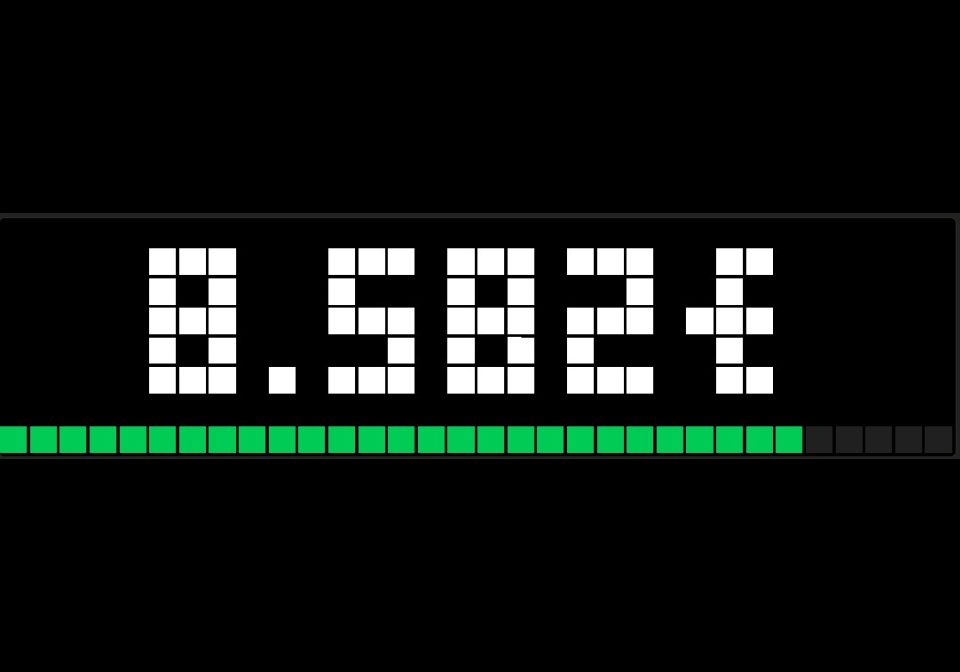
On your display
Live donation total of any betterplace.org project or fundraising event, with progress bar, donation alerts and target alerts.
- Topic
- Social
- Includes
- Script
Runs on
- Runs on 32×8 (TC001 & DIY)
- Runs on 52×16 (TC002)
- Does not run on 32×8 with AWTRIX 3 (TC001 & DIY) Made for AWTRIX NG.
Choose your display in the next step.
Script description
Shows the live donation total of a betterplace.org project or fundraising event on your AWTRIX NG clock: charity streams, birthday fundraisers, sponsored runs, campaigns. The script fetches the amount itself on the clock, so no server, Home Assistant or MQTT is needed. No account or API key.
Unofficial: not affiliated with betterplace.org.
Features
- Live donation total, refreshed every 15–600 seconds (default: 60)
- Amount as whole euros or with cents (setting Zahlenformat)
- Works with betterplace projects and fundraising events, detected from the page URL
- Progress bar towards the next target
- Alert when a new donation comes in (with a minimum amount)
- Alert when a target is reached (e.g. 10,000 / 25,000 / 50,000 €)
- Alert sound chosen separately for donations and targets: built-in melodies or your own file
- Separate icons for the display, donation alerts and target alerts
- Manual sync with the middle button (select)
- Remembers the last total across reboots
- Error codes on the display instead of an endless loading screen
Designed for the 32×8 display. Other sizes (for example the 52×16 TC002) have not been tested.
Quick start
- Open your project or event on betterplace.org and copy the address from the browser.
- Open the ⚙ settings of the app and paste it into Projekt/Event (URL oder ID).
- Optionally enter your targets under Zielmarken in EUR.
The total appears after a few seconds.
Which link can I use?
The script detects the type from the address:
| Address contains | Type | Supported |
|---|---|---|
/projects/<ID>-… |
Project | yes |
/fundraising-events/<ID>-… |
Fundraising event | yes |
| anything else (organisations, clients, …) | – | no, the clock shows URL? |
If you only enter a number, choose the type under Typ bei reiner ID:
| Value | Meaning |
|---|---|
event |
fundraising event (default) |
project |
project |
auto |
tries the event first, then the project |
Event and project IDs are separate number ranges that can overlap, so a plain number may match the wrong item.
When in doubt, paste the full URL.
Check your ID
Open one of these in a browser, with your ID instead of 12345:
- Project:
https://api.betterplace.org/de/api_v4/projects/12345.json - Event:
https://api.betterplace.org/de/api_v4/fundraising_events/12345.json
If you see JSON containing donated_amount_in_cents, the ID works. A "not found" error means the type is wrong or the item does not exist.
Settings
The labels in the web UI are in German.
Quelle (source)
| Setting | Meaning | Default |
|---|---|---|
| Projekt/Event (URL oder ID) | betterplace URL (recommended) or plain ID | 54621 |
| Typ bei reiner ID | event, project or auto. Only used for a plain number |
event |
| Abfrage-Intervall | Seconds between requests, 15–600 | 60 |
Ziele und Alerts (targets and alerts)
| Setting | Meaning | Default |
|---|---|---|
| Zielmarken in EUR | Targets in euros, comma-separated numbers without a thousands separator, e.g. 10000,25000,50000 |
10000,25000,50000,100000 |
| Fortschrittsbalken | Progress bar towards the next target | on |
| Alert bei neuer Spende | Alert when the total goes up | on |
| Mindestbetrag für Alert | Smallest increase (EUR) that triggers a donation alert | 1 |
| Icon bei neuer Spende | Icon in the donation alert | none |
| Sound bei neuer Spende | Sound of the donation alert (see below) | aus |
| Alert bei erreichter Marke | Alert when a target is crossed | on |
| Icon bei erreichter Marke | Icon in the target alert | none |
| Sound bei erreichter Marke | Sound of the target alert (see below) | aus |
| Eigener Sound (Dateiname) | Name of a melody or MP3 stored on the clock, used by the choice eigener |
none |
Icons: enter the name or ID of an icon that is installed on the clock. none shows no icon.
Alert sounds
Donation alerts and target alerts each have their own sound setting:
| Choice | Plays |
|---|---|
aus |
no sound |
fanfare |
short rising fanfare (built in) |
glocke |
three-note chime (built in) |
piep |
two short beeps (built in) |
eigener |
the file named under Eigener Sound, without extension. ding plays /MELODIES/ding.txt |
The built-in melodies are sent with the alert and need no files on the clock. If the name for eigener is not stored on the clock, the alert is shown without sound. Volume and sound on/off are set on the clock itself, not in this script.
Darstellung (appearance)
| Setting | Meaning | Default |
|---|---|---|
| Textfarbe | Color of the total | white |
| Icon der Anzeige | Icon shown next to the total | none |
| Währungszeichen | Text appended to the total | € |
| Zahlenformat | ganze_euro → 12.346€, euro_cent → 12.345,67€ |
ganze_euro |
Zahlenformat: ganze_euro shows whole euros (cents are cut off, not rounded). euro_cent shows euros and cents with a decimal comma. That text is longer and scrolls on the 32×8 display. The amount in donation alerts follows the same format. Target alerts always show whole euros.
How it works
- Source: the public betterplace API,
…/api_v4/<projects|fundraising_events>/<ID>.json. The script reads the fielddonated_amount_in_cents. Depending on Zahlenformat, the amount is shown in whole euros (cents cut off) or with cents. - Progress bar: shows the total relative to the next target above the current total. Once all targets are passed, it is full. Without targets, no bar is shown.
- Donation alert: triggered when the total has gone up by at least the minimum since the last request. Several donations between two requests appear as one combined alert.
- Target alert: triggered when a target was crossed since the last request. If several targets were crossed at once, only the highest is announced. A target you add later that is already below the current total does not trigger an alert.
- No alerts on the first run: after a new source is set, the first total only becomes the baseline.
- Restarts: the last known total is stored on the clock. After a reboot, the display shows it at once and compares against it, so targets crossed during the downtime are still announced.
- Alert text is fixed:
+<amount>for donations andZiel <target> erreicht!for targets. The currency symbol follows your setting.
Buttons
| Button | Action |
|---|---|
| Middle (select) | Sync now. At least 5 seconds between two presses |
| Left / right | Switch app as usual |
Press select while the app is on the display. The buttons go to the app currently shown. While a request is running, a blue dot lights up in the top right corner.
Troubleshooting
| Display | Meaning | What to do |
|---|---|---|
... |
Waiting for the first answer | Wait up to a minute. After Wi-Fi connects, HTTPS requests wait about 15 seconds |
E404 |
No project/event with this ID for this type | Paste the full URL, or set the type to auto or project |
E200 / E? |
Answer received, but no donation amount found | Check the ID in the browser (see above) |
E0 |
No answer at all: no Wi-Fi, DNS or connection problem, a timeout, or too little memory for HTTPS | Check internet access, disable other scripts, press select. The script retries after about 15 seconds |
URL? |
The link is neither a project nor a fundraising event | Use a /projects/… or /fundraising-events/… link |
More details appear in the web UI console, marked [script:Betterplace]. The first line shows the address that is being requested (Quelle: …).
Known limitations
- The script relies on the public betterplace API v4. betterplace describes it as "slowly getting deprecated" and gives no guarantee that it keeps working. If betterplace changes or shuts it down, the script stops working.
- Only projects and fundraising events are supported. Other page types (organisations and so on) are not.
- With
ganze_euro, cents are cut off, not rounded. Witheuro_cent, the longer text scrolls on the 32×8 display. - A request is answered only up to 8 KB. The script therefore searches the answer for the one field it needs. Changes to the structure of the API response can break this.
- The
€sign depends on the font of your firmware. If it does not display correctly, change Währungszeichen toEUR. - Designed for 32×8. The layout has not been tested on the 52×16 TC002.
Privacy
The script contacts only api.betterplace.org and uses public data. No account data, keys or personal information are sent. The total is stored on the clock so that it can be shown after a restart.
Data: public API of betterplace.org.
Not affiliated with betterplace.org.
Sign in to view and copy the code of this script.
Discussion 0
Ask a question, suggest a change or share how you use it.
No comments yet. Start the conversation.
Have an idea?
Sign in to ask questions and join the conversation.