Sunrise Alarm + Night Clock
On your display
A wake-up light for your bedside table.
- Topic
- Miscellaneous
- Includes
- Script
Runs on
- Does not run on 32×8 (TC001 & DIY) Made for 52×16 (TC002). Needs the built-in synthesizer.
- Runs on 52×16 (TC002)
- Does not run on 32×8 with AWTRIX 3 (TC001 & DIY) Made for AWTRIX NG.
Choose your display in the next step.
Script description
Sunrise Alarm for AWTRIX NG (Ulanzi TC002)
Version 1.2 · by Hank_the_Tank / Claude · for the 52×16 panel of the Ulanzi TC002
Inspired by Blueforcer's Super Alarm Clock. His Mario alarm clock for kids gave me the idea, and its alarm logic (two schedules, sunrise, snooze, restoring the brightness) was the starting point. Many thanks, Blueforcer! Sunrise Alarm is the grown-up version: no characters, no music from games, just calm light and a clock you can read in the dark.
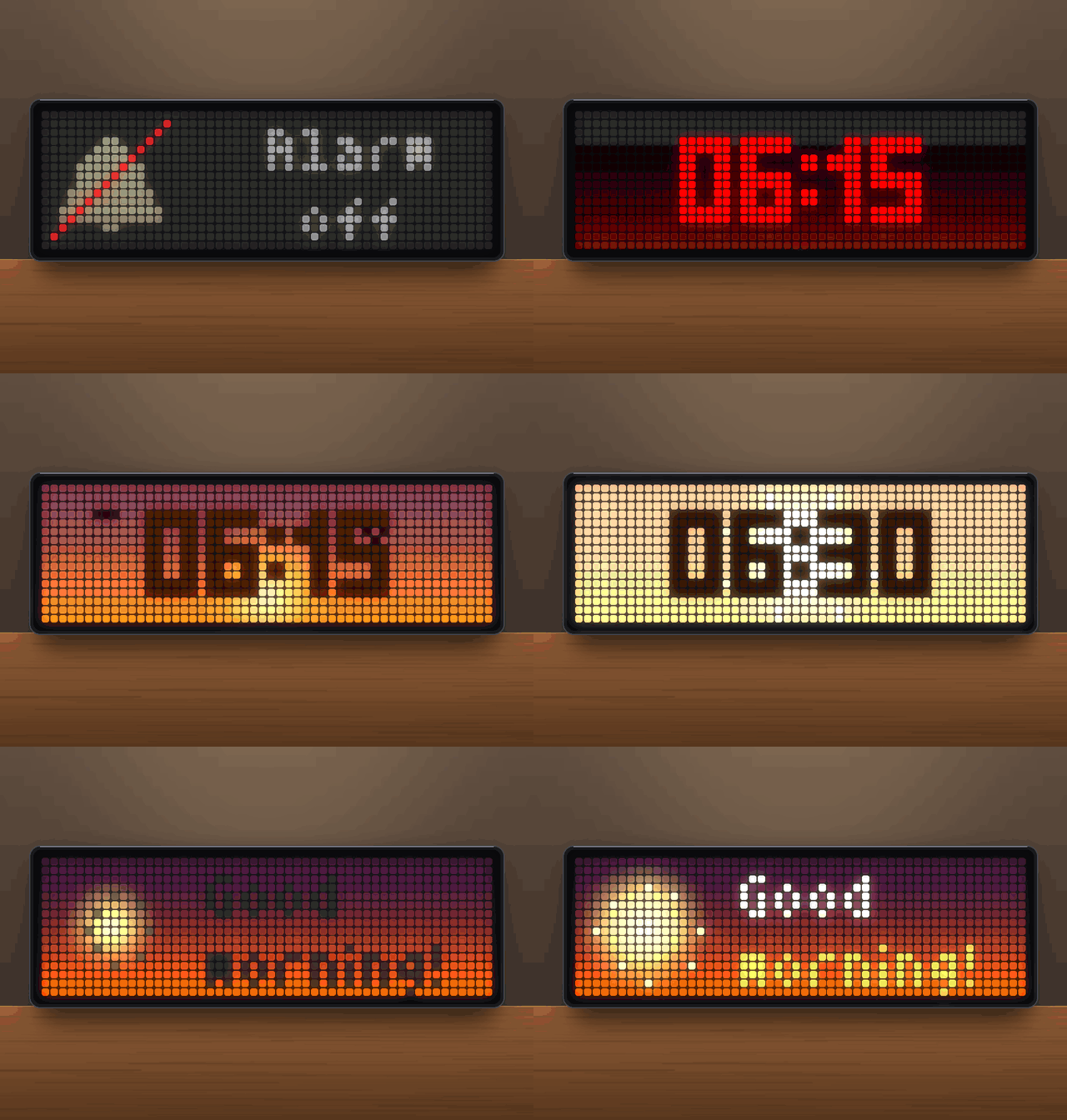
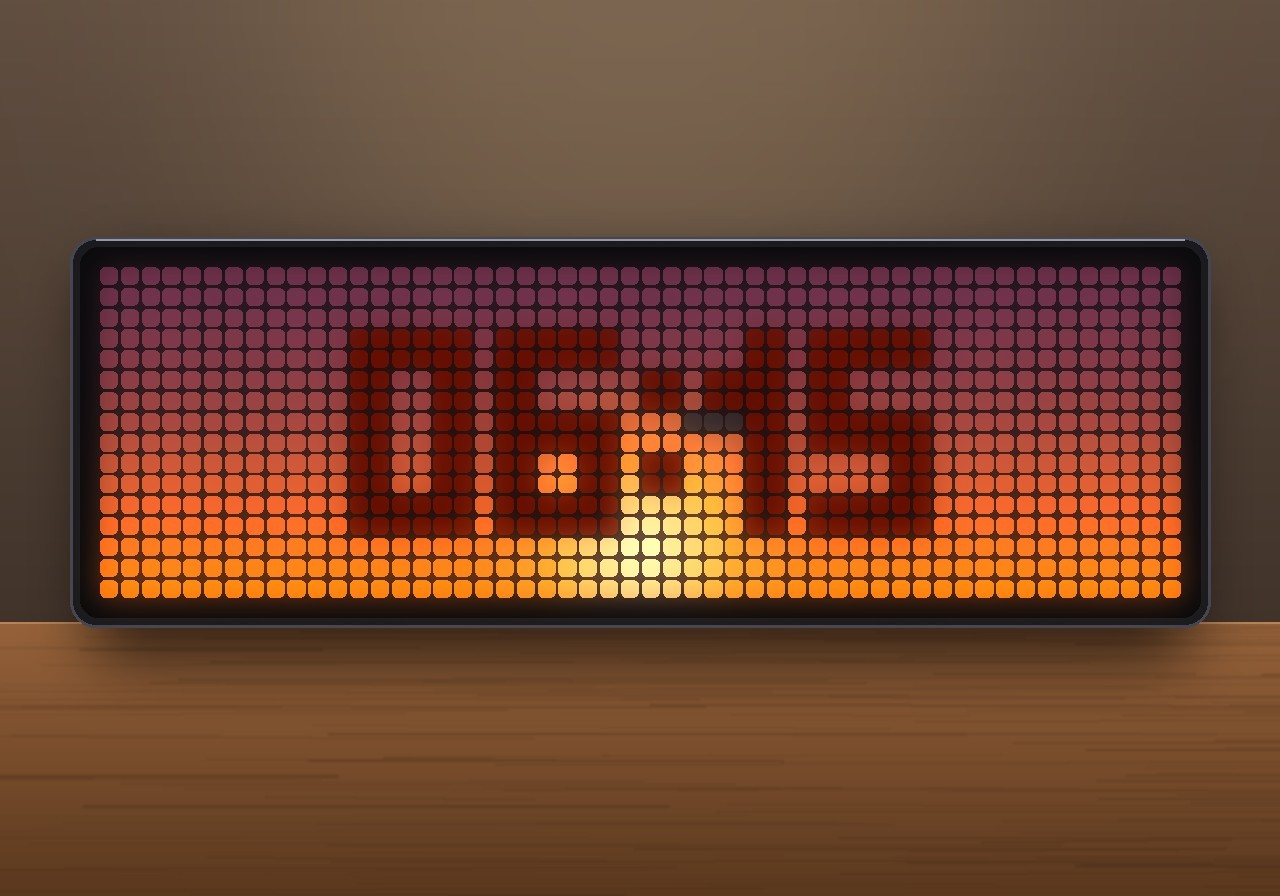
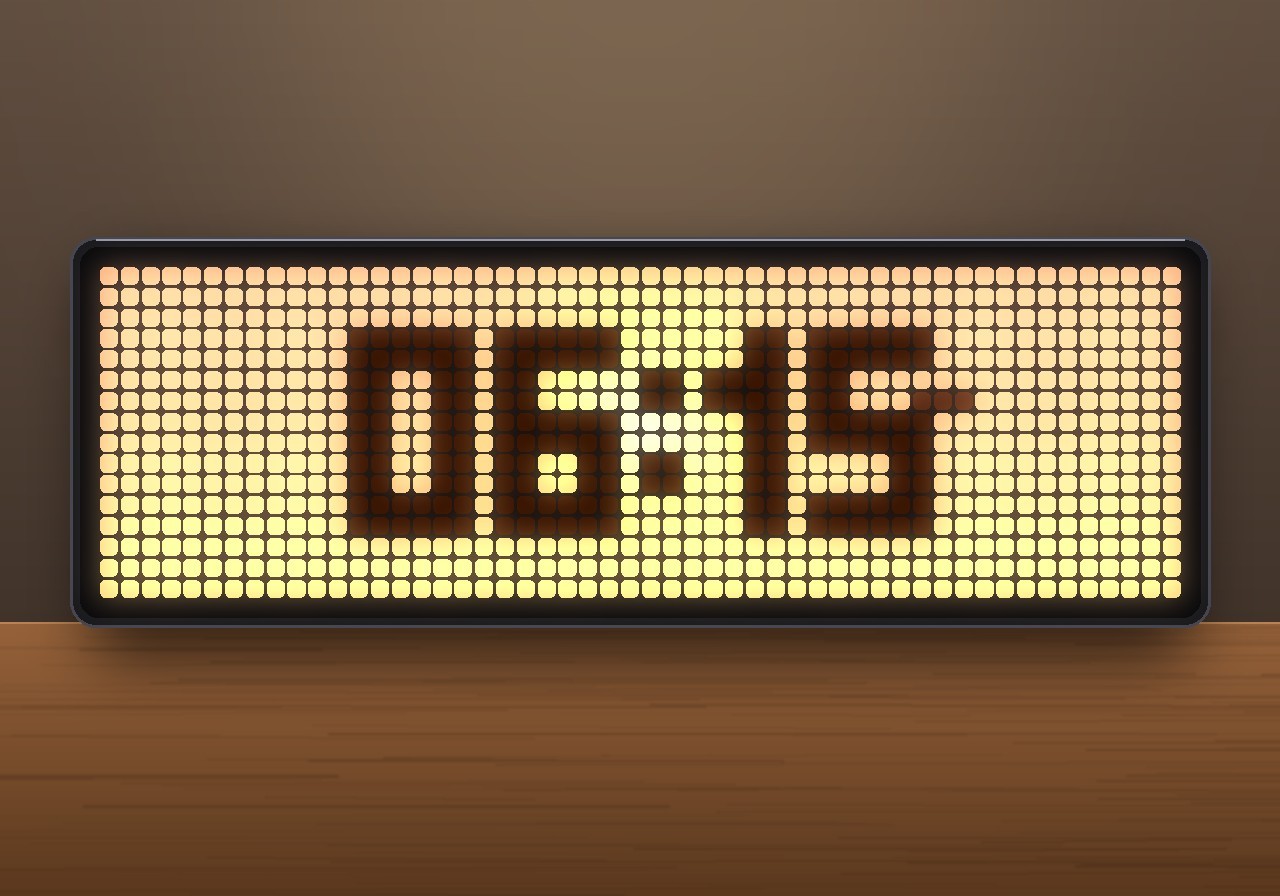
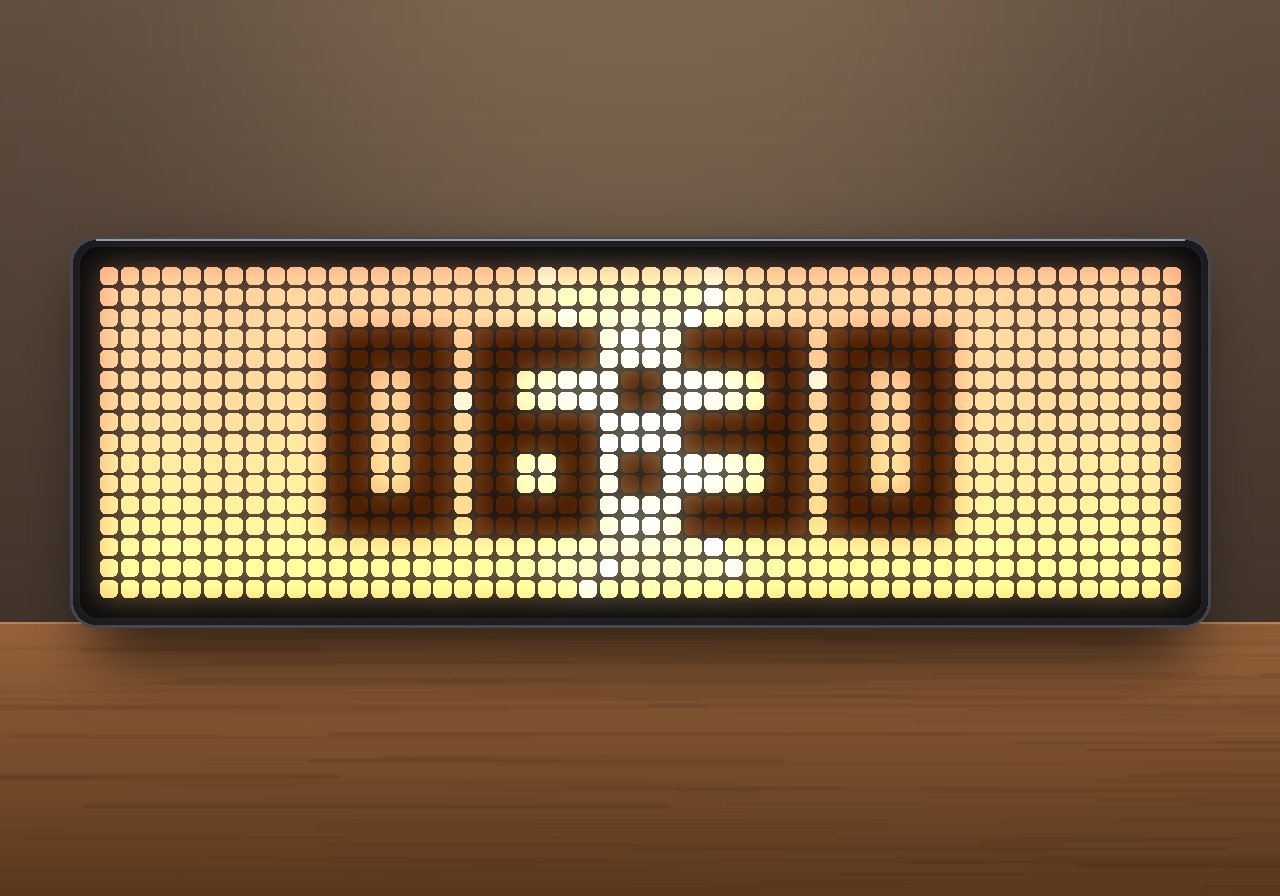
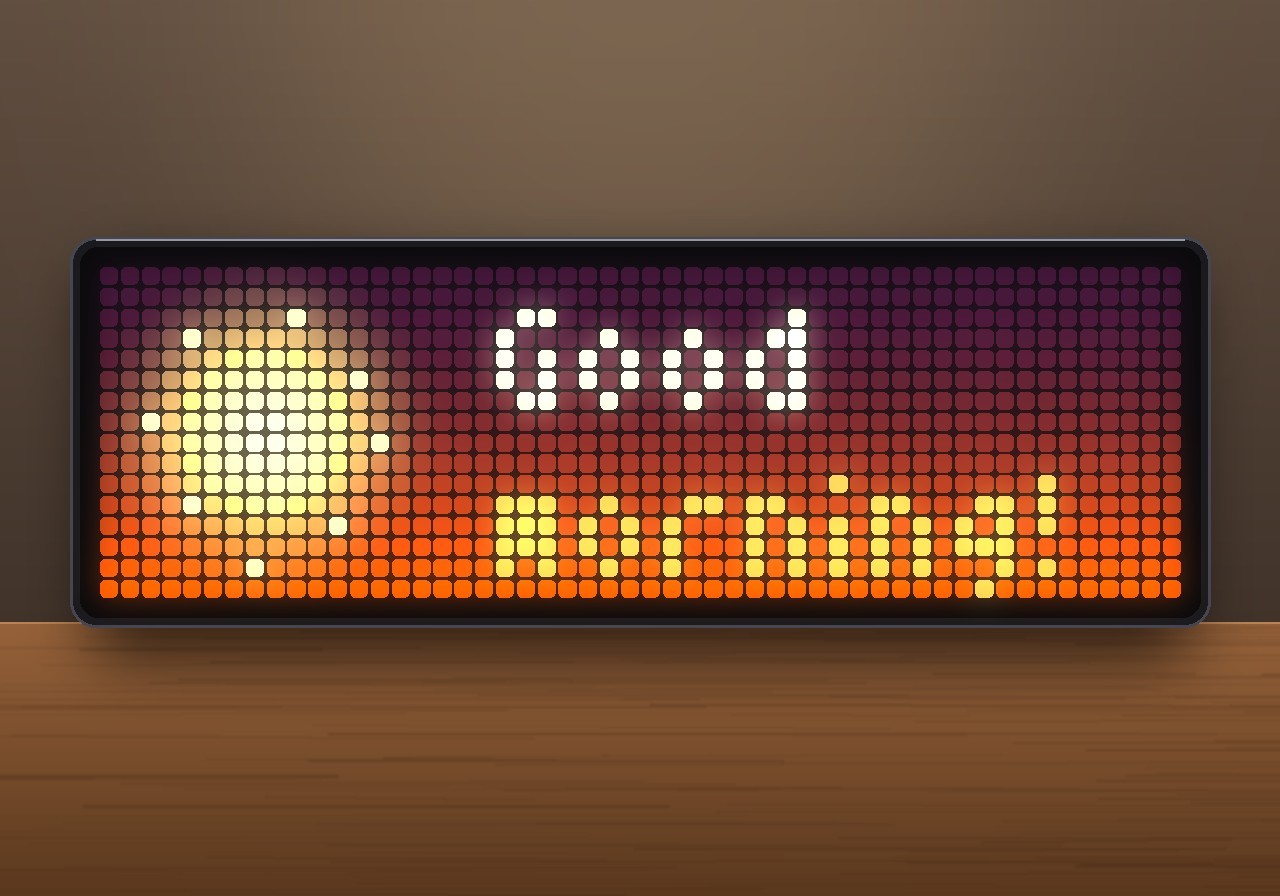
A wake-up light for your bedside table. While an alarm is set, the panel shows only the time in red at night. Before the alarm it turns into a sunrise: the sky slowly changes from deep red through orange to warm white, the sun comes up and the panel dims up its brightness. Then soft bells ring and get louder step by step. After you get up, a short "Good morning!" greets you, and the clock goes back to normal.
 night            sunrise                    alarm               after the alarm
┌────────────┐   ┌────────────┐            ┌────────────┐       ┌──────────────┐
│            │   │ ░░░░░░░░░░ │            │ ▒▒▒ \|/ ▒▒ │       │  ☀    Good   │
│   23:41    │ → │ ▒ 06:15 ▒▒ │  →  ... →  │ ▒ 06:30 ▒▒ │   →   │     morning! │
│  (red)     │   │ ▓▓▓▓☀▓▓▓▓▓ │            │ ▒▒▒ /|\ ▒▒ │       │              │
└────────────┘   └────────────┘            └────────────┘       └──────────────┘
Features
- Two alarm times, each for Mon–Fri, Sat–Sun or every day. A master switch turns both off when you are on holiday.
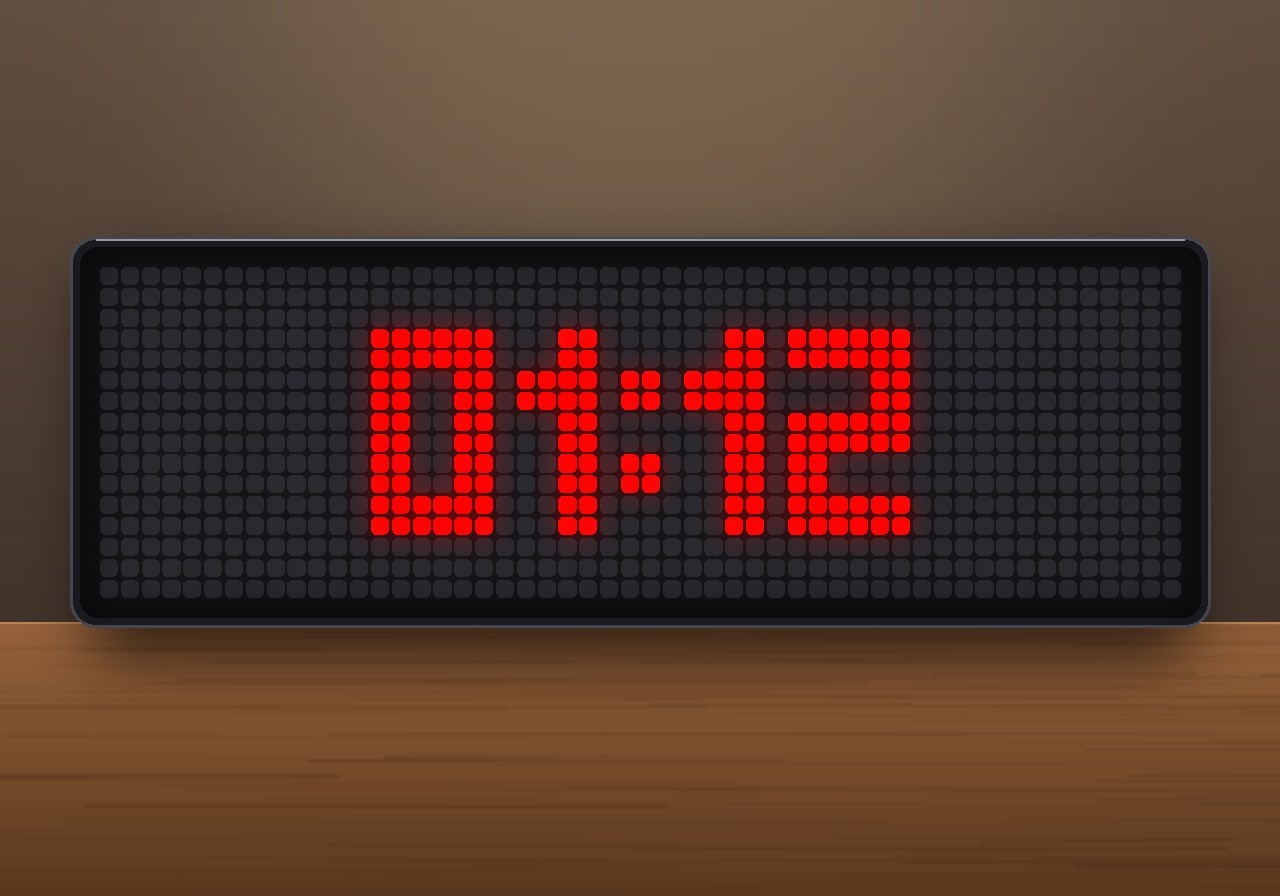
- Red night display. While an alarm is set for the coming night, the clock takes over the panel from a chosen time (default 22:00): only the time in big red block digits with a leading zero (
01:00), centred, with a steady colon that does not blink. Other apps stay out of the way. The brightness can drop to a low level for the night. If you switch to another app with the buttons, the red clock comes back after two minutes. - Sunrise. Starting a set time before the alarm (default 15 minutes), the panel turns into a sky that slowly gets lighter. A sun rises from the bottom edge with a soft glow, and later two birds fly by. The panel dims up step by step to a brightness you choose. Soft birdsong plays in the last third, which you can switch off.
- Gentle alarm. Bells with a soft pad, starting quietly and getting louder every 45 seconds. Or classic beeps, if you prefer. The sun pulses to the beat of the music. All sounds come from the TC002's built-in synthesizer, so you don't need to install any MP3s.
- Snooze. Press the left or middle button, or press the knob. A calm amber countdown shows the time left. You choose how often snoozing is allowed. After that, the snooze button ends the alarm.
- Good morning. Press the right button, or press and hold the knob, to stop the alarm. A sun with rotating rays and "Good morning!" appear with a short chime. Then the clock returns to its previous brightness and goes back to the rotation.
- Up before the alarm? Press the right button during the sunrise and the alarm is off for today.
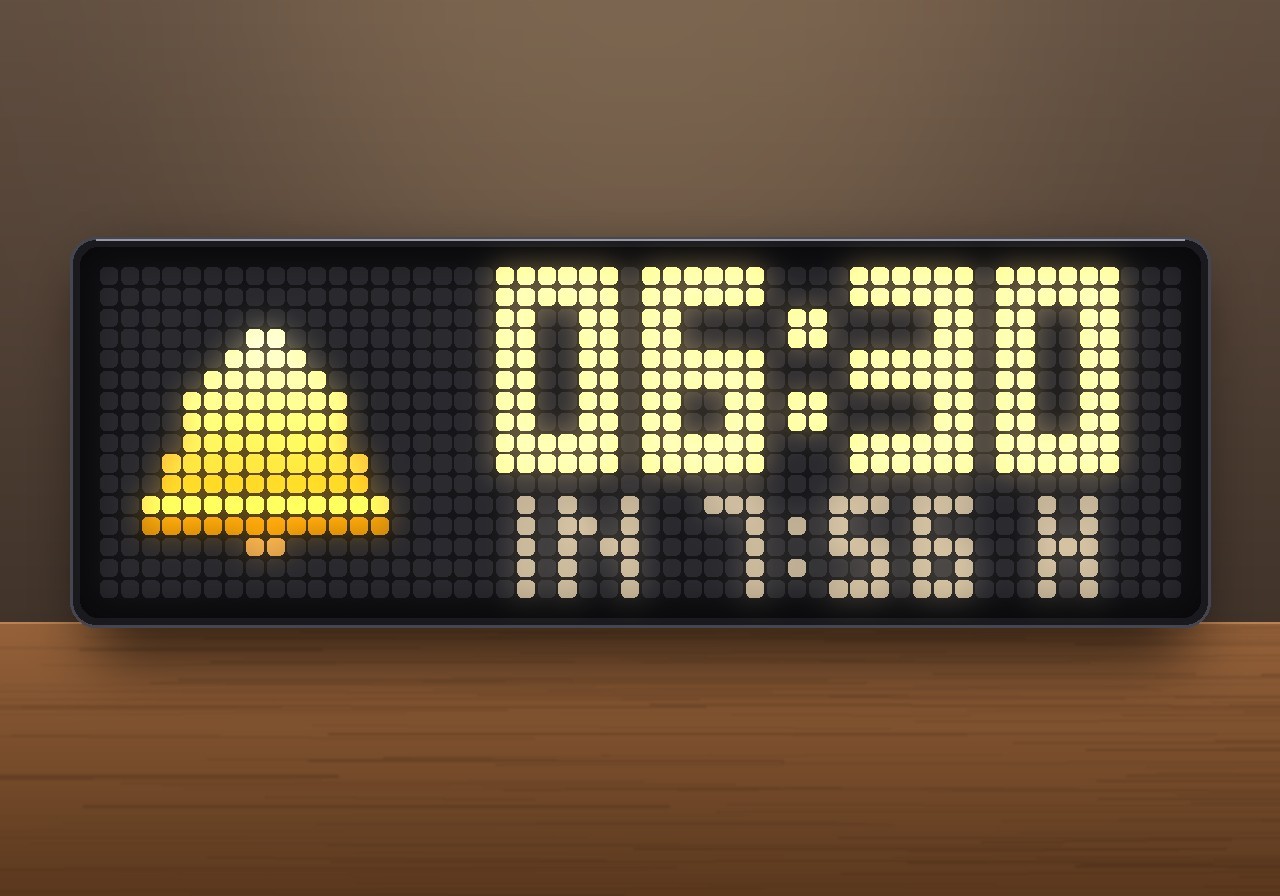
- Day view. In the rotation, the app shows a golden bell that swings in, with the next alarm time and how long until then (
IN 8:10 H, orON SATfor later days). A crossed-out bell means the alarm is off. You can hide the app from the rotation completely. It then only appears at night and for the alarm. - Try it out. Press the middle button in the day view to start a 20-second preview: sunrise, then the alarm. Stop it with the right button.
- Safe. The app restores the brightness and the auto-brightness setting it changed, even after a restart in the middle of an alarm. If the panel was switched off, the sunrise switches it on and turns it off again afterwards. If nobody gets up, the ringing stops after a set time (default 15 minutes).
Requirements
- An Ulanzi TC002 running AWTRIX NG, firmware 1.1.7 or newer (tested on 1.2.0). The bells, the birdsong and the chime use the TC002's built-in synthesizer, and the knob controls need 1.1.7.
- A 52×16 display. The layout is written for it and is not meant for 32×8 clocks.
- No icons or sound files are needed. The bell, sun, sky and digits are drawn in code, and all sounds are synthesized.
- An internet connection only for the correct time. The app makes no web requests.
Installation
- Open the AWTRIX web interface in a browser, using the clock's IP address or
http://awtrixng-xxxxxx.local. - Go to the Scripts tab and create a new script called
SunriseAlarm. - Paste the contents of
SunriseAlarm_share.axand press Save. - Open the Apps tab, click the gear on the SunriseAlarm row, set your alarm times and switch on Alarm on. The alarm is off after installing, so it never rings by surprise.
If the panel shows a red ERR:, the error message is shown next to the script in the Scripts tab. Please include it in your feedback.
Controls
| When | Left / middle button | Right button | Knob |
|---|---|---|---|
| Day view | middle: 20 s preview | next app | brightness / volume as usual |
| Night display | switch apps as usual | switch apps as usual | as usual |
| Sunrise | – | alarm off for today | hold: alarm off for today |
| Ringing | snooze | stop, "Good morning!" | press: snooze · hold: stop |
| Snoozing | middle: ring now | stop | hold: stop |
Turning the knob always changes the volume, so you can turn the alarm down while it rings.
Settings
All settings are on the Apps tab, behind the gear on the SunriseAlarm row, sorted into groups. Saving restarts the app.
| Group | Setting | Default | What it does |
|---|---|---|---|
| Alarm times | Alarm on | off | Master switch for both alarms |
| Alarm time 1 / 2 | 06:30 / 08:30 | 24-hour time, e.g. 06:45 or 7:30 |
|
| Days for alarm 1 / 2 | Mon-Fri / Off | Mon-Fri, Sat-Sun, Daily or Off | |
| Night | Red night display | on | Only the time in red while an alarm is set for the coming night |
| Night display from | 22:00 | When the night display starts. It ends with the sunrise. | |
| Night display colour | red | Colour of the night digits | |
| Brightness at night | 4 % | Panel brightness during the night display. 0 leaves it alone. |
|
| Sunrise | Sunrise before the alarm | 15 min | Length of the sunrise (0–60 min). 0 turns it off. |
| Brightness at the end | 80 % | The panel dims up to this brightness. 0 means no dimming. |
|
| Birdsong | on | Soft chirping in the last third of the sunrise | |
| Alarm sound | Alarm sound | Bells | Bells: soft bells with a pad. Classic: beep-beep. |
| Volume | 60 % | Volume of the alarm. The clock's app volume applies on top. | |
| Get louder gently | on | Starts at 30 %, then 60 % and 100 % of the volume, every 45 s | |
| Snooze | Snooze time | 9 min | How long one snooze lasts |
| Snoozes allowed | 3 | Then the snooze button ends the alarm | |
| Stop ringing after | 15 min | Ends the alarm if nobody gets up | |
| Display | Show in app rotation | on | Shows the next alarm during the day. Off: only at night and for the alarm. |
Good to know
- The clock must be on and in the rotation. Like every AWTRIX app, the alarm only runs while the app is enabled. Holding the middle button opens the clock menu, as always. That cannot be changed by an app.
- The night display only appears before an alarm. On a night without an alarm the next morning, for example Friday night with a Mon–Fri alarm, the clock stays as usual.
- Brightness. For the night display and the sunrise, the app turns off auto-brightness and sets the brightness itself. Afterwards it puts back exactly what was set before.
- Missed alarms. If the clock is restarted or loses power during the alarm minute, that alarm is missed. A sunrise that was interrupted continues after a restart.
Changelog
- 1.2 – One empty pixel row between the alarm time and the text below it in the day view.
- 1.1 – The time always has a leading zero (
01:00instead of1:00) in the night display, the sunrise and while ringing. - 1.0 – First release.
Sign in to view and copy the code of this script.
Discussion 0
Ask a question, suggest a change or share how you use it.
No comments yet. Start the conversation.
More scripts in Miscellaneous
Something wrong with this script? Report it.
Have an idea?
Sign in to ask questions and join the conversation.