Chess CLOCK
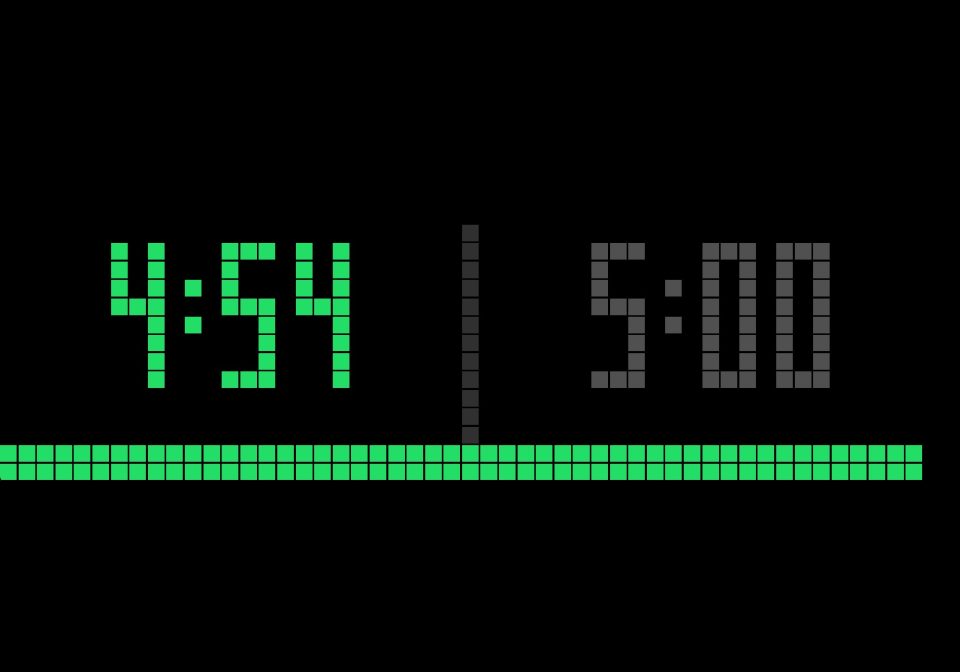
On your display
A two-player chess clock for the TC002. The left button belongs to the left player, the right button to the right player. It shows both clocks side by side with a progress bar and sound cues.
- Topic
- Gaming
- Includes
- Script
Runs on
- Does not run on 32×8 (TC001 & DIY) Made for 52×16 (TC002).
- Runs on 52×16 (TC002)
- Does not run on 32×8 with AWTRIX 3 (TC001 & DIY) Made for AWTRIX NG.
Choose your display in the next step.
Script description
Features
Time controls 1+0, 3+0, 3+2, 5+0, 5+3, 10+0, 10+5, 15+10, 30+0 and 60+0, plus your own control set in the app settings (minutes plus Fischer increment per move).
The clock of the player to move is green, turns yellow under 20 s and red under 10 s, and shows tenths under 20 s.
A full-width progress bar for the player to move. It grows from the left edge for the left player and from the right edge for the right player, so you can see whose turn it is at a glance.
Sound cues: a rising or falling tone on every move (you can hear whose turn it is), a tick every second during the last 10 seconds (higher pitch for the last 3), and an alarm when a flag falls.
Pressing the opponent’s button does nothing, so no accidental switches.
Pause and resume at any time.
How to use
Start the app: hold Select → Scripts → Chess Clock, or press ▶ Start in the Apps tab of the web UI. It’s an on-demand app, so it never joins the rotation.
Choose a time control: press Select or turn the knob before the game starts.
Start the game: press your button, and your opponent’s clock begins (like Black pressing to start White’s clock).
Make a move: press your own button after your move. The increment is added automatically.
Pause or resume: press Select.
Reset: when paused or after a flag, hold Left or Right for half a second. After a flag, a press of Select also works.
Exit: hold Select.
Settings
Minutes per player (1–180), default 5
Increment per move (0–60 s), default 0
Sounds on/off
Sounds use the App volume slider in the audio mixer.
Sign in to view and copy the code of this script.
Discussion 0
Ask a question, suggest a change or share how you use it.
No comments yet. Start the conversation.
Have an idea?
Sign in to ask questions and join the conversation.