Block Drop Weather
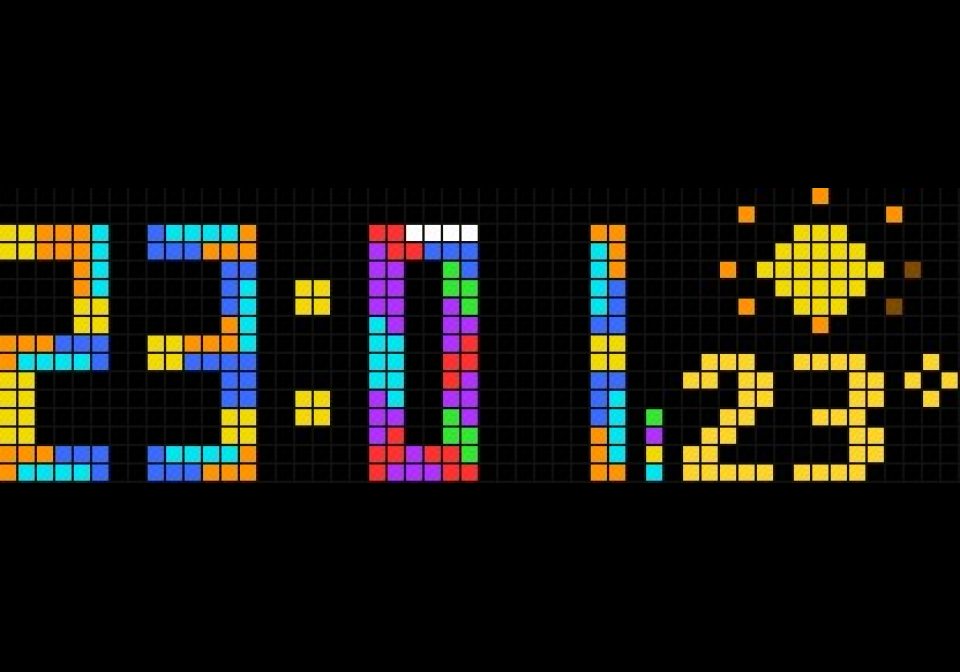
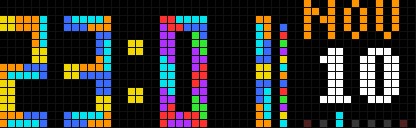
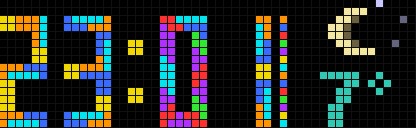
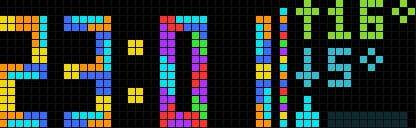
On your display
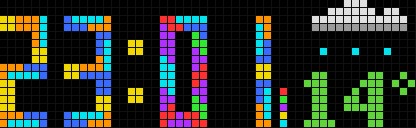
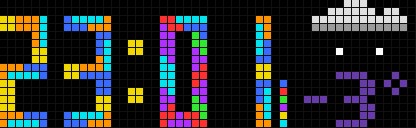
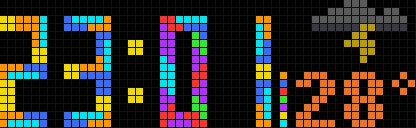
Tetromino clock with weather: the panel takes turns between date, an animated weather symbol with big temperature, and today's high, low and rain.
- Topic
- Miscellaneous
- Includes
- Script
Runs on
- Does not run on 32×8 (TC001 & DIY) Made for 52×16 (TC002).
- Runs on 52×16 (TC002)
- Does not run on 32×8 with AWTRIX 3 (TC001 & DIY) Made for AWTRIX NG.
Choose your display in the next step.
Script description
Block Drop with the weather. The time is built from real tetromino pieces that drop and lock into place, a seconds column fills up and clears every minute, and the panel on the right takes turns between three views. Each new view drops in from the top while the old one falls out below.
The three panels
| Panel | What it shows |
|---|---|
| Date | Weekday or month, a big day number and a weekday bar |
| Now | An animated weather symbol and the temperature in big digits, coloured from cold purple through green to hot red |
| Today | High and low with arrows, and the chance of rain as a drop and a 10-block gauge (10 % per block) |
The symbols are animated: twinkling sun rays and stars, drifting fog, swaying wind, falling drizzle, rain and showers, swaying snowflakes, sleet, and a flashing bolt for thunderstorms. Day and night have their own symbols.
Setup
- Open the app's settings (Apps tab, gear).
- Under Weather, enter your latitude and longitude (for example from a map app) and choose °C or °F.
- Save. The weather appears within a few seconds and refreshes every 15 minutes.
No API key is needed: the weather comes from Open-Meteo. The last reading is kept, so the weather shows at once after a restart. Readings older than 3 hours are not shown; the panel then shows only the date.
Settings
- Clock: 24h, 12h or the clock's own setting; drop speed; seconds column
- Panel: which panels take turns (date+now+today, date+now, now+today, now, date) and seconds per panel. Seconds on screen 0 shows every panel once (12 s by default)
- Date: weekday, month or both on top; week start; day number colour
- Weather: latitude, longitude, °C or °F
Credits
Temperature colours and the rules for choosing a symbol follow BeautifulWeather by Hank_the_Tank, so both apps show the same colour for the same temperature.
Sign in to view and copy the code of this script.
Discussion 0
Ask a question, suggest a change or share how you use it.
No comments yet. Start the conversation.
More scripts in Miscellaneous
Something wrong with this script? Report it.
Have an idea?
Sign in to ask questions and join the conversation.