ScriptAWTRIX NG
Husqvarna Automower
On an AWTRIX display
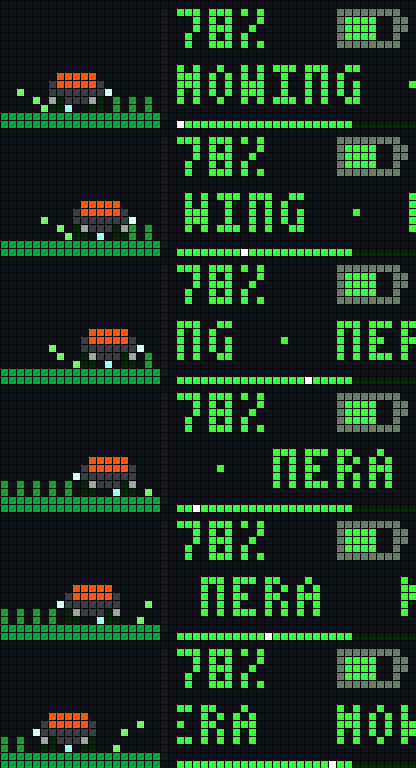
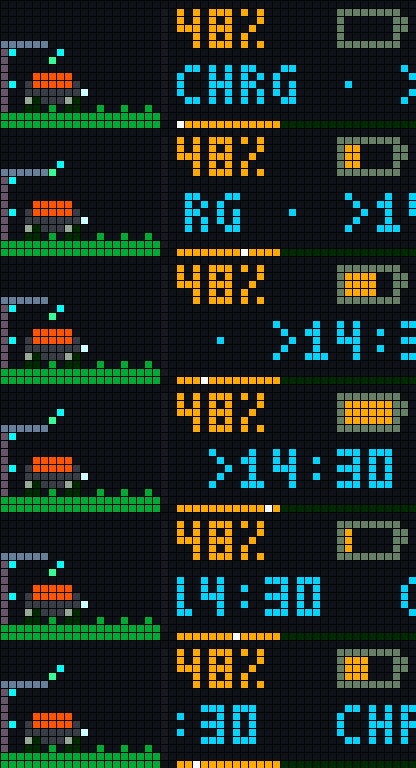
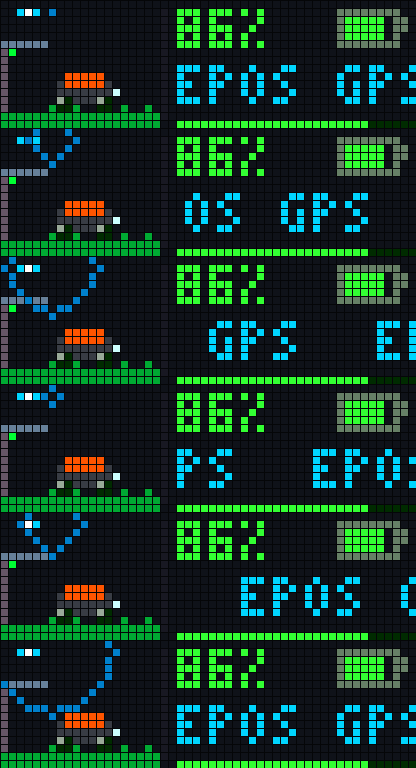
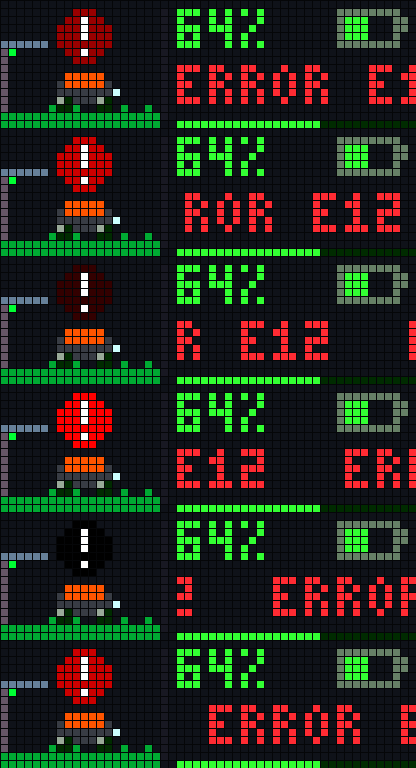
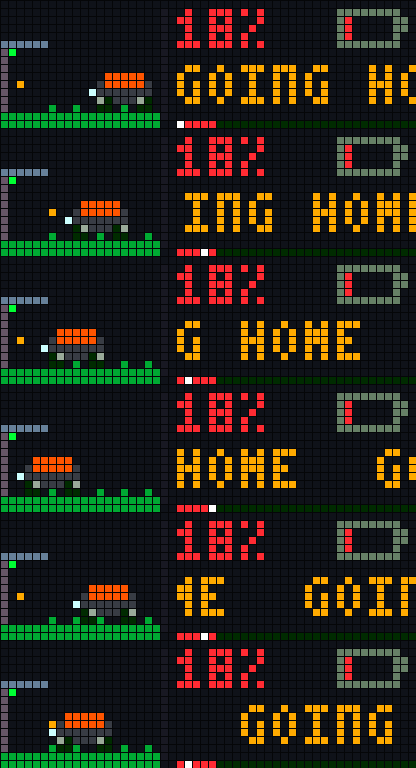
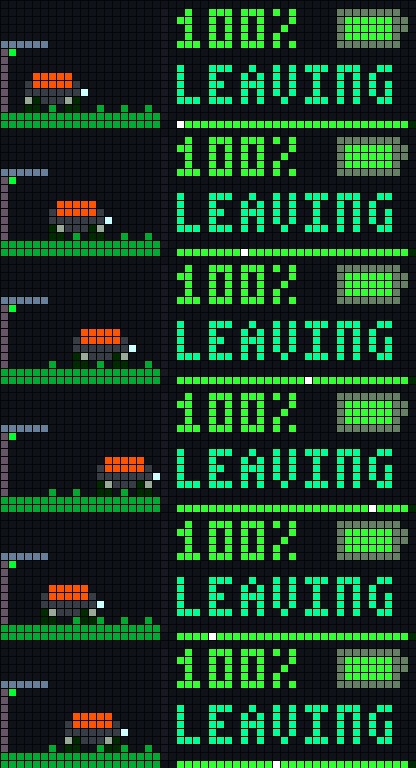
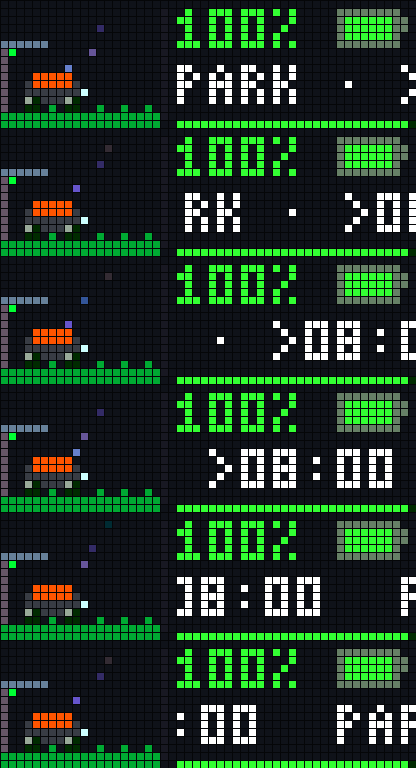
On your display
Direct cloud integration for Husqvarna Automower robotic lawnmowers (including NERA / EPOS models) via the official Husqvarna API. It splits the 52×16 canvas into a state-driven 20×16 live pixel diorama on the left and real-time telemetry on the right.
Which AWTRIX do you have?
See below where it runs, or choose your device.
- Topic
- Smarthome
- Includes
- Script
Runs on
- Does not run on 32×8 (TC001 & DIY) Made for 52×16 (TC002).
- Runs on 52×16 (TC002)
- Does not run on 32×8 with AWTRIX 3 (TC001 & DIY) Made for AWTRIX NG.
Choose your display in the next step.
Script description
Husqvarna Automower Live Diorama
Features
- 7 Animated Diorama States:
- Mowing: Smooth sine-wave gliding across the lawn, rotating wheel spokes, cutting disc shimmer, and flying grass clippings.
- Charging: Docked animation with flowing energy particles and animated battery fill.
- Parked / Sleeping: Docked with rising "Zzz" sleep particles (supports restriction states like
FROST GUARD,DAILY LIMIT, andCOMPLETED). - Leaving / Going Home: Animated departure from and return to the charging station.
- EPOS / Planning: Satellite radar waves when searching for GPS signals or calculating paths.
- Error / Stopped: Pulsing red warning beacon and optional display wake-up notification (
notify) with the exact Husqvarna error code.
- Live Telemetry: Displays battery percentage, dynamic battery icon, current activity/restriction, next scheduled start time (
>HH:MM), and an animated bottom activity bar. - Manual Refresh: Press the middle button (
select) while the app is active to trigger an immediate API poll.
Husqvarna API Setup
- Log in to the Husqvarna Developer Portal using your Automower Connect account.
- Create a new application (set Redirect URI to
http://localhost). - Under Connected APIs, link both the Authentication API and the Automower Connect API.
- Enter the generated Application Key and Application Secret in the app's settings inside the AWTRIX Web UI.
Configuration
- App Key / App Secret: OAuth2 credentials from the Husqvarna Developer Portal.
- Mower Name (optional): Filter by name if multiple mowers are linked to the same account (leave empty to use the first mower).
- Poll Interval: Update interval in minutes (default:
5min, easily stays within Husqvarna's 10,000 requests/month limit). - Show Next Start: Appends the next scheduled start time (
>HH:MM) when parked or charging. - Alert on Error: Wakes up the display and triggers a red notification when the mower reports an error code.
- Animation Speed / Colors: Customize animation speed, mower chassis accent color, and lawn color.
Sign in to view and copy the code of this script.
Community
Discussion 0
Ask a question, suggest a change or share how you use it.
No comments yet. Start the conversation.
Have an idea?
Sign in to ask questions and join the conversation.