US Stock Ticker

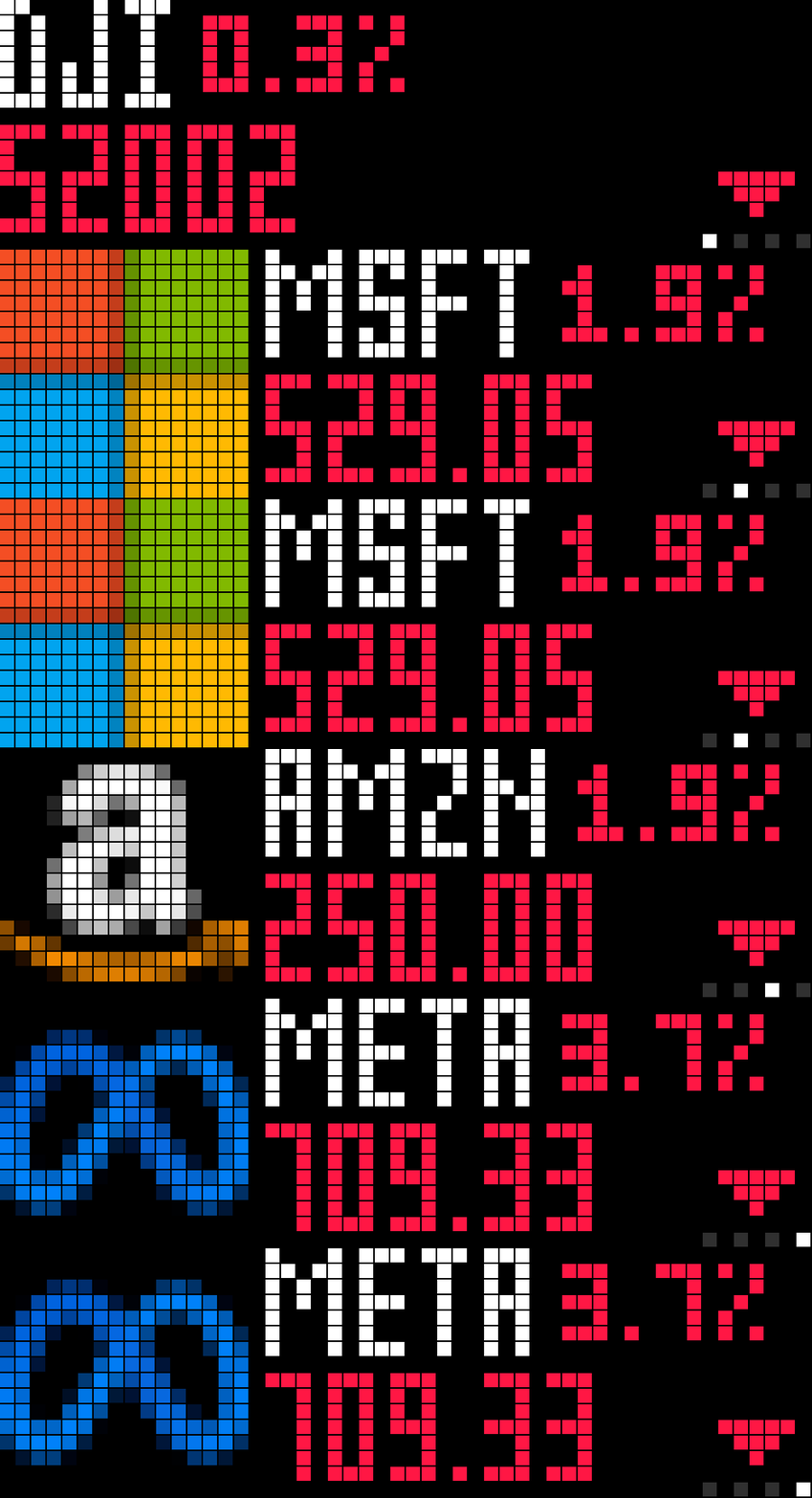
On your display
Up to 20 US stock quotes with logos, big price, day change, market-hours banner and earnings countdown. No API key.
- Topic
- News
- Includes
- Script
Runs on
- Does not run on 32×8 (TC001 & DIY) Made for 52×16 (TC002).
- Runs on 52×16 (TC002)
- Does not run on 32×8 with AWTRIX 3 (TC001 & DIY) Made for AWTRIX NG.
Choose your display in the next step.
Script description
Shows your US stock watchlist on the TC002, one stock per frame: the company logo, the ticker in the large font with the day's change beside it, and the price in the large font coloured green or red, plus a small up or down triangle for colour-blind readers.
Choose pages (one stock at a time) or a scrolling ticker that stops briefly on each stock.
A banner shows the market state with a glyph: moon for closed, sunrise or sunset with a countdown inside 30 minutes of the open or close, sun with the last update time while open.
Stocks reporting earnings within three days get an extra page with the date and whether it's before the open or after the close.
Turn the knob to step between stocks, press it to switch the change between percent and amount.
Optional fireworks or rain behind a stock that moves more than a set percentage. With no symbols configured it shows the Dow, S&P 500 and Nasdaq. Quotes from Yahoo Finance, earnings from Nasdaq, logos from the nvstly/icons set, all without an API key. Fetches only during market hours, once more after the close.
Setup
- Install from the Hub, or paste Stocks.ax into a new script on the clock's Scripts tab and save.
- Go to Apps tab, Click on gear on the Stocks row: enter your symbols comma-separated, up to 20 (BRK-B for class shares, ^GSPC for an index). Leave the field empty for the three indices.
- Pick Display: pages or ticker. For the ticker, set speed, gap and pause per stock.
- Optional: turn on Big move effect and set its percentage; adjust the up and down colours.
- Turn the knob while the app is showing to step between stocks; press it to toggle percent and amount.
Sign in to view and copy the code of this script.
Discussion 0
Ask a question, suggest a change or share how you use it.
No comments yet. Start the conversation.
Have an idea?
Sign in to ask questions and join the conversation.