TransitNext


On your display
TransitNext displays upcoming bus and train departures for your selected stops directly on AWTRIX NG, with live departure times, colored route numbers, scrolling destinations, and automatic stop rotation. No Home Assistant or external server required.
- Topic
- Miscellaneous
- Includes
- Script
Runs on
- Does not run on 32×8 (TC001 & DIY) Made for 52×16 (TC002).
- Runs on 52×16 (TC002)
- Does not run on 32×8 with AWTRIX 3 (TC001 & DIY) Made for AWTRIX NG.
Choose your display in the next step.
Script description
TransitNext – Public Transport Departures for AWTRIX NG
Turn your AWTRIX NG display into a smart public transport departure board!
TransitNext shows the next upcoming departure from your selected bus stops, train stations, and other public transport stops directly on your AWTRIX NG device.
Whether you want to catch your morning bus, check the next train, or monitor multiple stops, TransitNext keeps the most relevant departure information visible.
Features
- Live departure information: Displays the next upcoming departure, including available real-time information and delays.
- Bus and train support: Works with different public transport services supported by the data provider.
- Multiple stops: Add and manage several stops from one configuration page.
- Automatic rotation: Each configured stop appears as a separate AWTRIX app, displaying only its next departure.
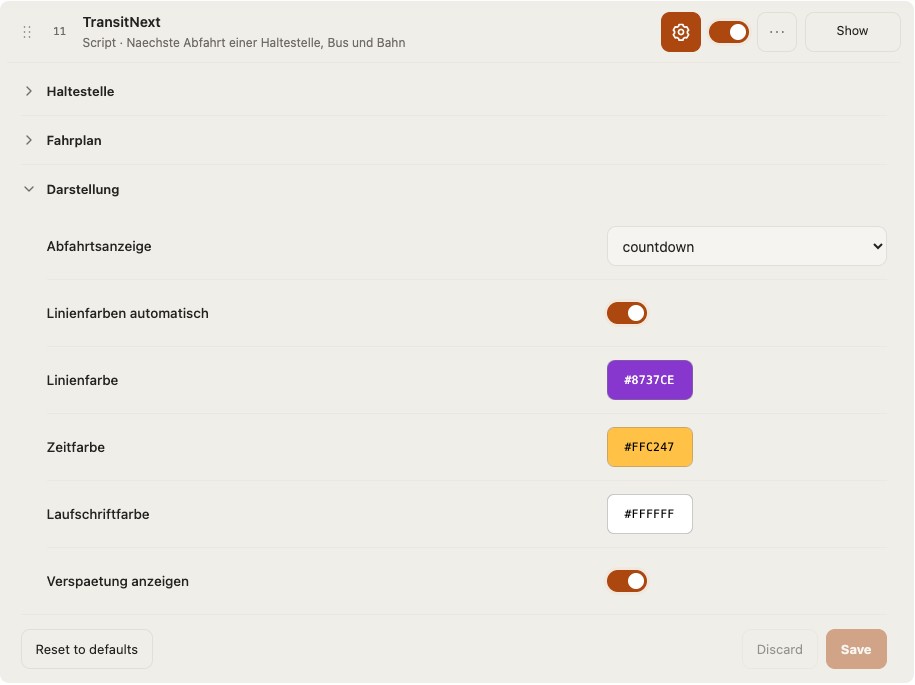
- Colored route numbers: Different lines receive distinctive colors for easy recognition.
- Scrolling destination text: Long stop names and destinations automatically scroll across the display.
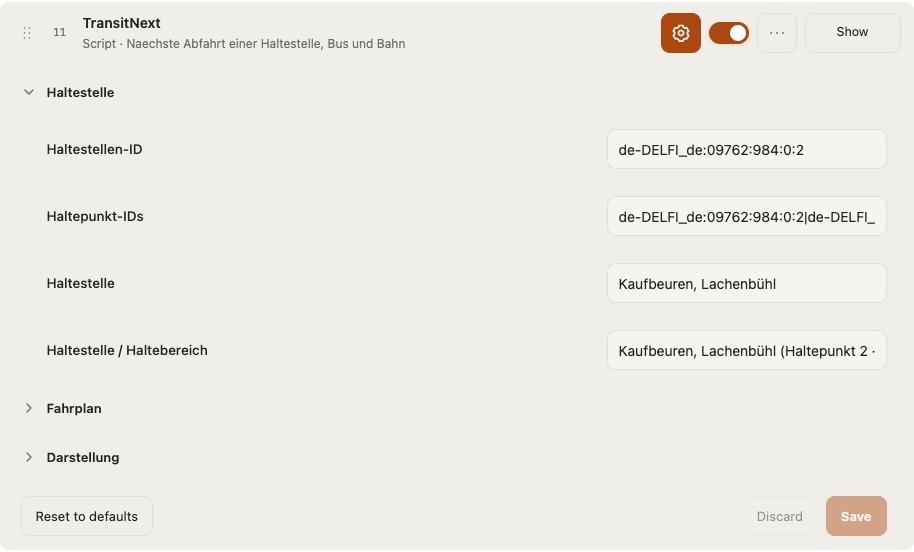
- Smart stop selection: Search for a city and select from its available stops, including separate boarding positions where identifiable.
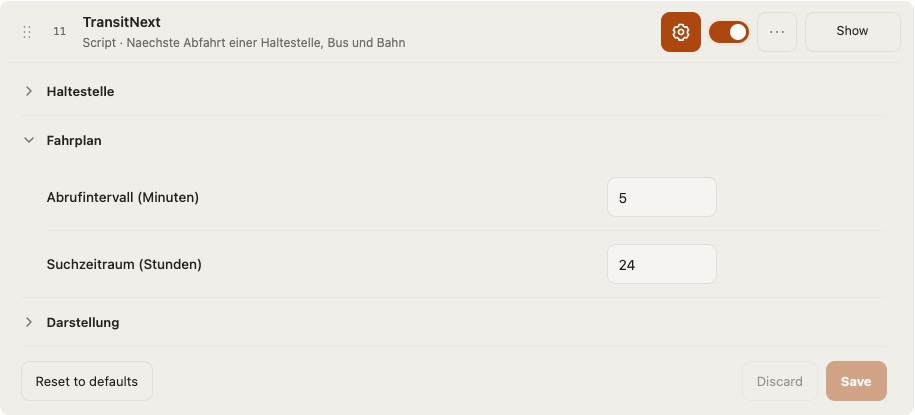
- Customizable settings: Adjust the search window, refresh interval, and display preferences.
- Easy maintenance: Add, change, reorder, or remove stops using the web-based configuration page.
- Direct installation: Install and update your configured scripts directly on your AWTRIX NG device.
- Standalone operation: No Home Assistant, MQTT broker, Raspberry Pi, or external automation server required.
Display example
Line 76 | 8 min
Märzenbachweg > Aitrang, Gemeindeamt
The line number appears in a colored area, while the remaining time and scrolling destination are shown alongside it.
Only the next upcoming departure is displayed for each configured stop.
Installation and setup
TransitNext provides a dedicated web-based configuration and installation tool through GitHub.
-
Open the GitHub repository:
-
Launch the TransitNext configuration tool provided in the repository (
TransitNext-Einrichtung.html). -
Enter the local IP address of your AWTRIX NG device.
-
Search for your city and select the desired public transport stop or boarding position.
-
Add further stops if required and arrange their display order.
-
Configure your preferred refresh interval and departure search window.
-
Use the installation button to install or update your configured TransitNext apps directly on your AWTRIX NG device.
Alternatively, export the generated .ax scripts and import them manually through the AWTRIX NG web interface under Scripts.
Updating your configuration
You can modify your configuration at any time without starting from scratch.
Open the configuration tool, connect to your AWTRIX NG device, and load your existing TransitNext settings.
You can then add new stops, change existing selections, adjust the display order, or remove stops. Apply your changes to update the corresponding scripts on your device.
Data source
TransitNext uses the public Transitous / MOTIS API to retrieve public transport stops and departure information.
Service coverage and real-time availability depend on the public transport operators and the timetable data supplied to Transitous.
An active internet connection is required.
Requirements
- AWTRIX NG with scripting support
- Designed for the 52 × 16 pixel display of the ULANZI TC002
- Wi-Fi and internet connectivity
- A compatible web browser for the configuration tool
Open-source project
Developer: Q14siX
GitHub: https://github.com/Q14siX/TransitNext
TransitNext is an independent community project and is not officially affiliated with AWTRIX NG, Transitous, or any public transport operator.
Sign in to view and copy the code of this script.
Discussion 0
Ask a question, suggest a change or share how you use it.
No comments yet. Start the conversation.
More scripts in Miscellaneous
Something wrong with this script? Report it.
Have an idea?
Sign in to ask questions and join the conversation.