Simple Stock Ticker
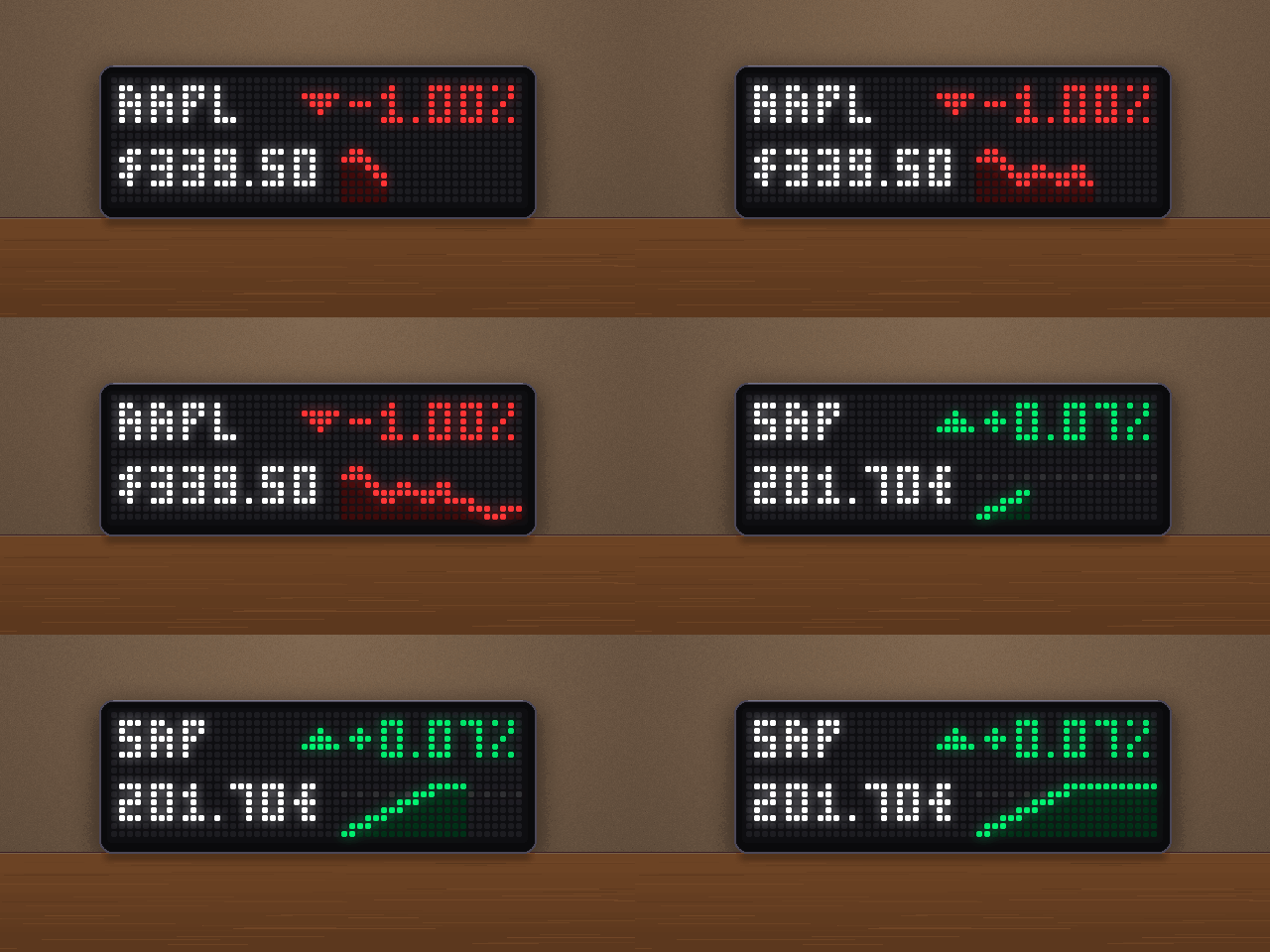
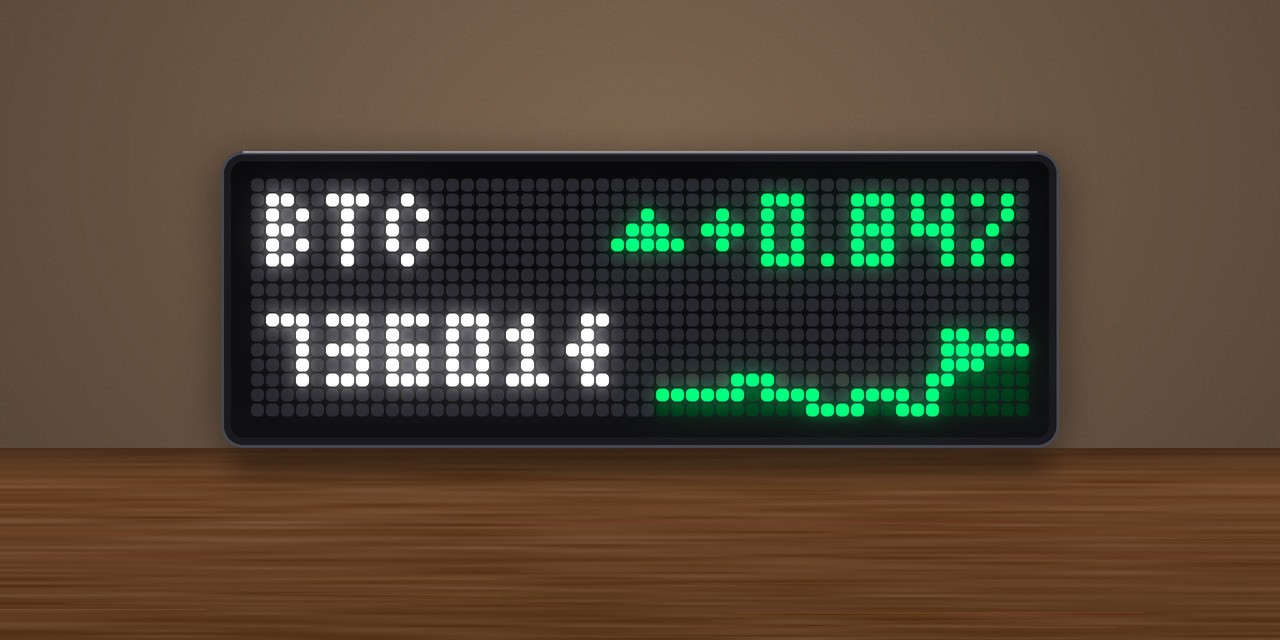
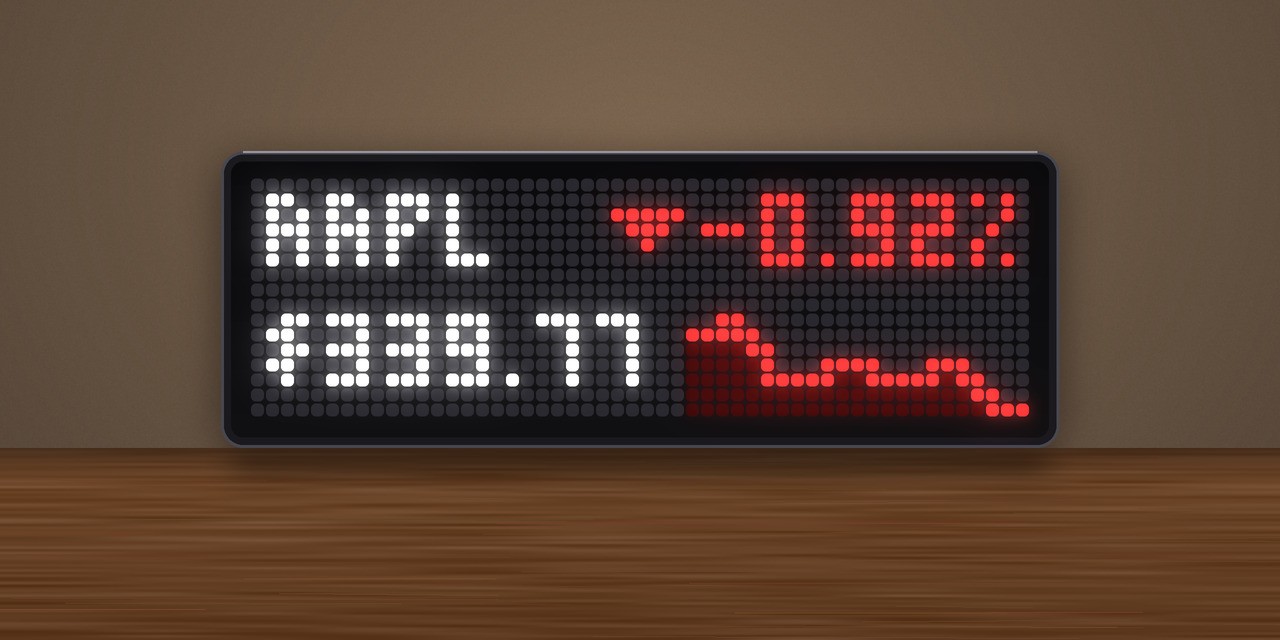
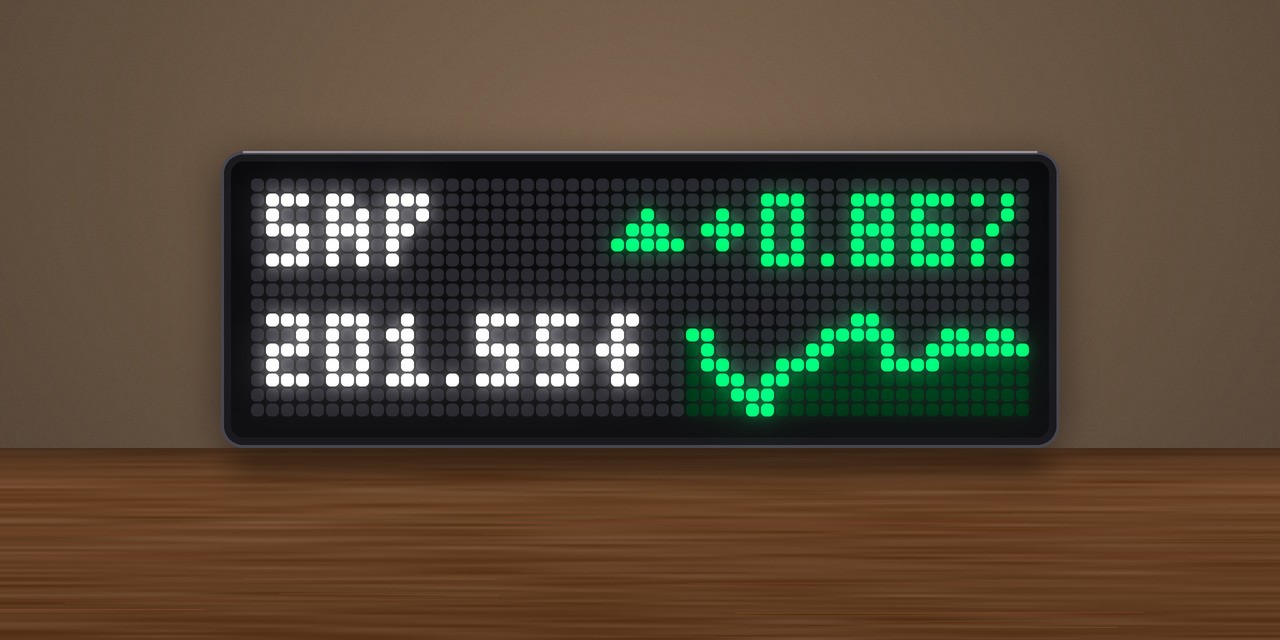
On your display
Stocks, indices and crypto from Yahoo Finance
- Topic
- News
- Includes
- Script
Runs on
- Does not run on 32×8 (TC001 & DIY) Made for 52×16 (TC002).
- Runs on 52×16 (TC002)
- Does not run on 32×8 with AWTRIX 3 (TC001 & DIY) Made for AWTRIX NG.
Choose your display in the next step.
Script description
Stock Ticker for AWTRIX NG (Ulanzi TC002)
Version 1.0 · by Hank_the_Tank / Claude · for the 52×16 panel of the Ulanzi TC002
Stocks, indices and crypto from Yahoo Finance: the current price, the change since yesterday's close and a small chart of the trading day, for up to 8 symbols. The app shows them one after another, and you can flip through them with the knob. No API key and no account needed.
┌────────────────────────────────────────┐
│ AAPL                       ▼ -0.92%    │  name · arrow and daily change (green/red)
│ $339.77      ▆▇▅▃▃▂▃▃▂▃▂▁              │  price · intraday chart
└────────────────────────────────────────┘
What it shows
- Name and daily change. The ticker (or your own display name) at the top left, and the change since the previous close at the top right in percent, with an up or down arrow. Green when rising, red when falling; both colours can be changed.
- Price at the bottom left.
$,€and£are added automatically, and indices such as the DAX are shown in points. Prices of 1000 and above are shown without decimals, prices under 10 with four. - Intraday chart to the right of the price, from the 30-minute closes of the current trading day. A dotted line marks the previous close, so you see at a glance whether the price is above or below it. The chart draws itself in from the left each time a symbol appears.
- All symbols in one turn. The app stays in the rotation until every symbol has been shown once (Seconds per symbol × number of symbols).
- Knob: turn it right for the next symbol, left to go back.
- Stocks, ETFs, indices, currencies and crypto from every exchange Yahoo Finance covers.
Requirements
- An Ulanzi TC002 running AWTRIX NG (tested on firmware 1.2.2).
- A 52×16 display. The layout is not meant for 32×8 clocks.
- No icons and no API key.
Installation
The easy way (recommended): Send to AWTRIX
- Open this script's page on the AWTRIX Hub.
- Press Send to AWTRIX and choose your TC002 in the next step.
- Done. The app is installed and joins the rotation right away.
Then: choose your symbols
Open the AWTRIX web interface (the clock's IP address or http://awtrixng-xxxxxx.local), go to the Apps tab, click the gear on the Stock Ticker row and enter your own symbols. Without this you get Apple, SAP, the DAX and Bitcoin.
Updates
New versions are announced on the clock itself once your Hub account is connected:
- In the AWTRIX web interface open System → AWTRIX Hub and enter your Hub connection key. You find it in your Hub account settings (Open Hub account).
- Go to the Scripts tab and press Check for updates. Scripts with a newer version on the Hub are marked there.
Manual installation
Only if you can't use the button:
- Open the AWTRIX web interface and go to the Scripts tab.
- Create a new script called
StockTicker, paste the contents ofStockTicker.axand press Save. - Choose your symbols as described above.
If the panel shows a red ERR:, the error message is shown next to the script in the Scripts tab. Please include it in your feedback.
Settings
All settings are on the Apps tab, behind the gear on the StockTicker row. Saving restarts the app.
| Setting | Default | What it does |
|---|---|---|
| Symbols | AAPL,SAP.DE,^GDAXI:DAX,BTC-EUR:BTC |
Yahoo Finance tickers, comma separated, up to 8. A display name can follow after a colon. Set this first. |
| Seconds per symbol | 5 s | How long each symbol stays on screen (2–30 s) |
| Refresh every | 5 min | How often the prices are fetched (1–60 min) |
| Rising colour | #00D060 | Colour of the arrow, the change and the chart when the price is up |
| Falling colour | #FF3030 | The same when the price is down |
Finding ticker symbols
Search for the stock on finance.yahoo.com and copy the symbol from the quote page. A few examples:
| What | Ticker | With a display name |
|---|---|---|
| Apple (Nasdaq) | AAPL |
|
| SAP (XETRA) | SAP.DE |
|
| Siemens (XETRA) | SIE.DE |
SIE.DE:Siemens |
| DAX | ^GDAXI |
^GDAXI:DAX |
| S&P 500 | ^GSPC |
^GSPC:S&P500 |
| Bitcoin in euro | BTC-EUR |
BTC-EUR:BTC |
| Euro / US dollar | EURUSD=X |
EURUSD=X:EUR/USD |
| MSCI World ETF | EUNL.DE |
EUNL.DE:World |
Without a display name, the app shows the ticker up to the first dot or dash: SAP.DE becomes SAP, BTC-EUR becomes BTC. Keep names short (about 5 characters) so they don't run into the percentage.
Data and refresh
- One request per symbol to Yahoo Finance every 5 minutes (setting Refresh every), sent one after another so the clock is never busy with several at once.
- Yahoo Finance's chart endpoint is public but unofficial. Prices of exchanges are usually delayed by about 15 minutes, crypto is close to real time. Don't trade on it.
- Outside trading hours the app shows the last trading day.
...means no data has arrived yet; check the clock's network connection.n/ameans Yahoo does not know the ticker.
Feedback
This is a test release. Useful feedback:
- A price or change looks wrong: the ticker, the time and what Yahoo Finance showed at that moment.
- The panel shows
ERR:: the error text from the Scripts tab.
Credits
- Market data: Yahoo Finance.
- Firmware: AWTRIX NG by Blueforcer.
Changelog
- 1.0 – First release: price, daily change and intraday chart for up to 8 symbols, knob to flip through them.
Sign in to view and copy the code of this script.
Discussion 0
Ask a question, suggest a change or share how you use it.
No comments yet. Start the conversation.
Have an idea?
Sign in to ask questions and join the conversation.