ShotTimer
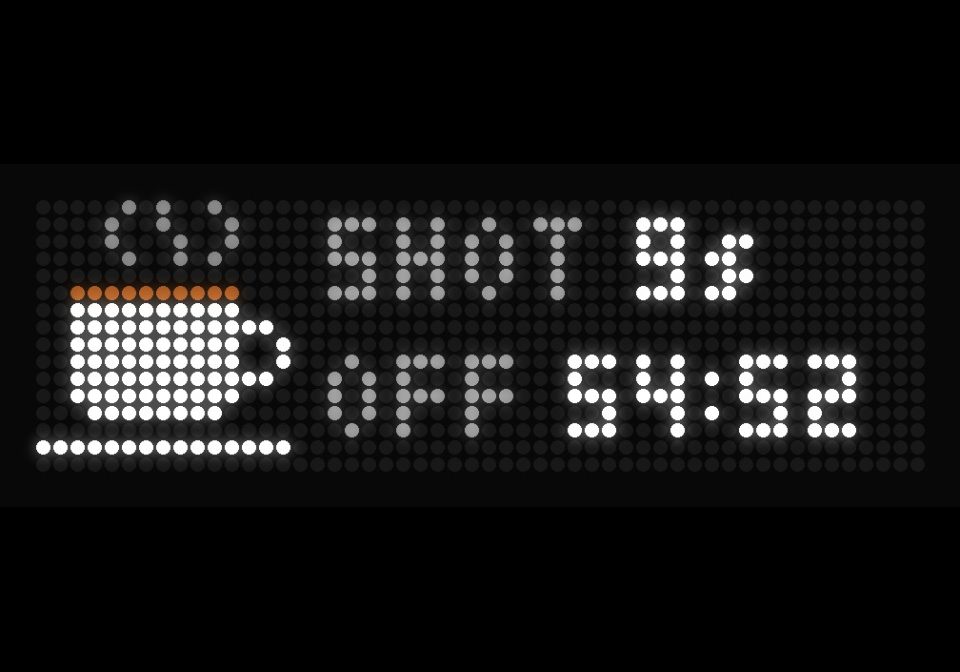




On your display
A coffee machine from Appliance Monitor: heating up, time on, time until it switches off, and a shot timer
- Topic
- Smarthome
- Includes
- Script
Runs on
- Does not run on 32×8 (TC001 & DIY) Made for 52×16 (TC002).
- Runs on 52×16 (TC002)
- Does not run on 32×8 with AWTRIX 3 (TC001 & DIY) Made for AWTRIX NG.
Choose your display in the next step.
Script description
Shows what Appliance Monitor (Homebridge) measures at a coffee machine's smart plug, over MQTT.
- HEATING while it warms up, with the time since switch-on
- ON (time since switch-on) and a red HEATED once it is warm, alternating every 3 seconds
- OFF: a countdown to when your automation switches it off, yellow in the last minute
- SHOT: while the pump runs, the timer takes over the display and counts every second
- Afterwards SHOT or RINSE with the measured time, in green for 20 seconds
Needs Appliance Monitor 1.16 or later with MQTT on, the clock on the same broker, and a few phases and two MQTT messages set up on the coffee machine. Every topic, threshold and colour is a setting.
Optional: a temperature sensor on the machine (e.g. via deconz-mqtt) for an exact HEATED.
Setup: https://github.com/rummeyer/homebridge-appliance-monitor/tree/main/extras/awtrix-ng
Sign in to view and copy the code of this script.
Discussion 0
Ask a question, suggest a change or share how you use it.
No comments yet. Start the conversation.
Have an idea?
Sign in to ask questions and join the conversation.