Prism Loom
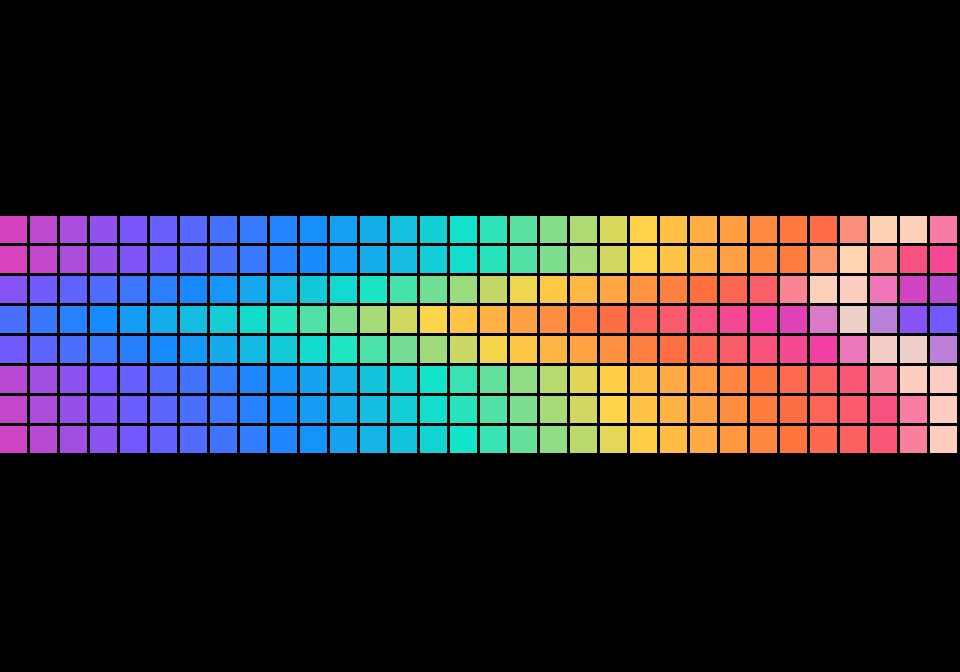
On your display
Neon color curtains weave across the panel and settle into a warm amber glow.
- Topic
- Miscellaneous
- Includes
- Script
Runs on
- Runs on 32×8 (TC001 & DIY)
- Runs on 52×16 (TC002)
- Does not run on 32×8 with AWTRIX 3 (TC001 & DIY) Made for AWTRIX NG.
Choose your display in the next step.
Script description
Prism Loom fills the AWTRIX NG 32×8 display with sliding ribbons of neon color. A bright seam weaves through the curtains before the pattern settles into amber. Use it as a vivid pause between widget apps.
Setup
- Open your AWTRIX NG device settings and choose Scripts. Import the Berry code from this flow, then save it.
- Choose Show on AWTRIX to preview it. On the Apps page, add Prism Loom to the app rotation between widgets.
- Optionally set Duration from 1,000 to 5,000 ms in the script settings. The default is 3,000 ms.
No icons, external services, credentials, or network connection are required. This original script is part of the Color Current transition pack and is available under the MIT License.
Sign in to view and copy the code of this script.
Discussion 0
Ask a question, suggest a change or share how you use it.
No comments yet. Start the conversation.
More scripts in Miscellaneous
Something wrong with this script? Report it.
Have an idea?
Sign in to ask questions and join the conversation.