Year Progress
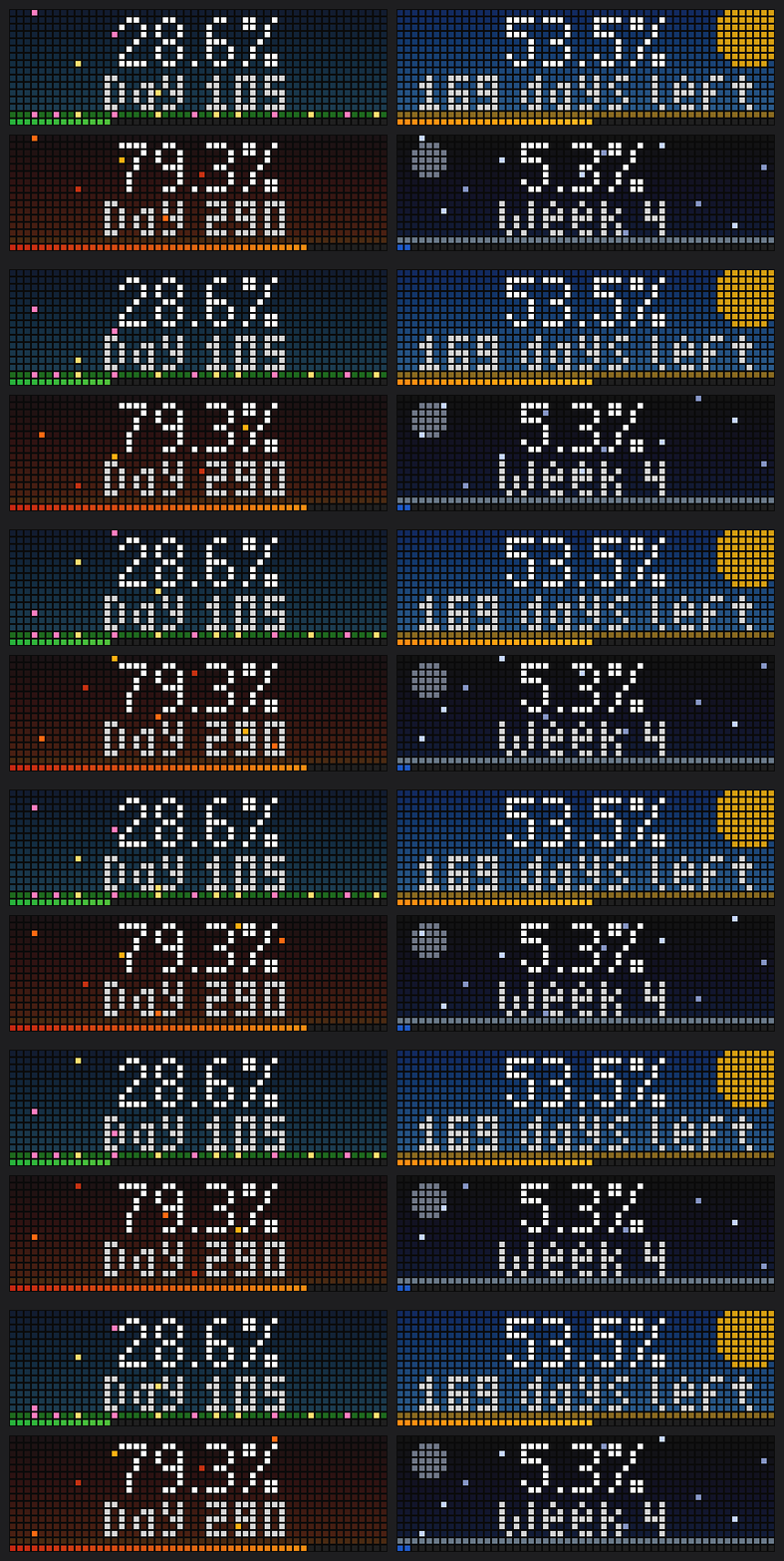
On your display
How much of the year has passed – in %, on an animated seasonal background.
- Topic
- Miscellaneous
- Includes
- Script
Runs on
- Does not run on 32×8 (TC001 & DIY) Made for 52×16 (TC002).
- Runs on 52×16 (TC002)
- Does not run on 32×8 with AWTRIX 3 (TC001 & DIY) Made for AWTRIX NG.
Choose your display in the next step.
Script description
Year Progress shows how much of the current year has already passed, updated to the minute, on a background that changes with the season.
What it shows
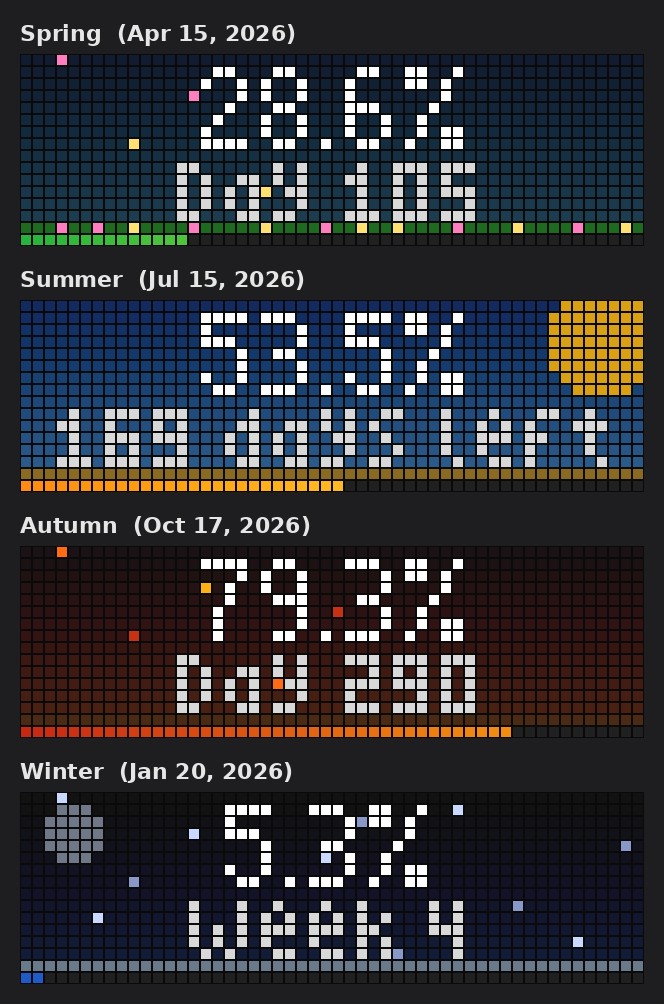
- The year's progress in large digits, e.g. 79.3%
- A second line that rotates between day of the year, days left and the ISO calendar week
- A one-pixel progress bar along the bottom with a colour gradient matching the season
Seasonal backgrounds
- Spring (Mar–May): meadow with flowers and drifting blossoms
- Summer (Jun–Aug): blue sky and sun
- Autumn (Sep–Nov): dusky sky with falling leaves
- Winter (Dec–Feb): night sky, moon and falling snow
Leap years are handled. The percentage is truncated rather than rounded, so it never shows 100% before the year is over. Press the middle button while the app is on screen to step through the second line by hand.
Display texts are available in English and German.
Setup
- Install the app. It joins the app rotation straight away.
- Optional: open the Apps tab in the web interface and click the gear next to Year Progress to change the settings:
– Language / Sprache: English or Deutsch
– Second line: rotate, or always show day, days left or week
– Rotate every: seconds between the second-line texts
– Decimal places: 0 to 2
– Animated background: turn off for a still background
– Colours: percentage, second line, bar style (seasonal gradient or solid) and bar colours
Sign in to view and copy the code of this script.
Discussion 0
Ask a question, suggest a change or share how you use it.
No comments yet. Start the conversation.
More scripts in Miscellaneous
Something wrong with this script? Report it.
Have an idea?
Sign in to ask questions and join the conversation.