Air Quality Index (AQI)
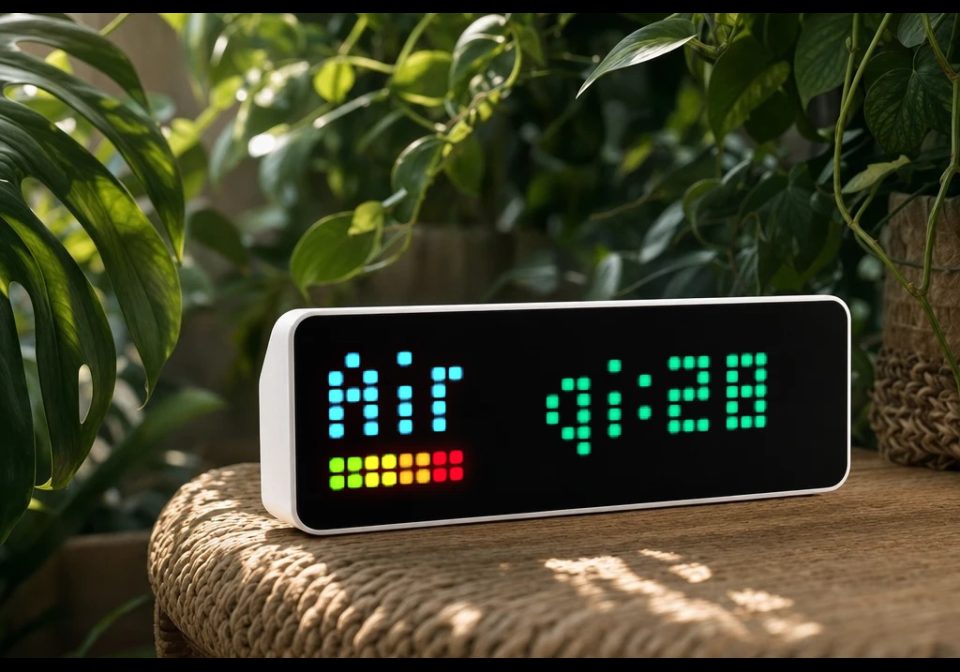
On your display
Air Quality Index (AQI) of your city on your AWTRIX NG display
- Topic
- Miscellaneous
- Includes
- Script
Runs on
- Runs on 32×8 (TC001 & DIY)
- Runs on 52×16 (TC002)
- Does not run on 32×8 with AWTRIX 3 (TC001 & DIY) Made for AWTRIX NG.
Choose your display in the next step.
Script description
Air Quality Index (AQI) of your city on your AWTRIX NG display.
You need a TOKEN from https://aqicn.org/api/ and the station name
from the AIQ map https://aqicn.org/ ...
You also have to upload the icon 74824 from https://developer.lametric.com/icons
(or any other icon you like) to your AWTRIX NG.
The token, station, icon and request interval can be configured in the
web UI configuration dialog.
This script is based on the AIQ AWTRIX 3 flow from Dmytro Sudakevych (megadimich).
Sign in to view and copy the code of this script.
Discussion 0
Ask a question, suggest a change or share how you use it.
No comments yet. Start the conversation.
More scripts in Miscellaneous
Something wrong with this script? Report it.
Have an idea?
Sign in to ask questions and join the conversation.