CGM Readings from Nightscout
On your display
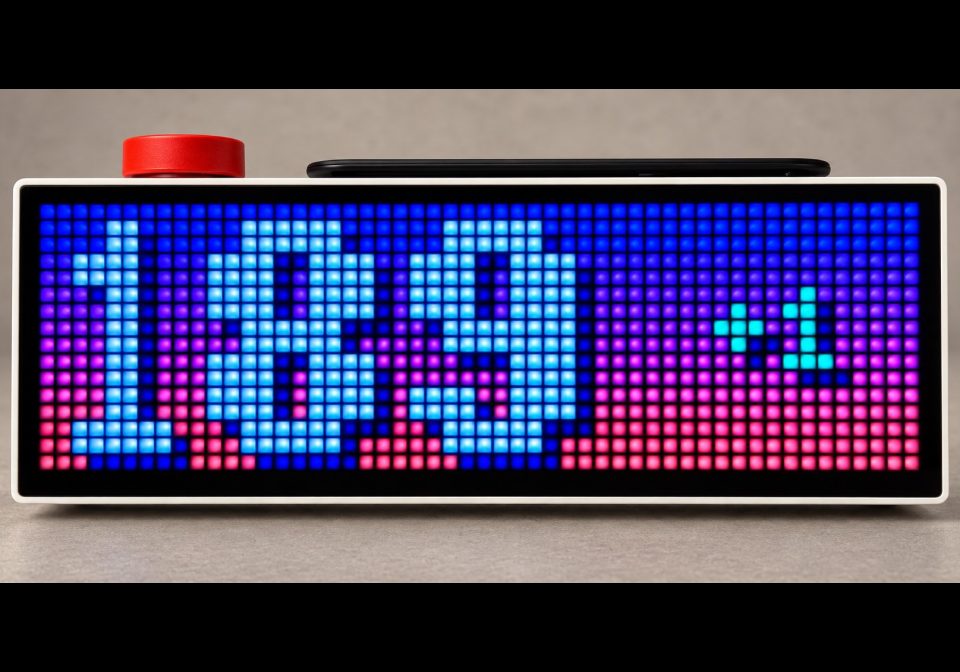
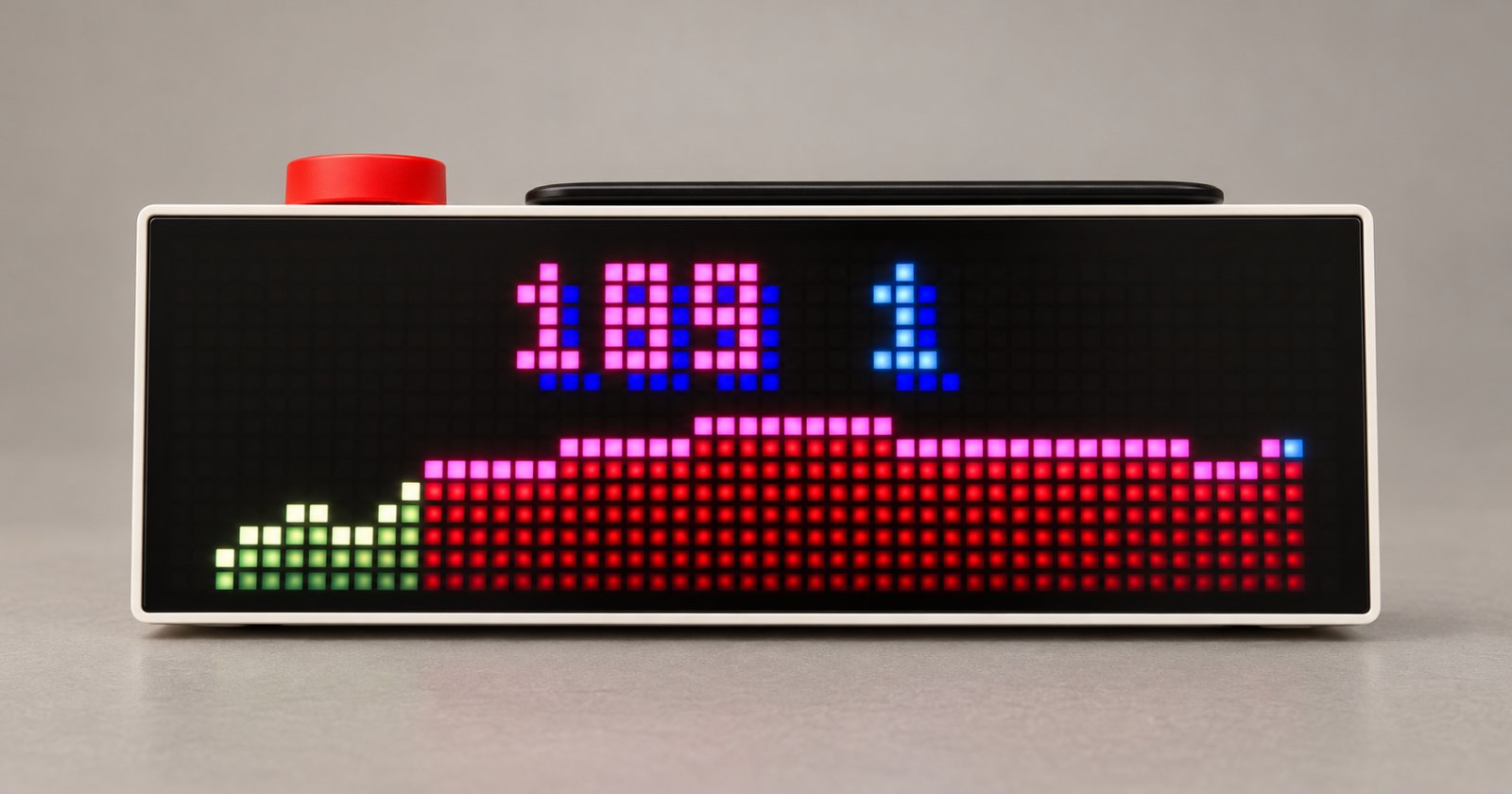
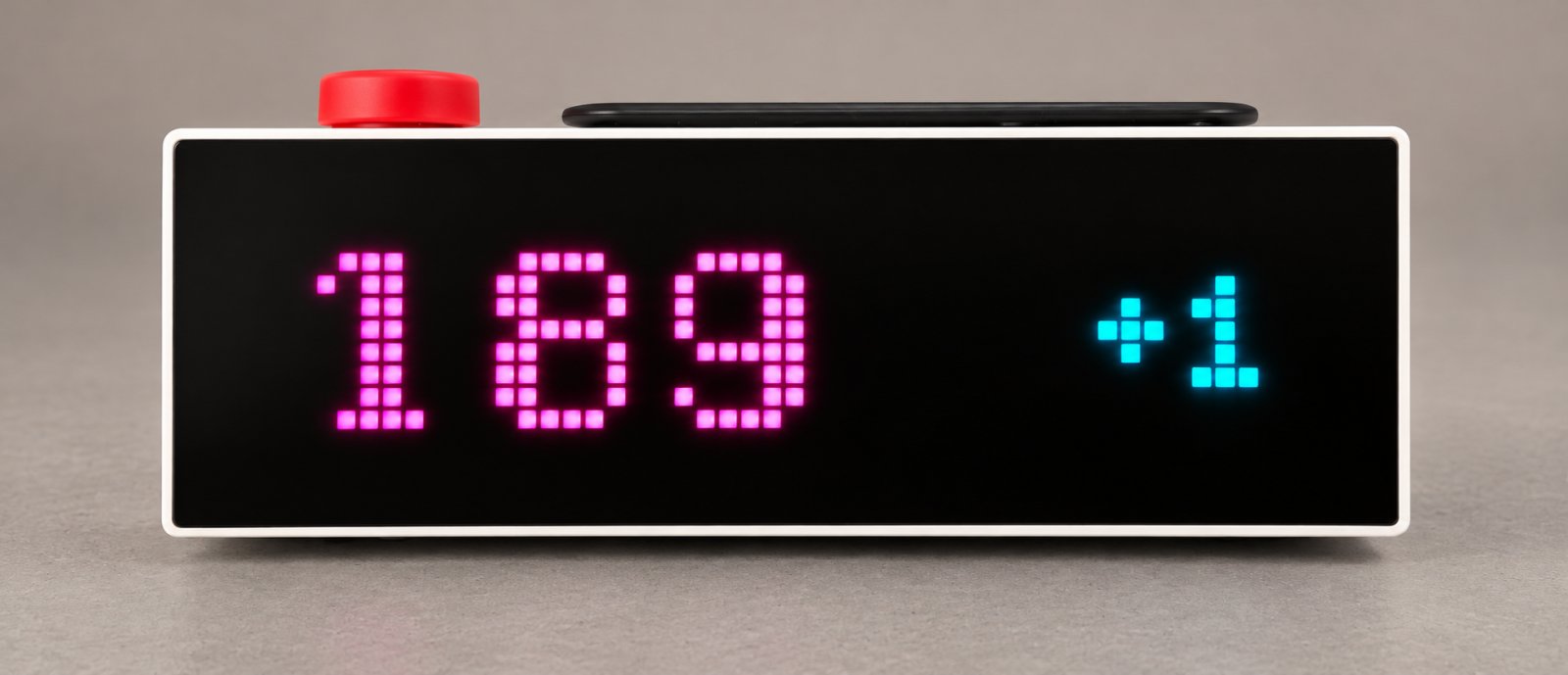
Nightscout CGM display for AWTRIX NG TC002: graph, glucose value, and delta.
- Topic
- Miscellaneous
- Includes
- Script
Runs on
- Does not run on 32×8 (TC001 & DIY) Made for 52×16 (TC002).
- Runs on 52×16 (TC002)
- Does not run on 32×8 with AWTRIX 3 (TC001 & DIY) Made for AWTRIX NG.
Choose your display in the next step.
Script description
A read-only Nightscout glucose display for the AWTRIX NG TC002 with three selectable screens.
It reads Nightscout values directly from the TC002 using HTTPS. No NAS, Docker container, MQTT broker, database, or cloud relay is required.
cgm_graph: shows the current glucose reading, a white minute marker, and a colour-coded graph of genuine received values from the last 30 minutes.
cgm_font1: shows the current reading and its direct-reading delta.
cgm_font2: is a playful large-font display with the current reading and delta on a coloured inverse field.
Configure your own HTTPS Nightscout server, optional read-only token, refresh interval, stale limit, font size, and graph history in the AWTRIX web UI.
Setup
- Install the script with the name Nightscout_CGM.
- Open its settings in the AWTRIX web interface.
- Enter your Nightscout URL, for example https://your-nightscout.example, without a trailing /.
- Optionally enter a separately revocable read-only token. Never use an administrator token.
- Choose the desired Screen, refresh interval, no-data limit, font size, and graph-history period.
- Save the settings and select the script in the AWTRIX app rotation.
Glucose colours are visual context only: red below 60 or above 180 mg/dL, green from 60–160 mg/dL, and yellow from 161–180 mg/dL. Delta colours reflect its absolute change: green 0–5, yellow 6–10, red above 10 mg/dL.
Manual installation
Only use this if the Install button is unavailable.
- Open the AWTRIX web interface and go to Scripts.
- Create a new script named Nightscout_CGM.
- Paste the complete contents of Nightscout_CGM.ax and press Save.
- Open the script settings and enter your Nightscout URL, without a trailing slash.
- Optionally enter a separately revocable read-only token. Do not use an administrator token or personal password.
- Choose the screen, refresh interval, no-data limit, font size, and graph history. Then select the script in the AWTRIX rotation.
If the clock shows a red ERR: open the Scripts tab and look for the error next to Nightscout_CGM. Include that message when requesting help.
This is a visual desk display only. It is not an alarm, treatment, or dosing tool.
Sign in to view and copy the code of this script.
Discussion 0
Ask a question, suggest a change or share how you use it.
No comments yet. Start the conversation.
More scripts in Miscellaneous
Something wrong with this script? Report it.
Have an idea?
Sign in to ask questions and join the conversation.