Prayer Times (Dubai)
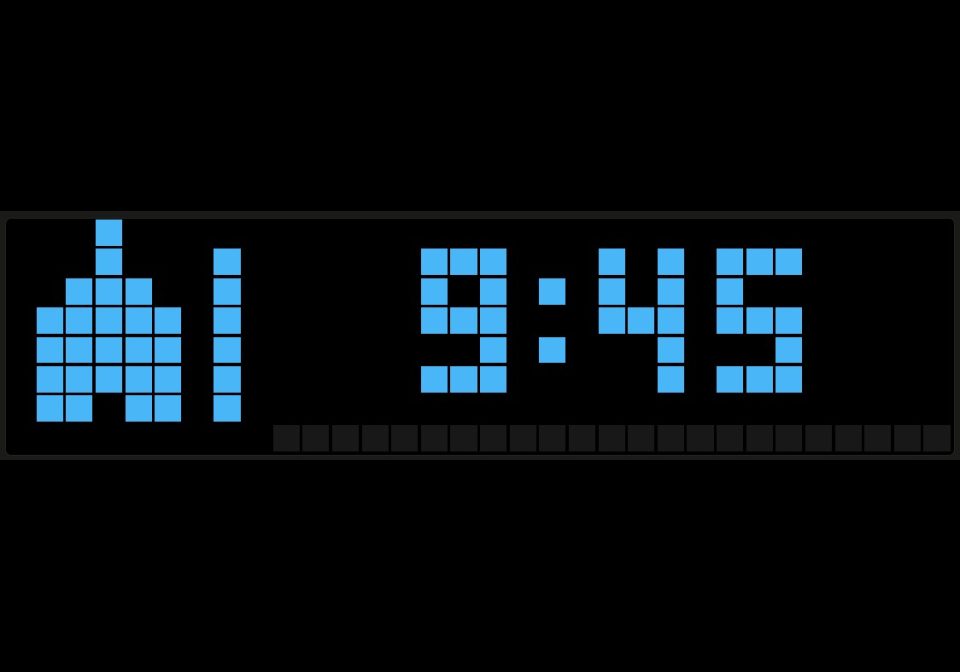
On your display
Countdown to the next prayer in Dubai, with alerts at prayer time
- Topic
- Smarthome
- Includes
- Script
Runs on
- Runs on 32×8 (TC001 & DIY)
- Runs on 52×16 (TC002)
- Does not run on 32×8 with AWTRIX 3 (TC001 & DIY) Made for AWTRIX NG.
Choose your display in the next step.
Script description
Shows a live countdown to the next prayer for Dubai, with the prayer times published by IACAD (Islamic Affairs & Charitable Activities Department).
What it shows
- A mosque icon and the time left until the next prayer, coloured per prayer: Fajr blue, Dhuhr yellow, Asr orange, Maghrib red, Isha purple
- Hours and minutes (3:07) when more than an hour is left, then minutes and seconds (09:54)
- The prayer name for a moment each time the app appears. On Fridays, Dhuhr is shown as JUMUA
- A bar along the bottom that fills from the last prayer to the next
Alerts
- A notification such as "Asr time" when each prayer begins, even when the display is off
- An optional short melody
- An optional early reminder, e.g. "Asr in 10 min"
Data source
The script asks IACAD first. IACAD's website is behind Cloudflare and usually rejects requests from the clock, so the script then uses the Aladhan API with its Dubai method (method 16). Those times are within about a minute of IACAD. After a reboot it shows the last times it fetched, and it fetches new times every day.
Settings (Apps → ⚙)
- Count down to sunrise: also count down to Shorooq
- Notify at prayer time: on or off
- Sound at prayer time: melody with the alert
- Early reminder: minutes before each prayer, 0 = off
- Show name for: seconds the prayer name shows before the countdown
Buttons: press the middle button to fetch the times again.
Requirements: the clock's time zone must be Dubai (UTC+4). No API key needed.
Sign in to view and copy the code of this script.
Discussion 0
Ask a question, suggest a change or share how you use it.
No comments yet. Start the conversation.
Have an idea?
Sign in to ask questions and join the conversation.