Klipper Dashboard


On your display
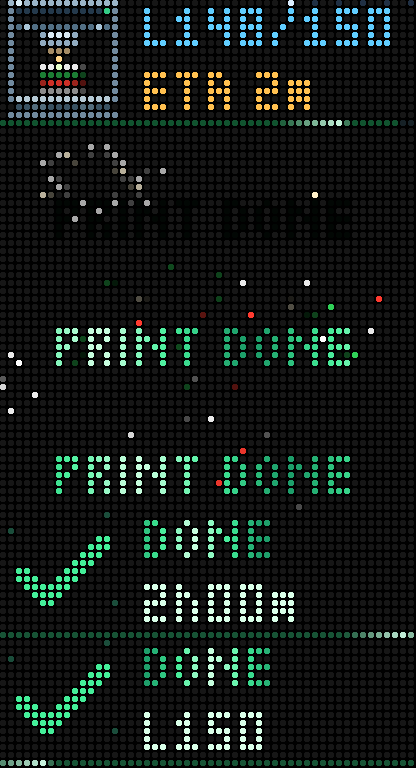
Keeps an eye on your Klipper printer for you: what it's doing before the first layer, every head's temperature, an ETA you can trust, and fireworks when it's done
- Topic
- Smarthome
- Includes
- Script
Runs on
- Does not run on 32×8 (TC001 & DIY) Made for 52×16 (TC002).
- Runs on 52×16 (TC002)
- Does not run on 32×8 with AWTRIX 3 (TC001 & DIY) Made for AWTRIX NG.
Choose your display in the next step.
Script description
Keeps an eye on your Klipper printer for you. Glance at the clock and you see
what the printer is doing before the first layer – heating, homing, the bed
mesh filling in point by point – then the layer, an ETA you can trust, and
every head's temperature. When the print is done, fireworks go off in your
filament's colours.
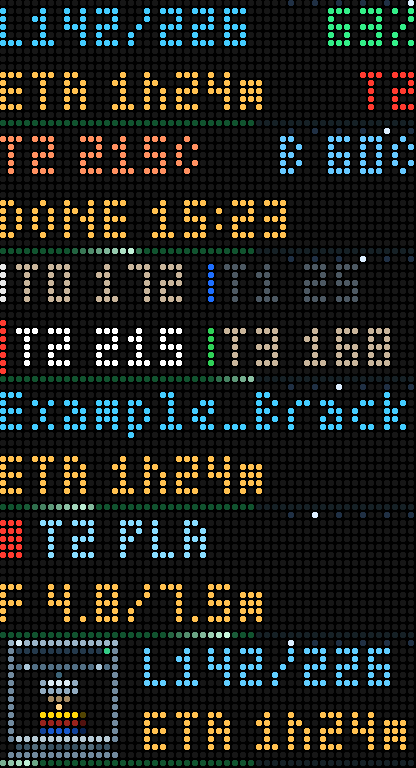
Built for multi-head printers – tool changers, IDEX, the Snapmaker U1, 8- and
9-head machines – and just as at home on a single-head Ender.
What it shows
- Before the first layer: heating, homing, gantry levelling, a live map
of the bed mesh as it is probed, heat soak, purge – instead of a 0% bar. - While printing: layer and percentage, ETA and finish time, the active
head and bed temperatures, every head at once on multi-head printers, the
file, the active filament and how much is used. - Alerts: print finished (fireworks), failed, paused or out of filament,
first layer / 50% / 90%, tool changes, printer lost mid-print. Sounds are
optional: off, failures only, or all. - Between prints (optional): printer state, temperatures, the last job –
or why Klipper isn't ready (printer switched off, shutdown, error).
Setup
- Install, then open Apps → the gear button on Klipper Dashboard.
- Enter your printer's IP address (port 7125, or 80 through Mainsail or
Fluidd). Names likevoron.localdon't work on the clock, so give the
printer a fixed address in your router. - Start a print. The app joins the rotation while printing.
To see every screen without printing, turn on Preview without printing
and pick a Preview state; press select to try that state's alert.
Works with any Klipper printer with Moonraker on your network. Progress
and ETA use your slicer's time-based progress when the file has it
(OrcaSlicer and forks, PrusaSlicer, Bambu Studio). Tested on a Snapmaker U1
and a Klipper Ender 3 with a BLTouch and KAMP. AFC and Happy Hare support is
new – feedback welcome.
Something wrong? The clock's Log tab shows [KD] lines that say
what is going on, such as "No answer from …" (wrong address or printer off)
or "Moonraker refused access" (add the clock to trusted_clients in
moonraker.conf). More help, the source and printer recordings for testing:
https://github.com/isewise/Klipper-TC002-Script
MIT licensed.
Sign in to view and copy the code of this script.
Discussion 0
Ask a question, suggest a change or share how you use it.
No comments yet. Start the conversation.
Have an idea?
Sign in to ask questions and join the conversation.