Solar App
On your display
A sleek, animated solar monitor for AWTRIX displays featuring a rotating 3D sun, flowing photon streams, and real-time power metrics.
- Topic
- Smarthome
- Includes
- Script
Runs on
- Does not run on 32×8 (TC001 & DIY) Made for 52×16 (TC002).
- Runs on 52×16 (TC002)
- Does not run on 32×8 with AWTRIX 3 (TC001 & DIY) Made for AWTRIX NG.
Choose your display in the next step.
Script description
This app transforms your AWTRIX display into an elegant, living solar monitor for your balcony solar setup or rooftop photovoltaic system.
Instead of showing static numbers, SolarApp brings your solar generation to life: the glowing pixel-art sun rotates dynamically in 3D and spins faster as your panels produce more power. Subtle ember-colored photon trails glide smoothly across your screen toward a gently shimmering solar panel, visualizing the continuous flow of clean energy into your home. When the sun sets and production drops to zero, the app automatically transitions into a peaceful night mode with a resting glow and dimmed telemetry.
✨ Features & Visual Highlights
-
☀️ Dynamic 3D Sun Animation:
- Beautiful pixel-art sun with an 8-lobe pulsating corona and smooth warm-color gradients.
- Spherical 3D rotation that visibly accelerates with higher watt output.
- Automatic sleeping night glow when no power is being generated.
-
✨ Flowing Photon Trails:
- Muted, ember-colored energy streaks flow gently across the display toward the solar panel.
- Stream speed scales dynamically based on your current generation.
- Subtle, glare-free colors that keep the focus entirely on your numbers.
-
🟦 Shimmering Solar Panel:
- Clean pixel-art solar module at the display edge with a deep blue silicon look and cyan aluminum frame.
- Calm, meditative shimmer effect that breathes softly while producing power.
-
📊 Clear, Color-Coded Readouts:
- Current Power (Line 1): Watt value and
Wunit displayed in warm golden yellow. - Daily Yield (Line 2): Energy produced today shown in eco-friendly green.
- Current Power (Line 1): Watt value and
-
🎨 3 Visual Layouts (
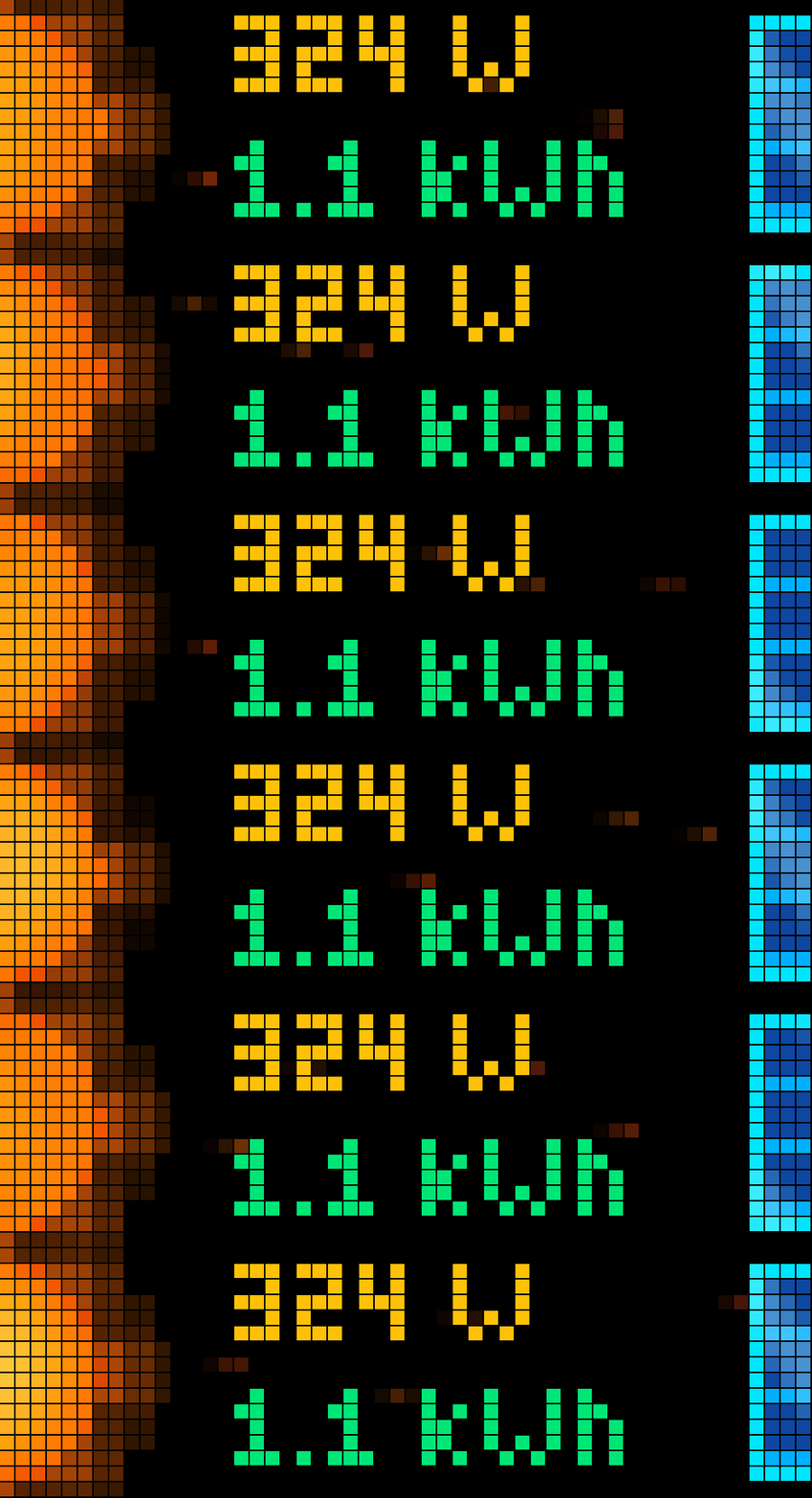
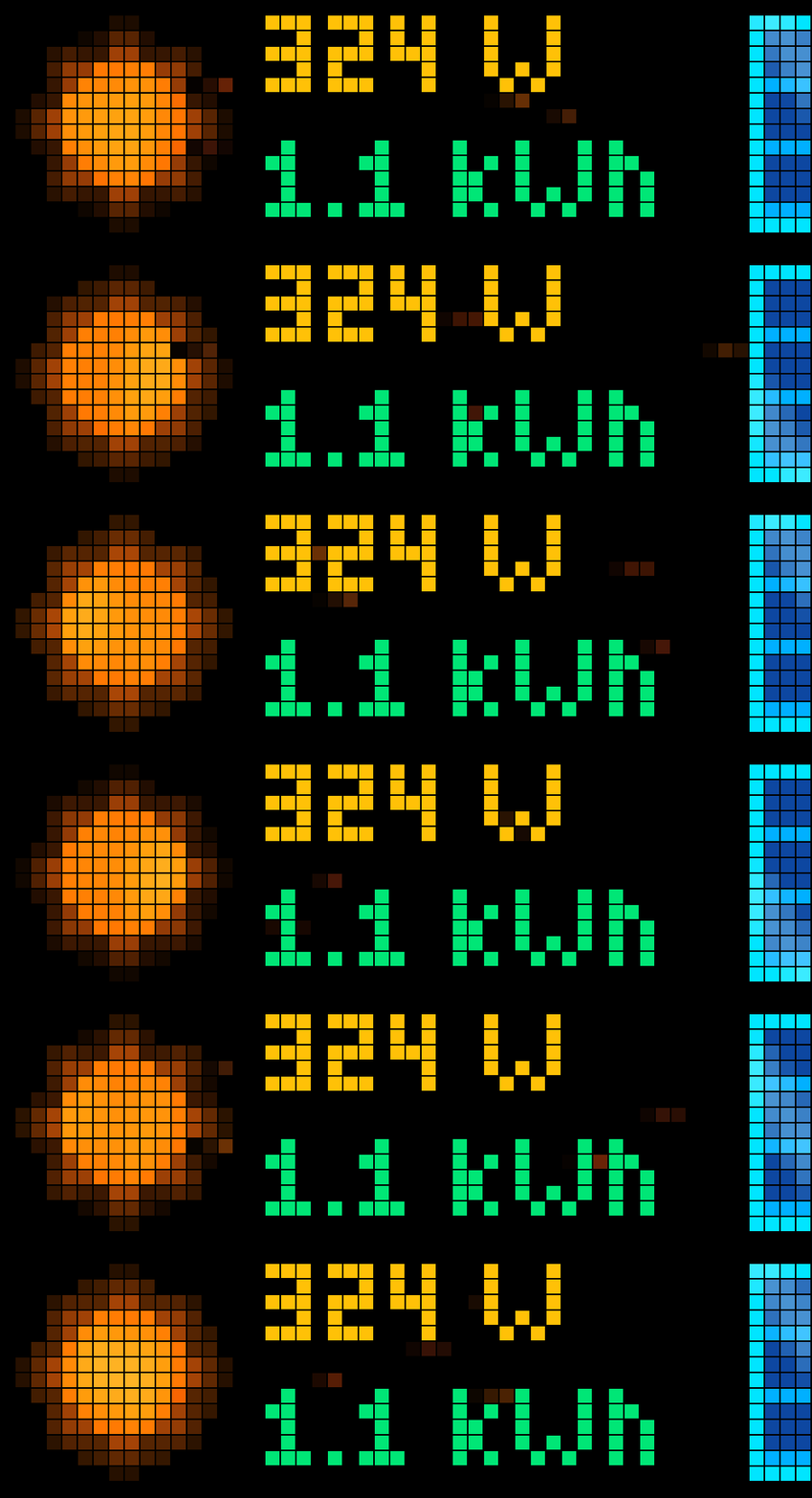
visual_style):sun_large(Default): Full 16×16 animated sun on the left, particle stream across the center, and vertical solar module on the right.sun_half: An oversized XXL half-sun rising along the left border with full particle flow and the right solar module.sun_and_panel: Compact sun on the top-left paired with a tilted ground-mounted solar panel below.
⚙️ Configuration Settings
Customize SolarApp directly within the AWTRIX Web UI:
| Setting | Options / Default | Description |
|---|---|---|
| Visual Style | sun_large, sun_half, sun_and_panel (Default: sun_large) |
Choose your favorite animation layout. |
| Power MQTT Topic | Default: inverter/total/P_AC |
MQTT topic for live generation in Watts. Accepts plain numbers or JSON payloads. |
| Daily Yield MQTT Topic | Default: inverter/total/YieldDay |
MQTT topic for today's total energy in Wh. Accepts plain numbers or JSON payloads. |
| Max Power (W) | Default: 800 (100 – 5000 W) |
Your system's peak wattage (e.g. 600 W, 800 W, or 2000 W) to calibrate animation speeds. |
| Animation Speed | Default: 4 (1 – 10) |
Base pace for the sun rotation and particle movement. |
| Yield Unit | auto, kWh, Wh (Default: auto) |
Automatically switches to kWh at 1000 Wh, or forces your preferred unit. |
Sign in to view and copy the code of this script.
Discussion 0
Ask a question, suggest a change or share how you use it.
No comments yet. Start the conversation.
Have an idea?
Sign in to ask questions and join the conversation.