MUSIC ASSISTANT Now Playing (pushed app, with album art)
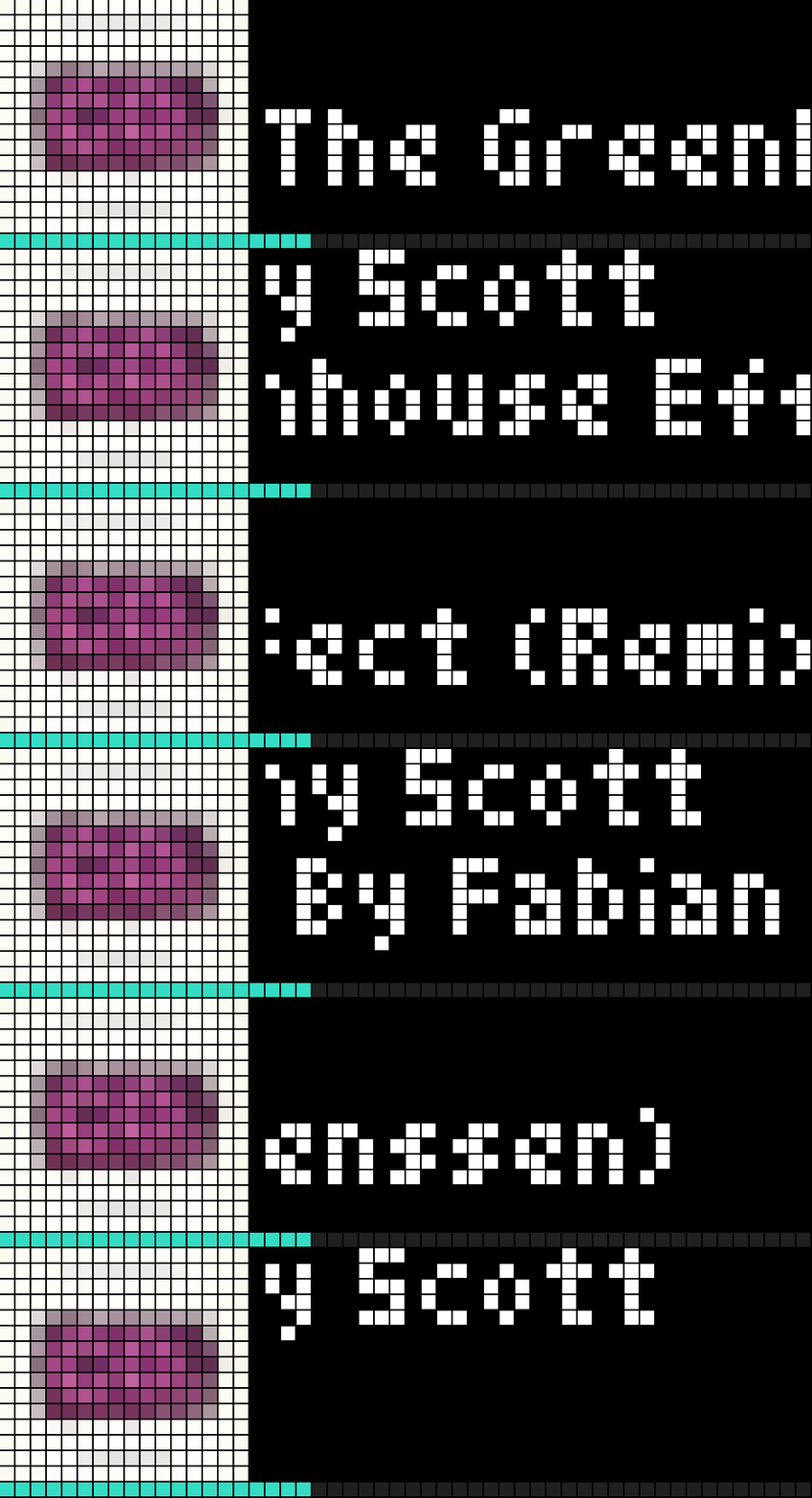
On your display
This blueprint shows artist and title on two lines, album art and a progress bar for a **Music Assistant** media_player entity on an AWTRIX TC002 .
- Topic
- Smarthome
- Includes
- Script
Runs on
- Does not run on 32×8 (TC001 & DIY) Made for 52×16 (TC002).
- Runs on 52×16 (TC002)
- Does not run on 32×8 with AWTRIX 3 (TC001 & DIY) Made for AWTRIX NG.
Choose your display in the next step.
Script description
AWTRIX TC002 - Now Playing (pushed app, with album art) — Home Assistant Blueprint
What it does
This blueprint shows artist and title on two lines, album art and a
progress bar for a Music Assistant media_player entity on an AWTRIX
TC002 (52×16), sent as a pushed app over MQTT using AWTRIX's native
layout feature. No Berry script needed on the clock itself.
Requirements
- An AWTRIX TC002 clock, flashed to AWTRIX NG firmware, with MQTT
configured. - A media_player entity via the Music Assistant integration in Home
Assistant (this blueprint's entity picker filters to that automatically).
Installation
- Import the blueprint into Home Assistant:
Settings → Automations → Blueprints → Import blueprint, and paste the
raw URL oftc002_now_playing_pushed.yaml(see attachment). - Create a new automation from this blueprint.
- Pick your Music Assistant media_player entity.
- Enter your TC002's MQTT prefix (found under System → MQTT in the
clock's web UI). - Pick an app name (letters, digits,
_and-only) — this is the name
the app appears under in the clock's rotation. - Optionally enter your Home Assistant base URL (e.g.
http://192.168.1.10:8123, no trailing slash) if you also want to show
album art — leave it empty if you don't want album art. - Save. Note: on some Home Assistant setups a new automation doesn't
become active until Home Assistant is restarted (reloading automations
isn't always enough) — if nothing appears on the clock once something
is playing, try a restart.
How it works
- When playback starts, the automation publishes a single MQTT message to
<mqtt_prefix>/cmd/apps/pushed/<app_name>, using AWTRIX'slayout
feature: a 16×16 box for the album art (or a plain colored square if no
art is available), a box for the artist, a box for the title below it,
and a progress bar spanning the full width at the bottom. - A tick every 15 seconds keeps the progress bar updated.
- When playback stops, an empty message is sent, which removes the pushed
app from the clock (AWTRIX NG's default behavior). - Missing data (e.g. no title/artist for a radio station, no album art, no
progress info for a livestream) is handled gracefully: the clock then
shows "...", a plain colored square instead of art, or no progress bar —
instead of breaking.
License
Free to use, no license.
*Built by Freddy Stapersma (discocandyproductions) for the AWTRIX
community. Thanks to Blueforcer for the Awesome software.
Thnx to the Musicassistant team for a amazing piece of software.
Thnx to the openhome foundation for keeping it free..
Sign in to view and copy the code of this script.
Discussion 0
Ask a question, suggest a change or share how you use it.
No comments yet. Start the conversation.
Have an idea?
Sign in to ask questions and join the conversation.