Bitcoin
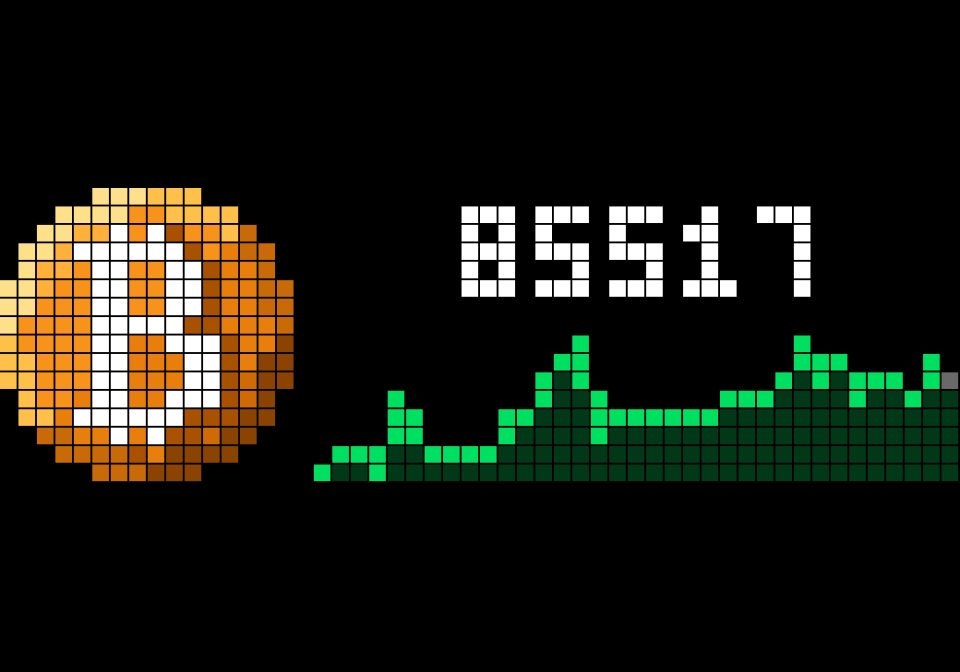
On your display
Shows the current Bitcoin price on the Ulanzi TC002
- Topic
- Miscellaneous
- Includes
- Script
Runs on
- Does not run on 32×8 (TC001 & DIY) Made for 52×16 (TC002).
- Runs on 52×16 (TC002)
- Does not run on 32×8 with AWTRIX 3 (TC001 & DIY) Made for AWTRIX NG.
Choose your display in the next step.
Script description
Bitcoin TC002
Shows the current Bitcoin price on the Ulanzi TC002, next to a hand-drawn 16×16 coin and the trend of the past week. Fetched directly from the free CoinGecko API. Runs entirely on the device — no Home Assistant, MQTT, API key or account required.
For the TC001 and other 32×8 clocks, use the original Bitcoin.
Features
- A coin drawn by the app itself — full panel height, shaded orange with a gold rim and a white ₿. No icon to install, so it can never be missing. Every five seconds a glint runs across it (can be switched off)
- Live Bitcoin price in USD or EUR, in the large font when it fits, refreshed on your own schedule (default: every 5 minutes)
- The week at a glance — the bottom half of the panel is a line of the last 7 days, ending on the live price as a softly pulsing dot. Green when the week is up, red when it is down; both colors are yours to choose
- Change over the week in percent — the price makes way for it for two seconds out of every six, e.g.
+2.3% - Instant after reboot — the last known price and trend are remembered and shown immediately while the first fresh fetch runs
- Never shows stale data: if the price could not be refreshed for a while (3× the refresh interval), the app skips its turn in the rotation instead of displaying an outdated number
- Compact format option:
114.1Kinstead of114123
Settings
| Setting | Default | Description |
|---|---|---|
| Currency | usd | Price in usd or eur |
| Refresh | 5 min | How often the price and trend are fetched (1–60 min) |
| Price color | white | Color of the price text |
| Week up color | green | Trend line and percentage when the week is up |
| Week down color | red | Trend line and percentage when the week is down |
| Short format | off | Show 114.1K instead of the full number |
| Large price font | on | Uses the 7-row font when the text fits; off always uses the small font |
| Glint over the coin | on | The moving highlight on the coin |
All settings are edited in the web UI: Apps tab → ⚙ on the Bitcoin TC002 row.
How it works
Once per refresh interval the app fetches api.coingecko.com/api/v3/coins/markets over HTTPS: one request carries the current price and CoinGecko's hourly prices of the last 7 days. The app keeps one point per panel column, scales them to the rows below the price and stores the result, so drawing a frame is only painting. The percentage compares the live price with the price 7 days ago.
Installation
- Open the AWTRIX NG web interface.
- Go to the Scripts tab and create a new script (e.g.
BitcoinTC002). - Paste the script and press Save.
- The price appears in the app rotation as soon as the first fetch completes (a few seconds).
Sign in to view and copy the code of this script.
Discussion 0
Ask a question, suggest a change or share how you use it.
No comments yet. Start the conversation.
More scripts in Miscellaneous
Something wrong with this script? Report it.
Have an idea?
Sign in to ask questions and join the conversation.