ScriptAWTRIX NG
Hebrew notification
On an AWTRIX display
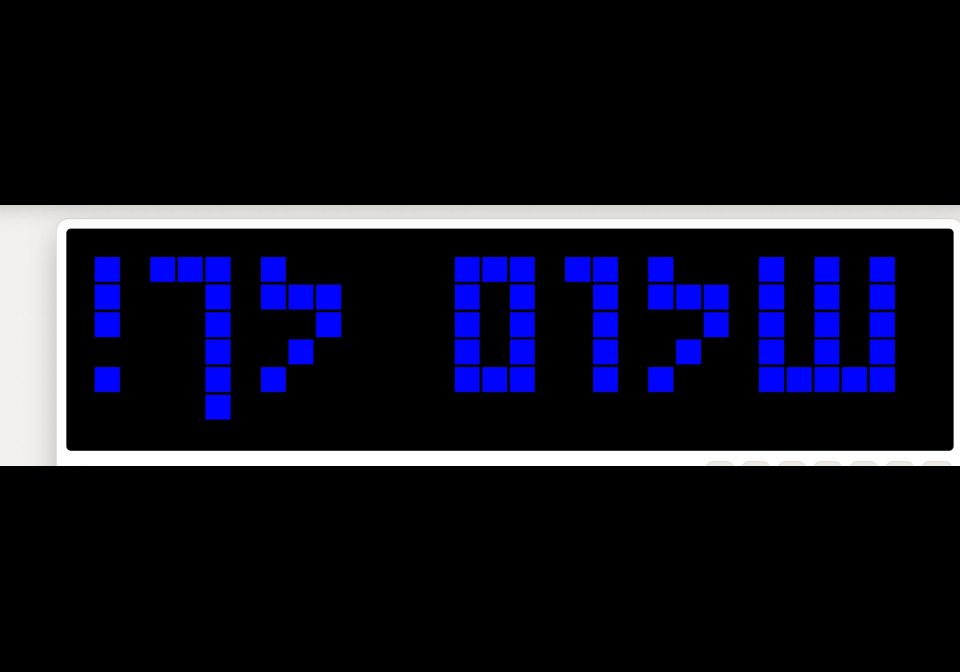
On your display
Displays Hebrew & English MQTT notifications with proper RTL scrolling, JSON support, and low RAM usage.
Which AWTRIX do you have?
See below where it runs, or choose your device.
- Topic
- Smarthome
- Includes
- Script
Runs on
- Runs on 32×8 (TC001 & DIY)
- Runs on 52×16 (TC002)
- Does not run on 32×8 with AWTRIX 3 (TC001 & DIY) Made for AWTRIX NG.
Choose your display in the next step.
Script description
Displays Hebrew and mixed Hebrew/English notifications sent via MQTT with proper Right-to-Left (RTL) scrolling and embedded Left-to-Right (LTR) support for English words and numbers.
Features
- RTL & BiDi Support: Full Hebrew alphabet (including final letters), uppercase English (A–Z), numbers, and punctuation.
- Ultra-Low Memory Footprint: Uses a single 490-byte binary bitmap font to prevent out-of-memory issues on ESP32 devices.
- Smart Rotation: Stays hidden in the background (
should_show()) and pops up automatically only when a notification arrives. - Plain Text & JSON Payloads: Supports simple strings or JSON objects with custom RGB colors and display durations.
Setup
- Install and enable the script on your AWTRIX NG clock (keep it in the app rotation—it will skip itself automatically when idle).
- Configure your MQTT Topic in the app settings (default:
awtrix/cmd/notifyheb). - Publish a message to that topic:
Plain text example:
שלום עולם!
JSON payload example (e.g., from Home Assistant):
{
  "text": "הדלת נפתחה - Front Door",
  "textColor": [255, 0, 0],
  "durationMs": 15000
}
text: The message to display.
textColor (optional): RGB array [R, G, B].
durationMs (optional): Total display duration in milliseconds.
Sign in to view and copy the code of this script.
Community
Discussion 0
Ask a question, suggest a change or share how you use it.
No comments yet. Start the conversation.
Have an idea?
Sign in to ask questions and join the conversation.