Halloween Spooktacular
On your display
Press the knob. Raise the spirits. A haunted pixel theatre with ghosts, flying witches and an original local soundtrack for TC002.
- Topic
- Animations
- Includes
- Script
Runs on
- Does not run on 32×8 (TC001 & DIY) Made for 52×16 (TC002). Needs the built-in synthesizer.
- Runs on 52×16 (TC002)
- Does not run on 32×8 with AWTRIX 3 (TC001 & DIY) Made for AWTRIX NG.
Choose your display in the next step.
Script description
Halloween Spooktacular
A tiny haunted theatre. A whole lot of Halloween.
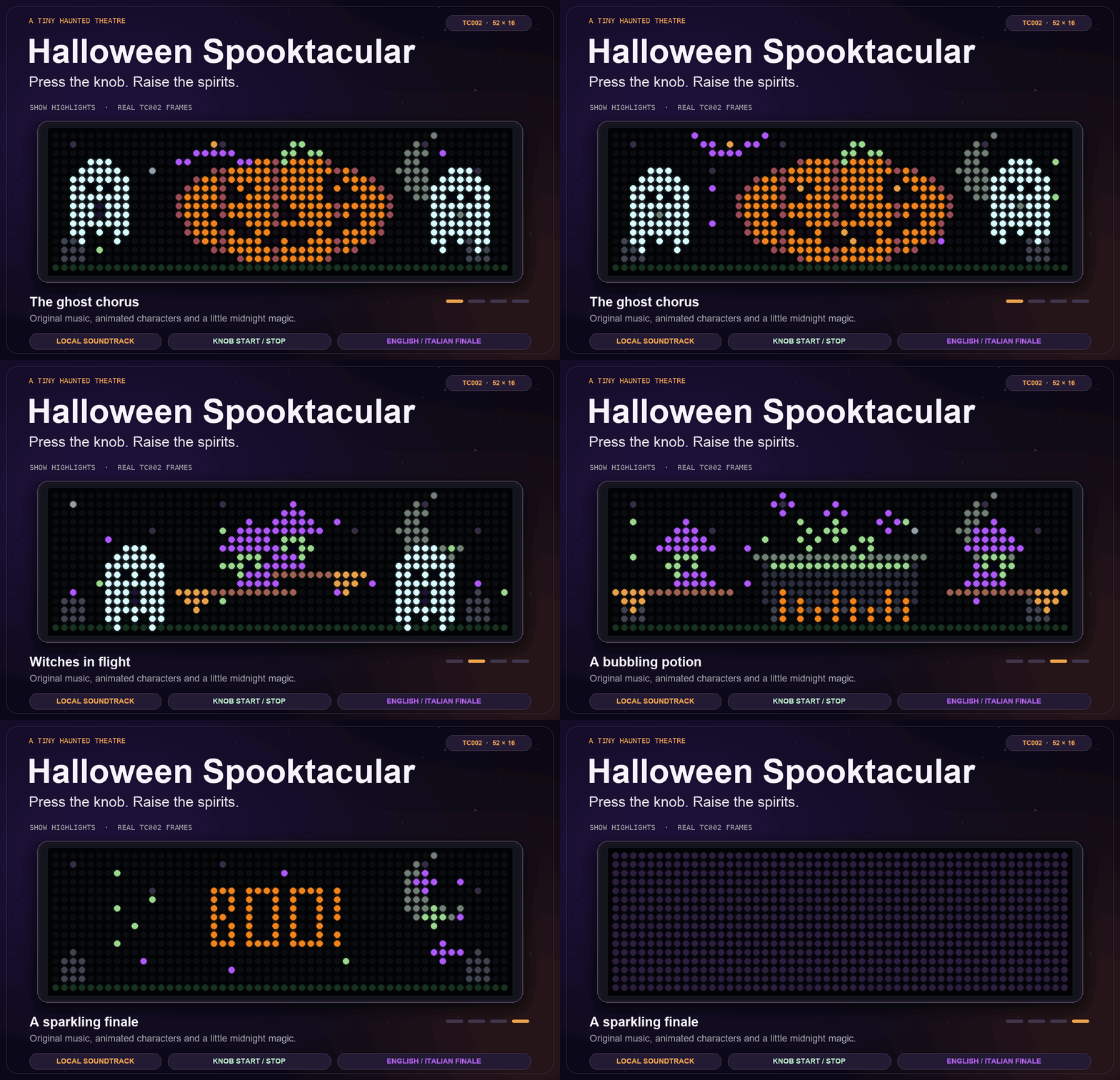
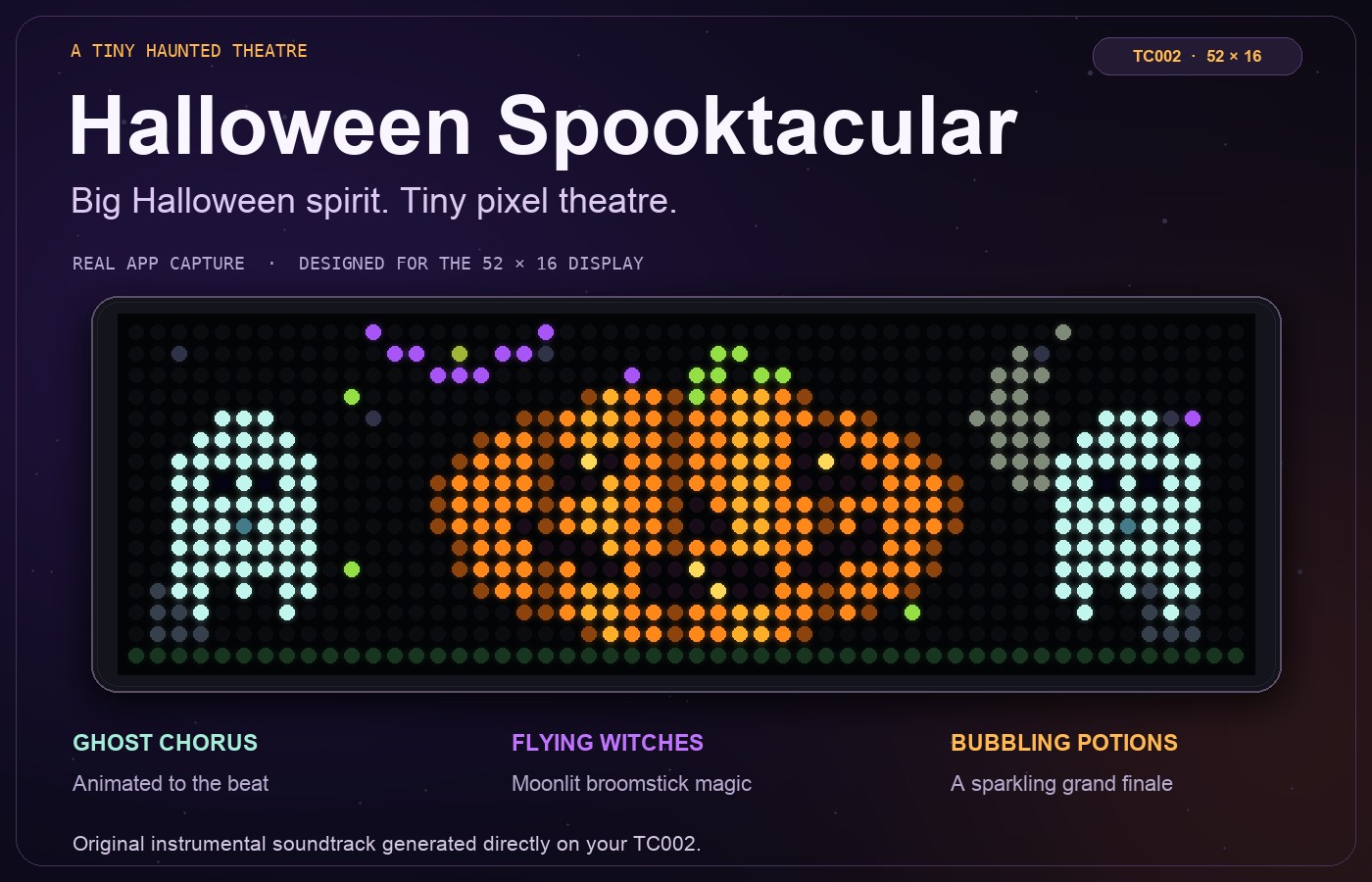
Give your TC002 a moonlit Halloween scene, then press the knob to bring the stage to life. Glowing pumpkins, floating ghosts and broomstick witches become a musical spectacle, with an original instrumental soundtrack generated directly on your clock.
Two ways to enjoy it
In the carousel: a silent animated scene with a glowing pumpkin, bobbing ghosts and a witch flying across the night sky. Set how long it stays before the next app appears.
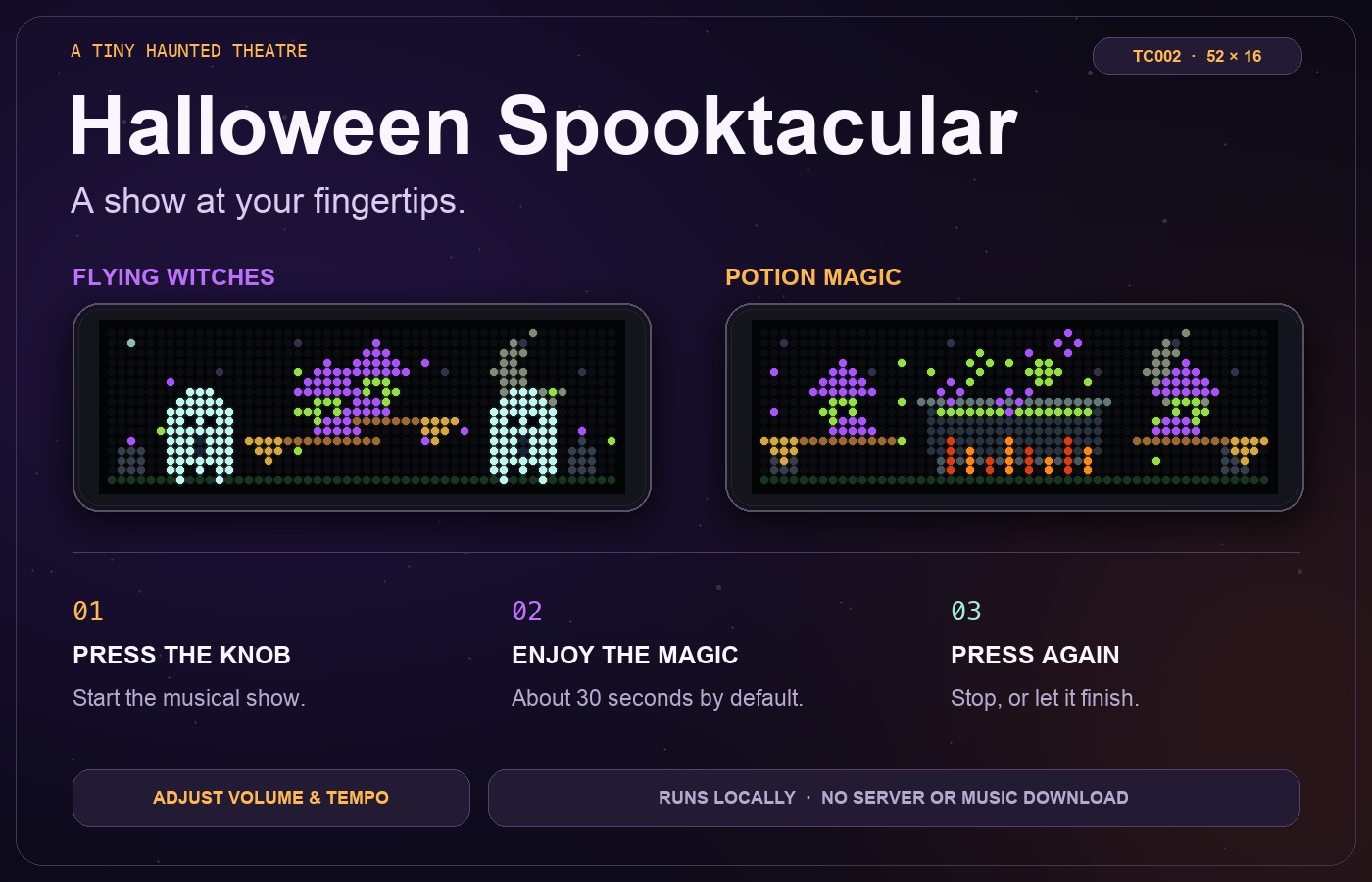
At the press of the knob: the curtain opens for a show lasting about 30 seconds at the default tempo. Watch a ghost chorus, crossing witches, a bubbling potion and a sparkling finale, timed to the music.
Made for the TC002
- Pixel artwork designed for the full 52 × 16 display.
- An original spooky theme with music-box, organ and bass sounds, plus airy effects.
- Animation follows the soundtrack's beat.
- Adjustable show volume and tempo; music can also be switched off.
- Customisable pumpkin, magic and stem colours.
- Italian or English finale: BUU! / BOO!
- A one-time preview option in the app settings.
- Runs directly on your TC002. No Home Assistant, MQTT, server or music download is required.
Controls
While the app is on screen, press and release the knob briefly to start the show. Press it briefly again to stop. The carousel resumes automatically when the show finishes.
The normal carousel scene is silent. The show's volume respects the clock's master volume.
Compatibility
Ulanzi TC002 · 52 × 16 · AWTRIX NG
Tested with AWTRIX NG 1.2.2. The musical show requires firmware with audio.song support. This edition is designed for the TC002's 52 × 16 display.
By lucaamo
Sign in to view and copy the code of this script.
Discussion 0
Ask a question, suggest a change or share how you use it.
No comments yet. Start the conversation.
More scripts in Animations
Something wrong with this script? Report it.
Have an idea?
Sign in to ask questions and join the conversation.