Beautiful Weather
On your display
Current weather ,Rain, Sun, Moon, Forecast
- Topic
- News
- Includes
- Script
Runs on
- Does not run on 32×8 (TC001 & DIY) Made for 52×16 (TC002).
- Runs on 52×16 (TC002)
- Does not run on 32×8 with AWTRIX 3 (TC001 & DIY) Made for AWTRIX NG.
Choose your display in the next step.
Script description
Beautiful Weather for AWTRIX NG (Ulanzi TC002)
Version 2.2 · by Hank_the_Tank / Claude · for the 52×16 panel of the Ulanzi TC002
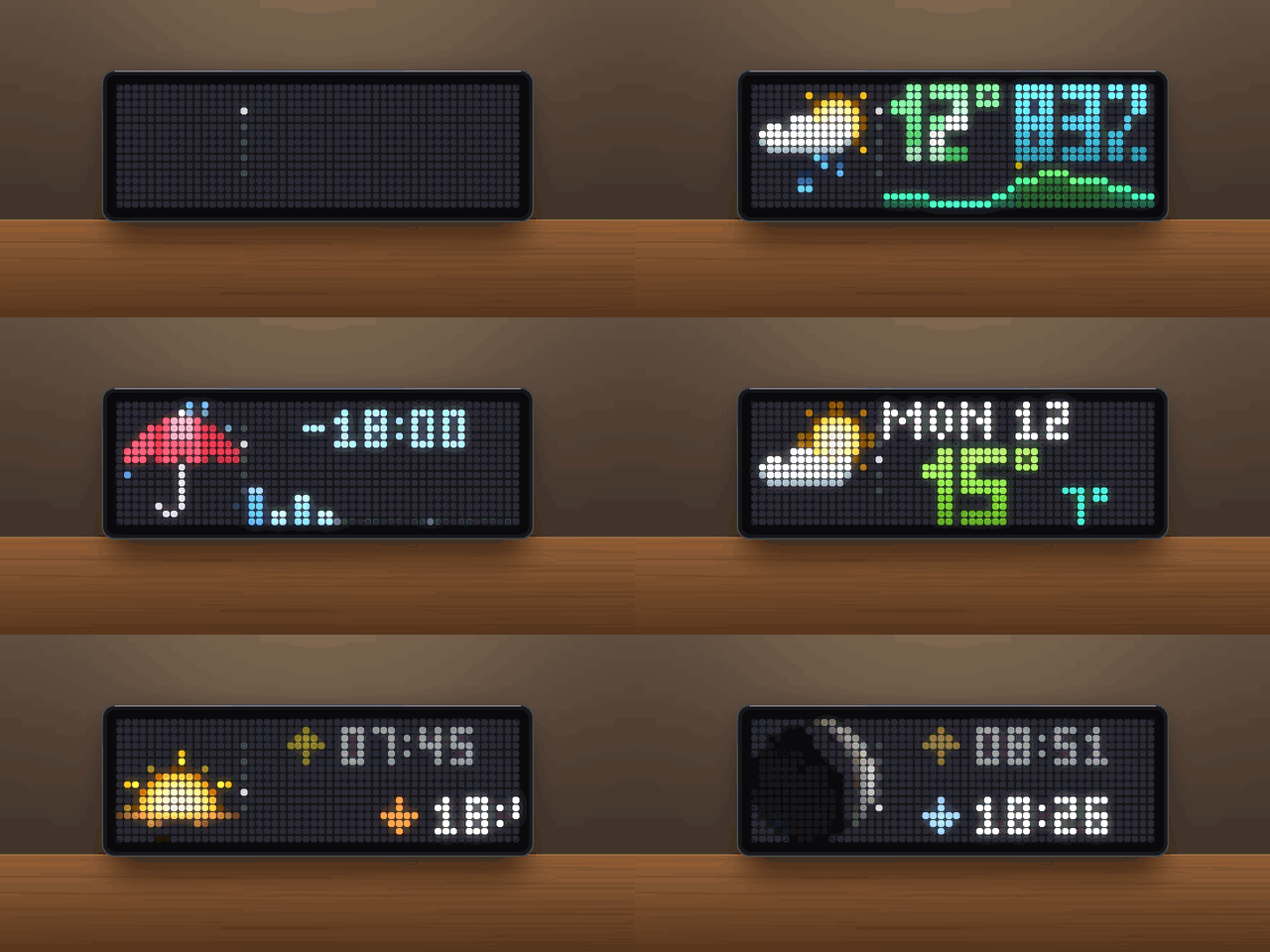
Current weather with big animated 16×16 symbols, and four more pages you open by turning the knob: rain in the next three hours, a 3-day forecast, sunrise and sunset, and the moon phase with moonrise and moonset. The weather data comes from Open-Meteo, so you don't need an API key or an account.
 turn the knob →
┌──────────┬────────────────────────────┐
│ weather  │ 12°  81%                   │  1 Weather   (start page)
│ symbol   │ ▁▂▃▄▅▅▆▇▇▆▅▄▃▂▁            │
├──────────┼────────────────────────────┤
│ umbrella │ IN 10 MIN                  │  2 Rain      (next 3 hours)
│          │ ▁ ▃ ▁   ▅ ▂                │
├──────────┼────────────────────────────┤
│ symbol   │ MON              40%       │  3 Forecast  (3 days, 3.5 s each)
│ of day   │ 15°   7°                   │
├──────────┼────────────────────────────┤
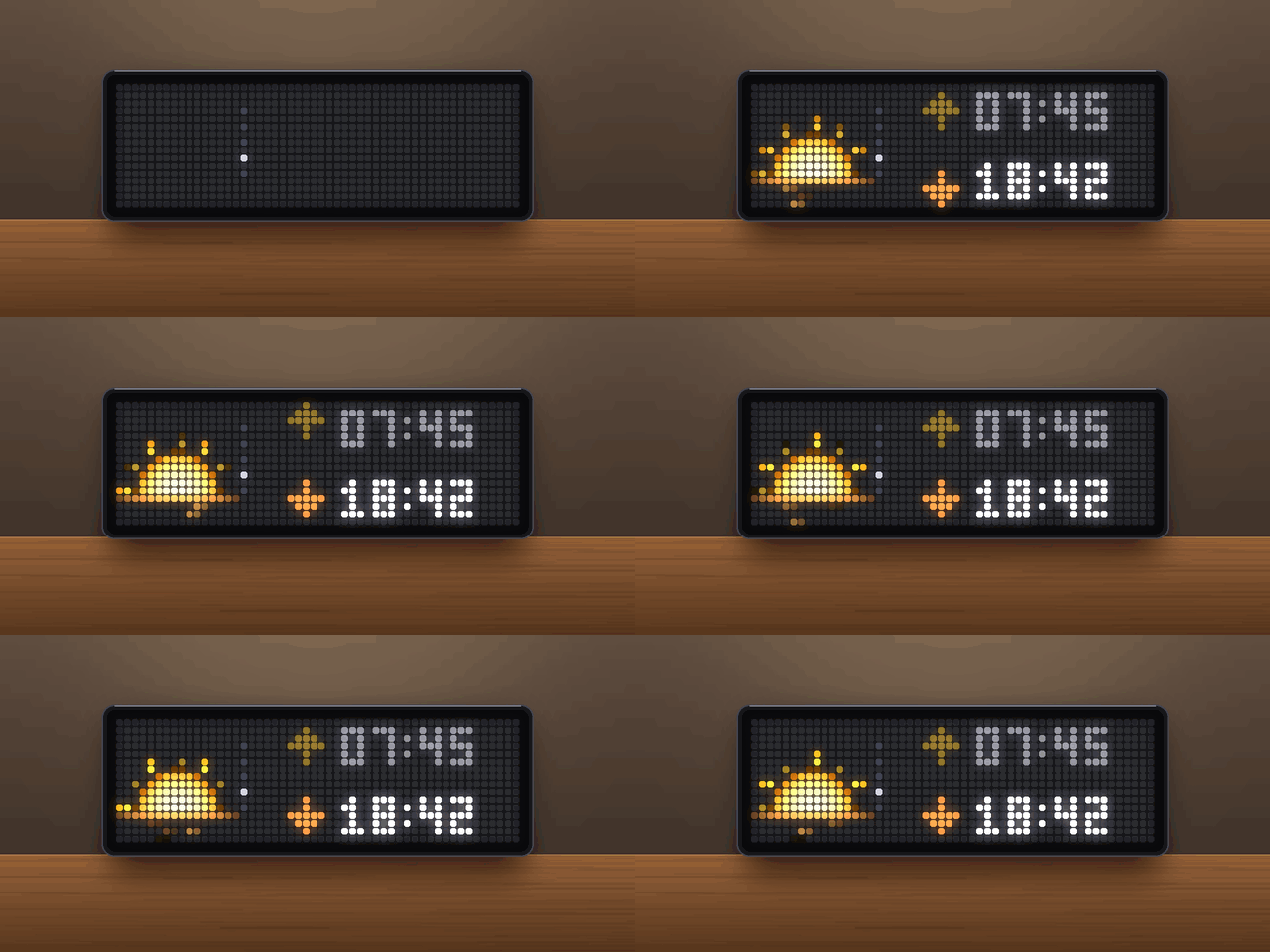
│ sun on   │ ↑ 07:45                    │  4 Sun
│ horizon  │ ↓ 18:42                    │
├──────────┼────────────────────────────┤
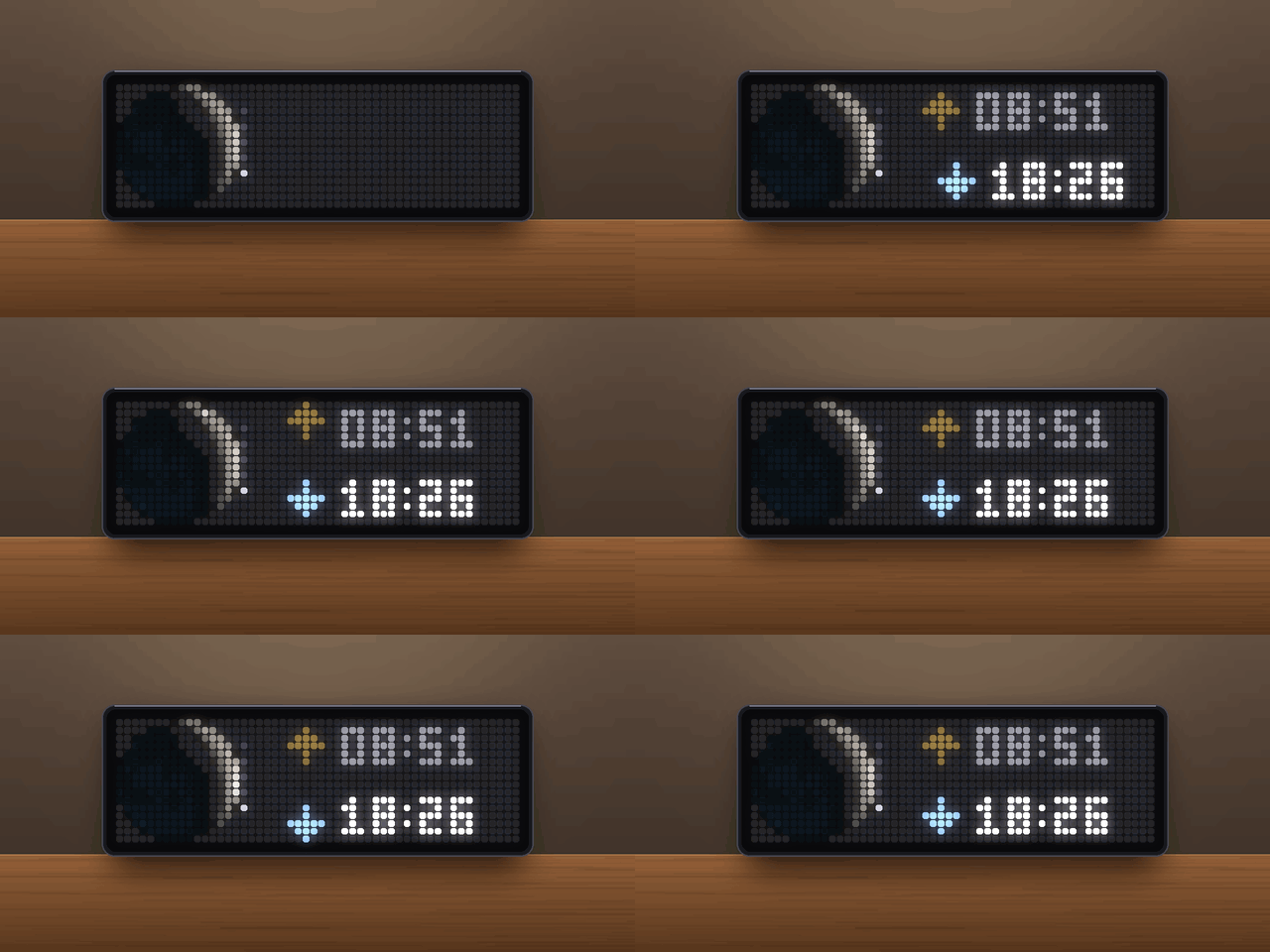
│ moon     │ ↑ 08:51                    │  5 Moon
│ phase    │ ↓ 18:26                    │
└──────────┴────────────────────────────┘
Pages
The app always starts on the weather page. Turn the knob right for the next page, left to go back. Each page slides in from below (forward) or above (back). A column of small dots between symbol and numbers shows which page you are on. While you turn the knob the rotation waits; it moves on a while after the last turn (setting After turning).
1 · Weather
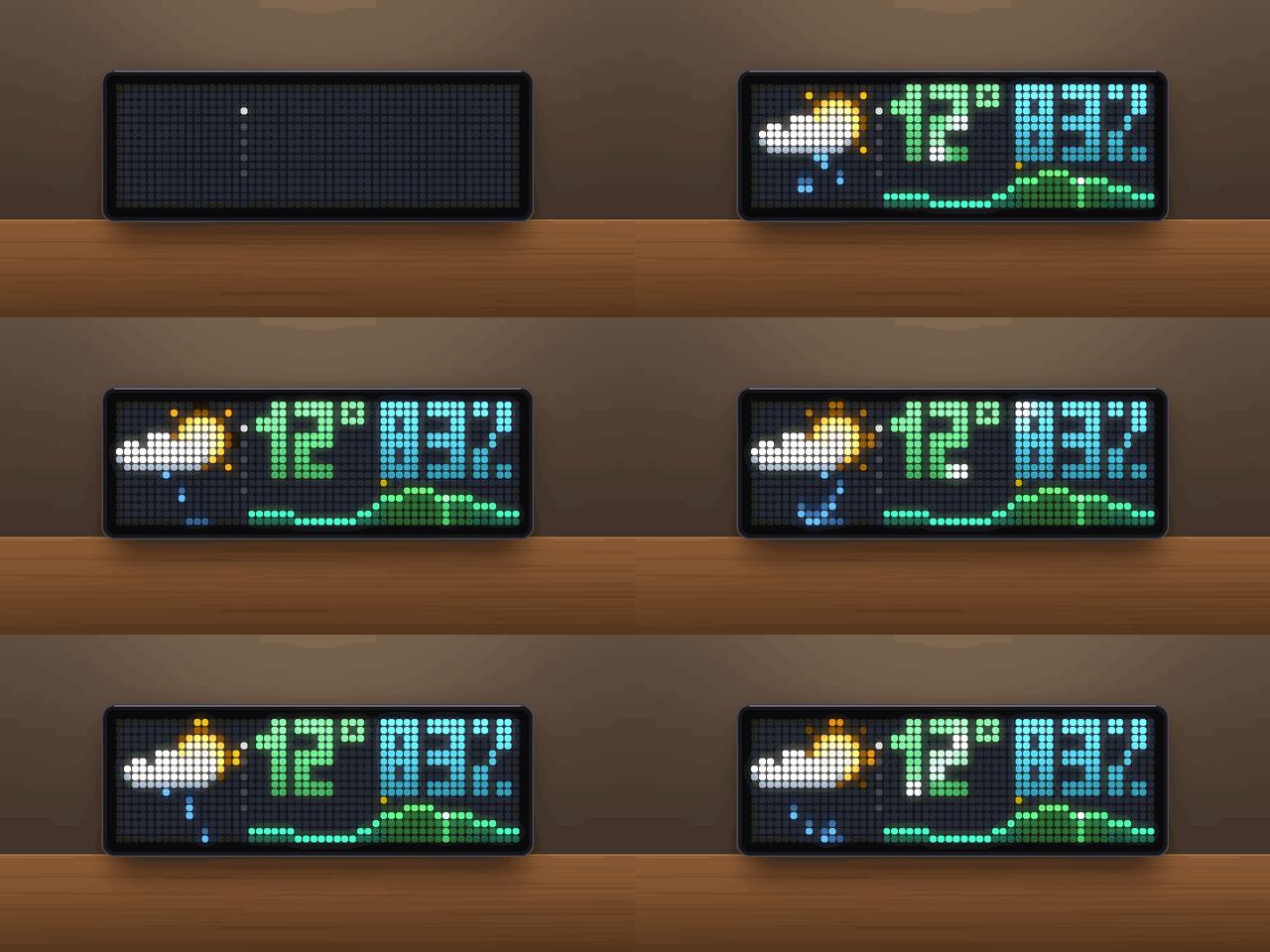
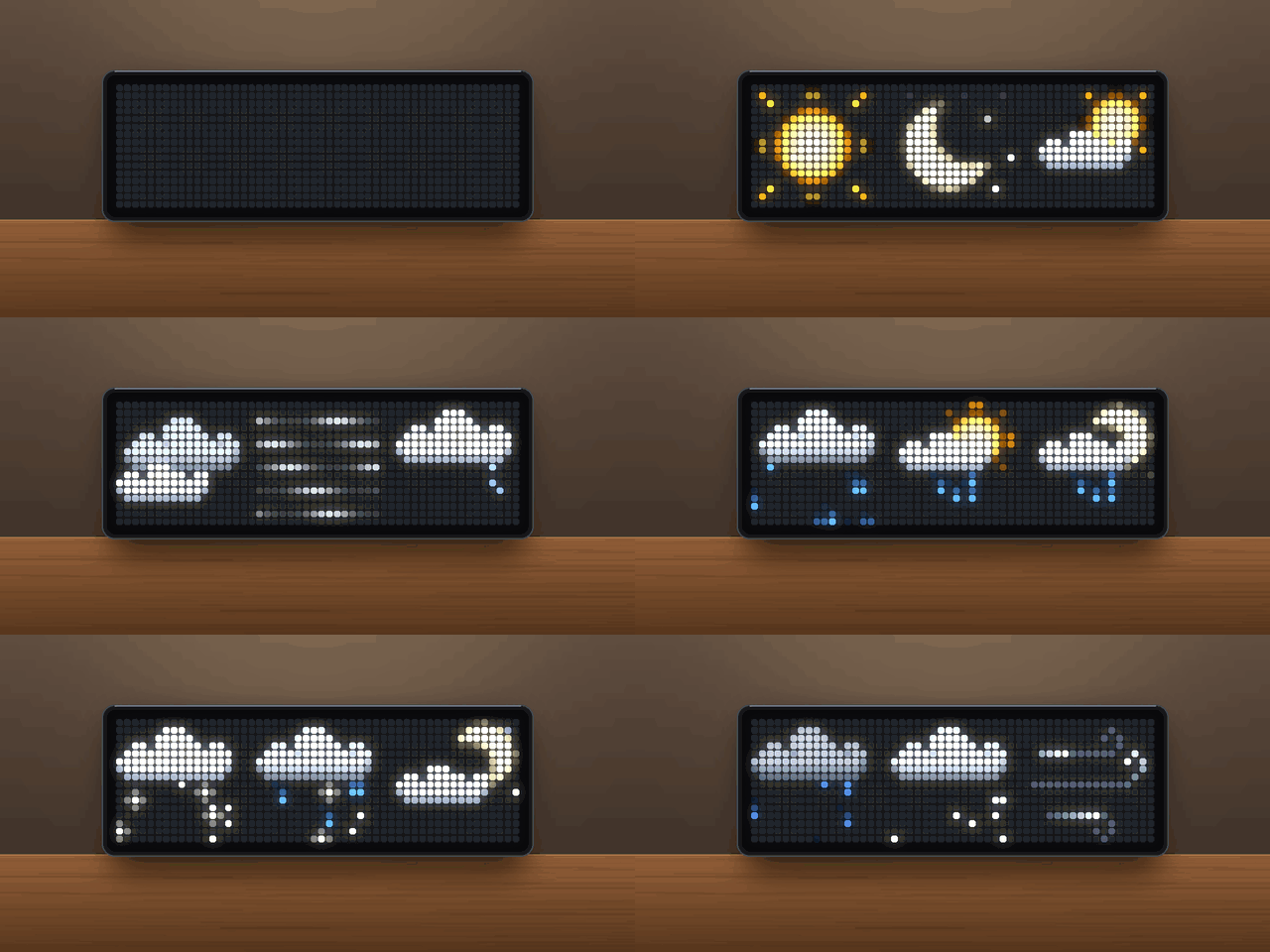
- Animated 16×16 weather symbol with pixel-art clouds. All symbols are drawn by the script, so there are no icons to install.
- Big temperature and humidity in 6×10 px block digits. The digits drop in one after another, a shine runs across every few seconds, and the temperature is coloured from violet (frost) through green and yellow to red (heat).
- If both values don't fit side by side, the digits switch to a narrow form and, if needed, the
%sign is dropped. - Humidity can also take turns with the temperature every 4 s, or be hidden.
- If both values don't fit side by side, the digits switch to a narrow form and, if needed, the
- Hourly temperature curve below, coloured by temperature. It wipes in from the left.
- auto (default): today 0–24 h until 18:00, then the next 24 hours. The current hour pulses in the today view.
- Small ticks mark noon and midnight.
- Weather you can feel:
- The number of raindrops and snowflakes follows the actual amount, from a few drops of drizzle to a downpour.
- Wind slants rain and snow in the real wind direction, as on a map facing north: a west wind blows them to the right. Clouds drift faster in wind.
- When the weather code says showers but nothing is falling right now, you get the dry symbol with a single pale drop now and then, instead of a rain animation that doesn't match the view out of the window.
2 · Rain
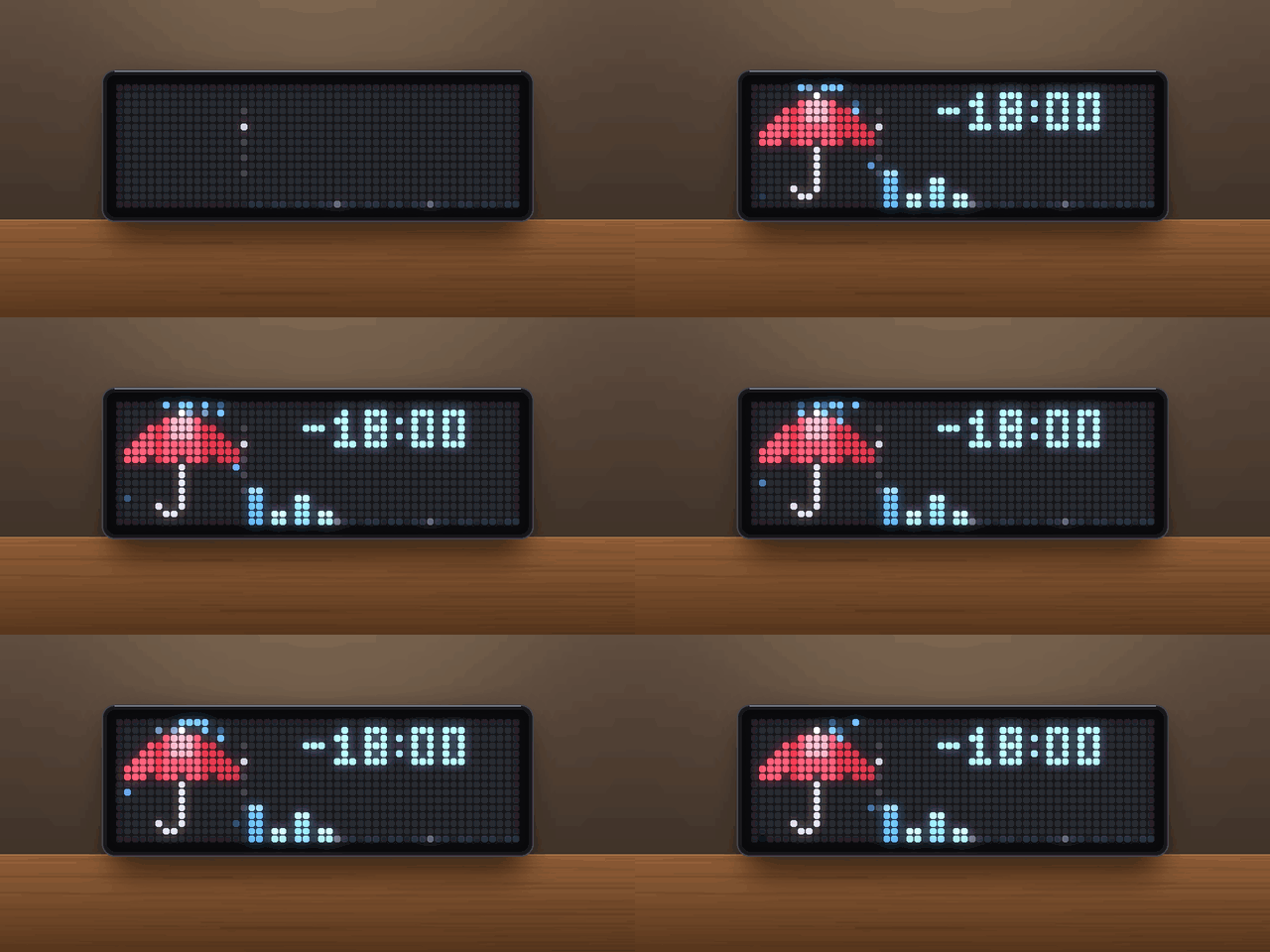
- When it starts or stops, in 15-minute steps:
IN 25 MIN,AT 17:30,ENDS 16:45,> 3 HorDRY. - The next 3 hours as 12 bars. Height is the amount; colour runs from light blue (drizzle) through blue to violet (heavy rain). Small marks on the base line show full hours.
- An umbrella: open with drops splashing off it while it rains, open with a single drop when rain is on its way, furled when it stays dry.
3 · 3-day forecast
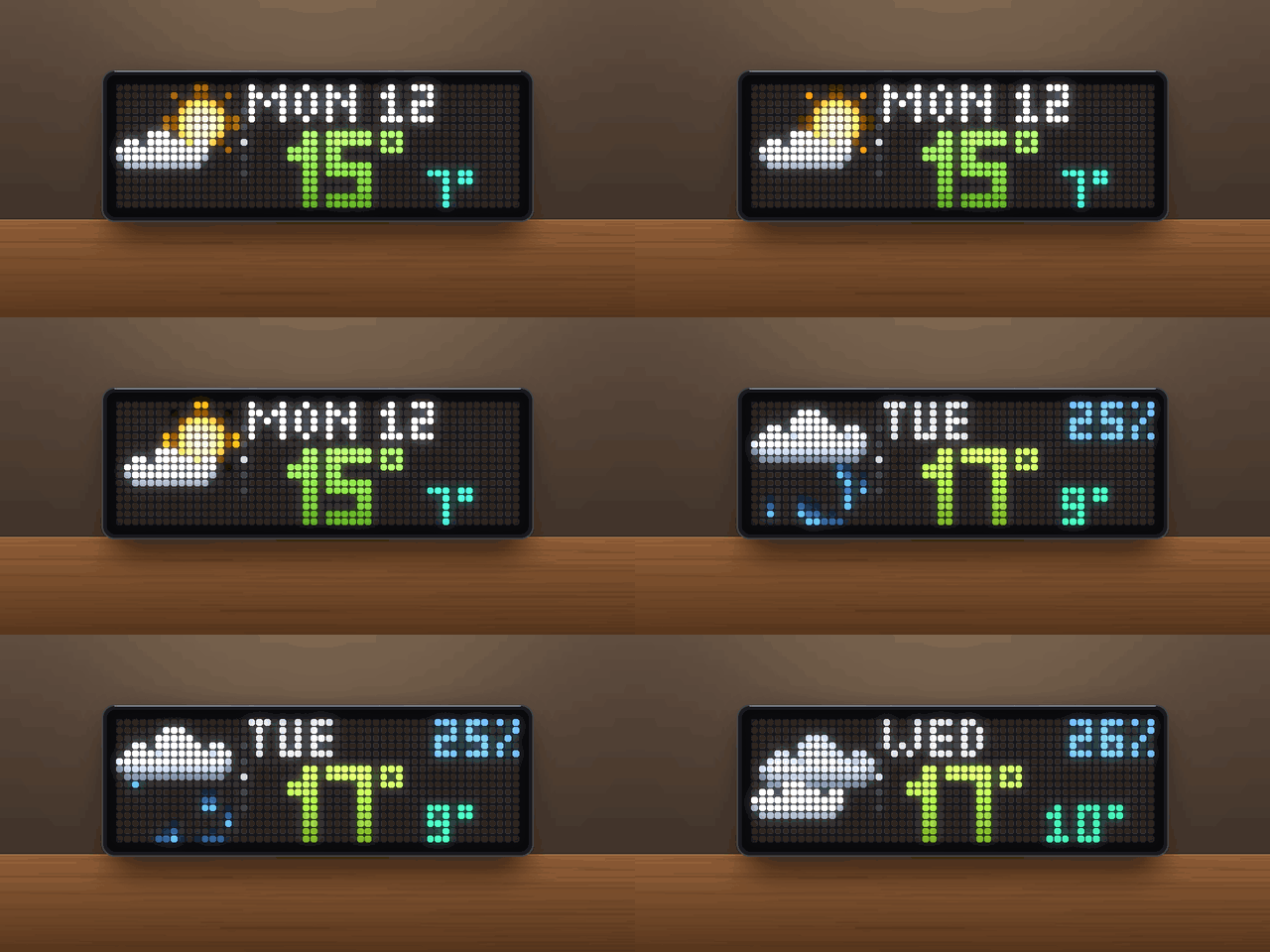
- Tomorrow and the two days after, 3.5 s each; the next day pushes the last one out to the left.
- Weekday and chance of rain (from 10 %) at the top. If there is no rain chance, the day of the month is shown instead.
- Day symbol, the high as big digits in temperature colour, and the low next to it.
4 · Sun
- Sunrise and sunset of today. After sunset it already shows tomorrow's times.
- The next event is lit, the one that has passed is dimmed. The arrows nudge up and down.
- Symbol: the sun on the horizon with breathing rays and glitter on the water.
5 · Moon
- Moon phase as eight pixel-art moon pictures. The phase windows match the moon sensor of Home Assistant.
- Moonrise and moonset are calculated on the clock with a lunar theory accurate to about a minute, with no extra request. The first rise and set from today 0:00 on are shown, or tomorrow's if there is none today.
- A soft gleam runs across the lit side. The dark side can be lifted a little (Moon dark side) so its LEDs don't switch off completely.
Requirements
- An Ulanzi TC002 running AWTRIX NG (tested on firmware 1.2.2). The pages need the TC002's knob.
- A 52×16 display. The layout is not meant for 32×8 clocks.
- No icons and no API key.
Installation
- Open the AWTRIX web interface in a browser, using the clock's IP address or
http://awtrixng-xxxxxx.local. - Go to the Scripts tab and create a new script called
BeautifulWeather. - Paste the contents of
BeautifulWeather_share.axand press Save. - Open the Apps tab, click the gear on the BeautifulWeather row and enter your own latitude and longitude.
The app joins the rotation right away. If the panel shows a red ERR:, the error message is shown next to the script in the Scripts tab. Please include it in your feedback.
Settings
All settings are on the Apps tab, behind the gear on the BeautifulWeather row. Saving restarts the app.
| Setting | Default | What it does |
|---|---|---|
| Latitude / Longitude | 52.52 / 13.40 (Berlin) | Your location. Set this first. |
| Temperature unit | C | C or F |
| Graph | auto | auto: today until 18:00, then the next 24 h · today: 0–24 h of the current day · next24: the coming 24 hours |
| Humidity | beside | beside the temperature, alternate every 4 s, or off |
| Humidity colour | #31B8DB | Colour of the humidity value |
| Windy from | 30 km/h | On dry days this wind speed or more shows the windy symbol |
| Cloudy from | 70 % | Without rain, snow or fog: cloudy from this cloud cover (by day only if the sun is not shining), partly cloudy from half of it |
| Midnight tick / Noon tick | #2040A0 / #A08000 | Colours of the ticks above the curve |
| Display time | 10 s | How long the app stays in the rotation |
| Rain page / 3-day forecast / Sun page / Moon page | on | Switch each knob page on or off. With all of them off the knob keeps its normal function |
| After turning | 20 s | After the last turn of the knob the app stays this long, then the rotation moves on |
| Moon dark side | 0 % | Lifts the unlit side of the moon with a neutral grey, so its LEDs are not completely off. 0 % = the original pictures |
Times follow the clock's 12/24-hour setting (12-hour times look like 7:45P).
Symbols
All symbols are 16×16 and animated.
| Condition | WMO codes | Symbol |
|---|---|---|
| Clear (day) | 0 | sun with breathing rays and a glint circling the disc |
| Clear (night) | 0–3 at night, little cloud | crescent, twinkling stars, shooting star |
| Partly cloudy (day / night) | 1–2 | small sun or crescent behind a drifting cloud |
| Cloudy | 3 | a grey cloud behind a light one |
| Fog | 45–48 | drifting fog bands |
| Drizzle | 51–55 | light cloud, a few slow drops |
| Freezing drizzle / rain | 56–57, 66–67 | cloud with drops and flakes |
| Rain | 61–65 | rain cloud, drops with short streaks that splash on the ground |
| Snow | 71–77, 85–86 | light cloud, swaying snowflakes |
| Showers (day / night) | 80–82 | sun or crescent behind a cloud, rain |
| Thunderstorm | 95 | dark cloud, double lightning flash, the cloud lights up |
| Thunderstorm with hail | 96, 99 | cloud, hailstones bouncing off the ground |
| Windy (dry, wind ≥ threshold) | – | gusts with curls running faster in stronger wind |
| Showers about, dry right now | 51–86 with 0 mm | dry symbol, a single pale drop or flake now and then |
Data and refresh
- One request to Open-Meteo every 15 minutes: current weather, 15-minute precipitation for the next 4 hours, hourly temperatures and the daily forecast with sunrise and sunset. Press the middle button while the app is on screen to refresh right away.
- After a reboot the last known values show at once.
- A red dot at the bottom of the dot column means no successful update for more than 25 minutes.
Feedback
This is a test release. Useful feedback:
- Something looks wrong: a photo of the panel, plus your location, the time and the weather at that moment.
- The panel shows
ERR:: the error text from the Scripts tab. - A condition shows the wrong symbol: the weather you actually had outside.
Credits
- Moon pictures: the eight moon phase icons by LeonCB on the AWTRIX Hub (full-moon and the other phases), embedded in the script.
- Cloud style: after LeonCB's rainy icon on the AWTRIX Hub.
- Weather data: Open-Meteo (CC BY 4.0).
- Moonrise/moonset: low-precision lunar theory after Montenbruck & Pfleger, Astronomy on the Personal Computer.
- Firmware: AWTRIX NG by Blueforcer.
Changelog
- 2.2 – Sun page (sunrise/sunset) and 3-day forecast page. Times follow the clock's 12/24-hour setting.
- 2.1 – Rain page for the next 3 hours, page dots, raindrops and snowflakes follow the real amount and the wind.
- 2.0 – Pages are now changed with the knob instead of switching automatically. No sound.
- 1.x – First versions: 16×16 symbols, moon page, humidity, showers-about hint, pixel-art clouds.
Sign in to view and copy the code of this script.
Discussion 0
Ask a question, suggest a change or share how you use it.
No comments yet. Start the conversation.
Have an idea?
Sign in to ask questions and join the conversation.