Metronome
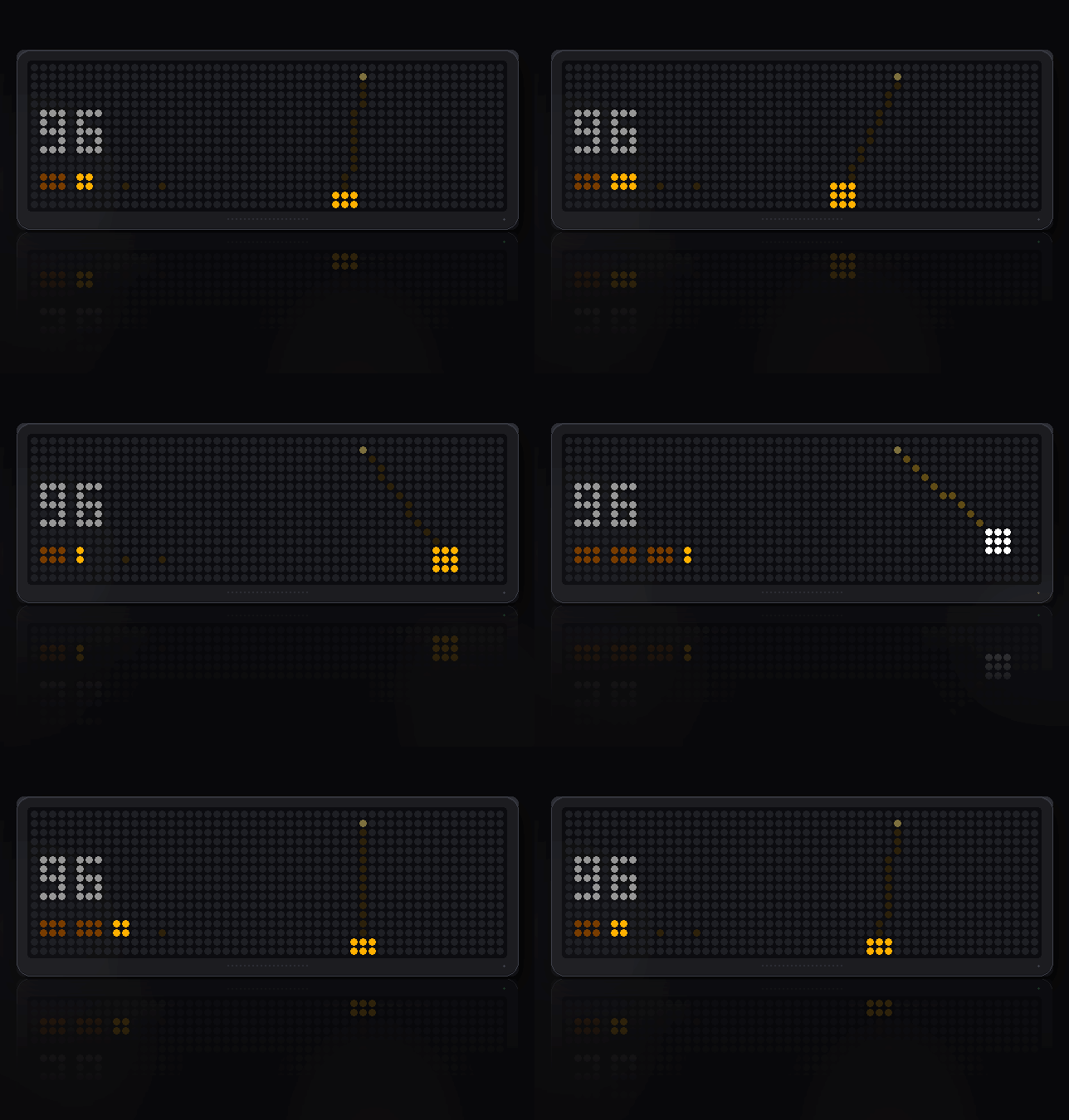
On your display
A swinging pendulum that keeps time out loud. LEFT/RIGHT change tempo, SELECT taps it in.
- Topic
- Miscellaneous
- Includes
- Script
Runs on
- Does not run on 32×8 (TC001 & DIY) Made for 52×16 (TC002). Needs the built-in synthesizer and a Bluetooth gamepad.
- Runs on 52×16 (TC002) Gamepad: turn Bluetooth on and pair one under System → Gamepad on your AWTRIX.
- Does not run on 32×8 with AWTRIX 3 (TC001 & DIY) Made for AWTRIX NG.
Choose your display in the next step.
Script description
Metronome
A swinging pendulum that keeps time out loud, and takes the tempo from your hand.
Panels: 52x16 and 32x8, sharing one saved tempo
What makes it a metronome
Two things, and both are about the clock rather than the picture.
It runs off the device clock, not the frame counter, so the beat does not drift
when the panel is busy with something else. And the beat is decided by which
beat number the clock is in, never by counting frames since the last one — so
a frame the renderer skipped costs a frame, not a beat.
Those two together are the difference between a metronome and a picture of one.
Tap it in
SELECT taps the tempo. Four taps and it has it, to the nearest beat per
minute, and the next beat lands where you tapped rather than wherever the old
grid happened to be. Leave it more than two seconds and the next tap starts a
fresh set, so a stray press does not drag the average down.
What to watch for
- The bob flashes white on the beat and settles back to amber — long enough
to catch at 200 bpm, short enough not to smear into the next one. - Four pips showing the beat of the bar, with the current one filling as it
goes. That is what you watch when the sound is off. - The first beat is accented, higher and louder, so you know where the bar
starts without counting.
The click is deliberately a long one — 125 milliseconds, which still fits inside
a beat at 220 bpm. It used to be about 20, which measured as the speaker being
active four percent of the time and was indistinguishable from the thing being
broken. A tick has to have some length before it carries across a room.
Controls
- SELECT — tap the tempo, and take the buttons
- LEFT / RIGHT — step through the presets, 40 to 220 bpm
- Gamepad — A taps, the shoulders step, B toggles the accent
Left and right belong to the clock's carousel first, so the metronome only holds
them while you are using it: SELECT engages it, each change keeps it engaged,
and six seconds of no input hands them back so you can move on to the next app.
A marker in the top corner is lit for exactly as long as they are held.
Settings
- Click (on) — turn it off and the pendulum still keeps the count
- Accent the first beat (on)
If it says MUTE
The device has no voice for the click. That is the hardware, not a volume you
can turn up — it says so rather than leaving you hunting for a setting.
Sign in to view and copy the code of this script.
Discussion 0
Ask a question, suggest a change or share how you use it.
No comments yet. Start the conversation.
More scripts in Miscellaneous
Something wrong with this script? Report it.
Have an idea?
Sign in to ask questions and join the conversation.