NBAScore
On your display
The live scoreboard of your NBA team
- Topic
- News
- Includes
- Script
Runs on
- Does not run on 32×8 (TC001 & DIY) Made for 52×16 (TC002). Needs the built-in synthesizer.
- Runs on 52×16 (TC002)
- Does not run on 32×8 with AWTRIX 3 (TC001 & DIY) Made for AWTRIX NG.
Choose your display in the next step.
Script description
NBAScore for AWTRIX NG (Ulanzi TC002)
Version 1.2 · by Hank_the_Tank / Claude · for the 52×16 panel of the Ulanzi TC002
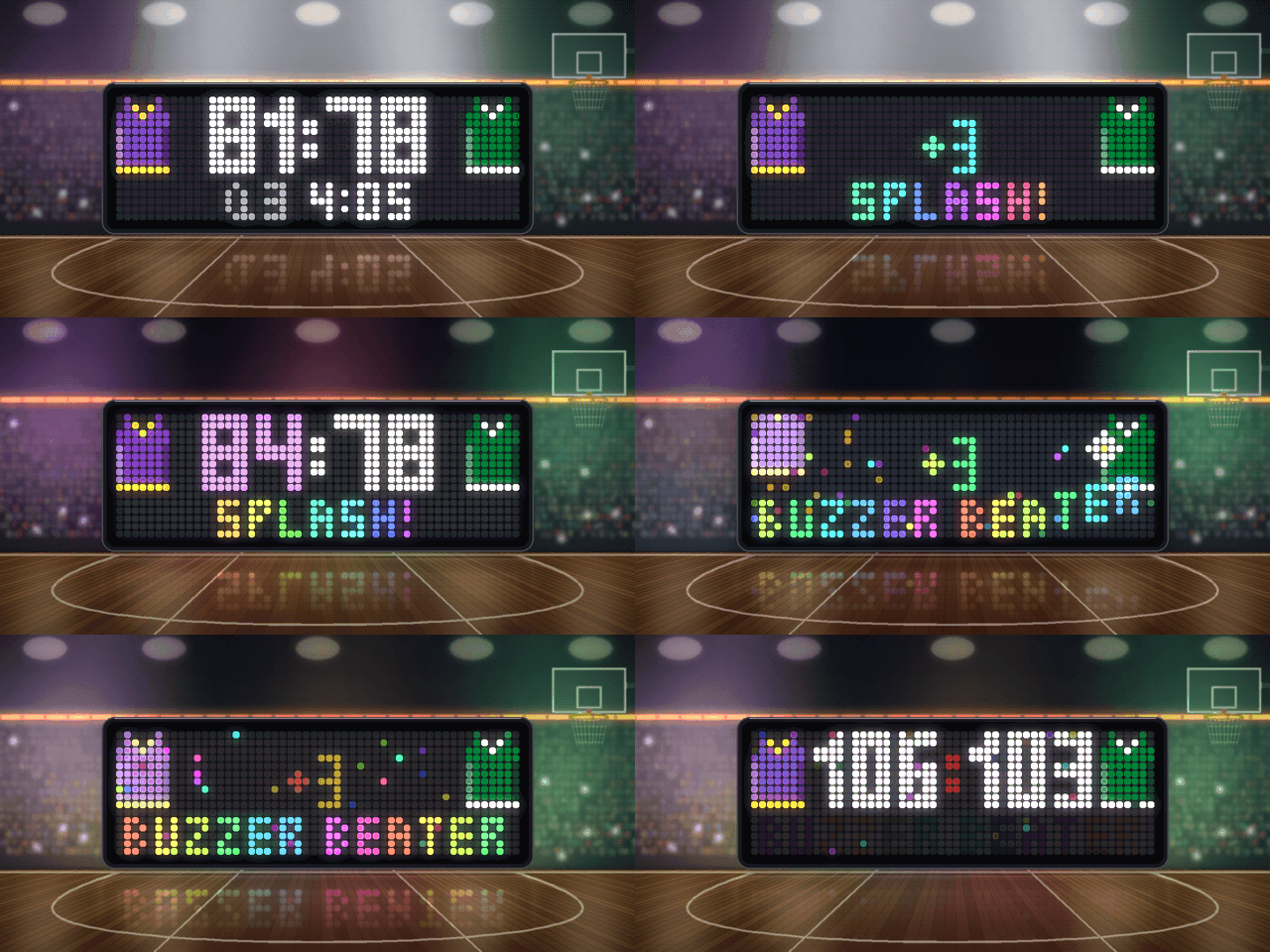
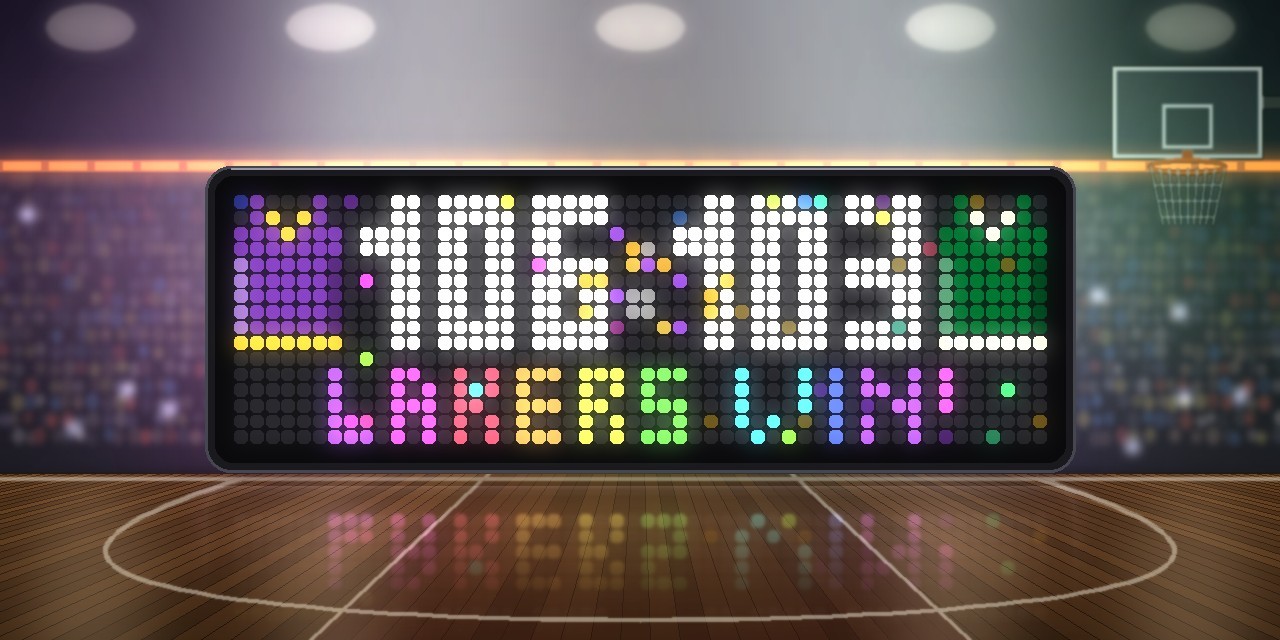
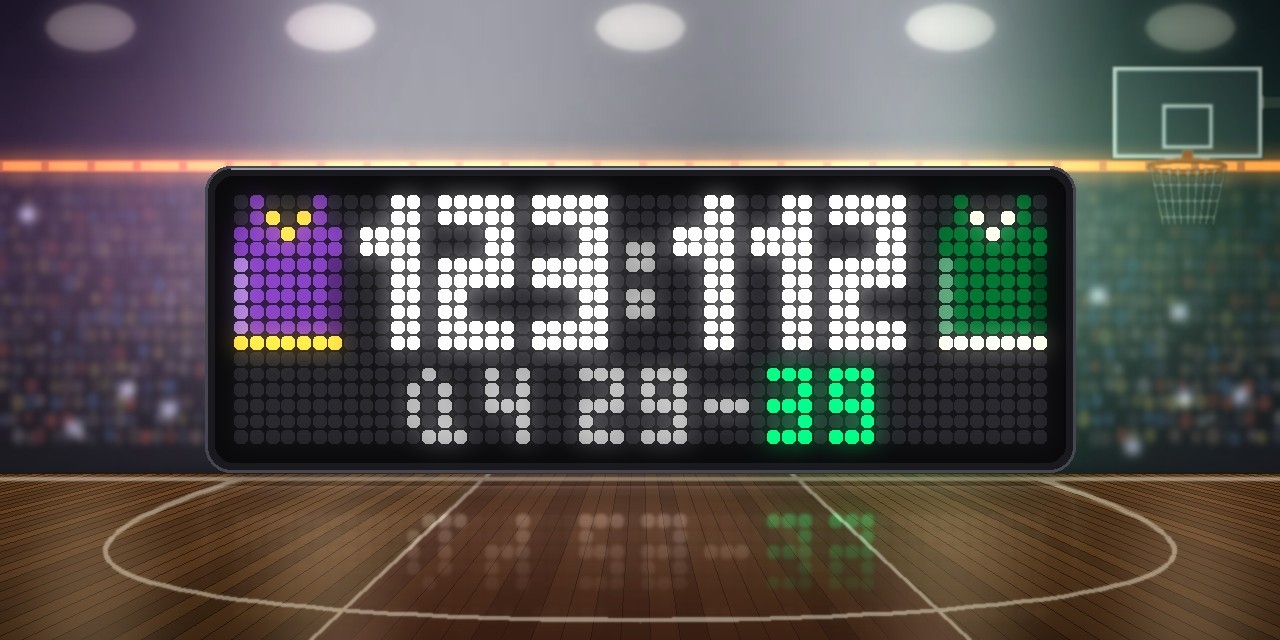
The live score of your NBA team, with both teams' jerseys in their colours on either side of a big scoreboard. Threes get a swish animation, dunks shake the backboard, runs set the edges on fire, and the last two minutes of a close game pulse red like a heartbeat. Horns, whistles and arena jingles come out of the speaker. The data comes from ESPN's public scoreboard API, so you don't need an API key or an account.
The app only joins the rotation around your team's games: a preview before tip-off, the live game and the final score. On all other days it stays out of the way.
┌─────────┬──────────────────────────┬─────────┐
│ ▄▀   ▀▄ │                          │ ▄▀   ▀▄ │
│ ███████ │       123  :  112        │ ███████ │  ← away jersey · score · home jersey
│ ███████ │                          │ ███████ │
│         │         Q4 1:52          │         │  ← quarter and clock, top scorer, records
└─────────┴──────────────────────────┴─────────┘
Features
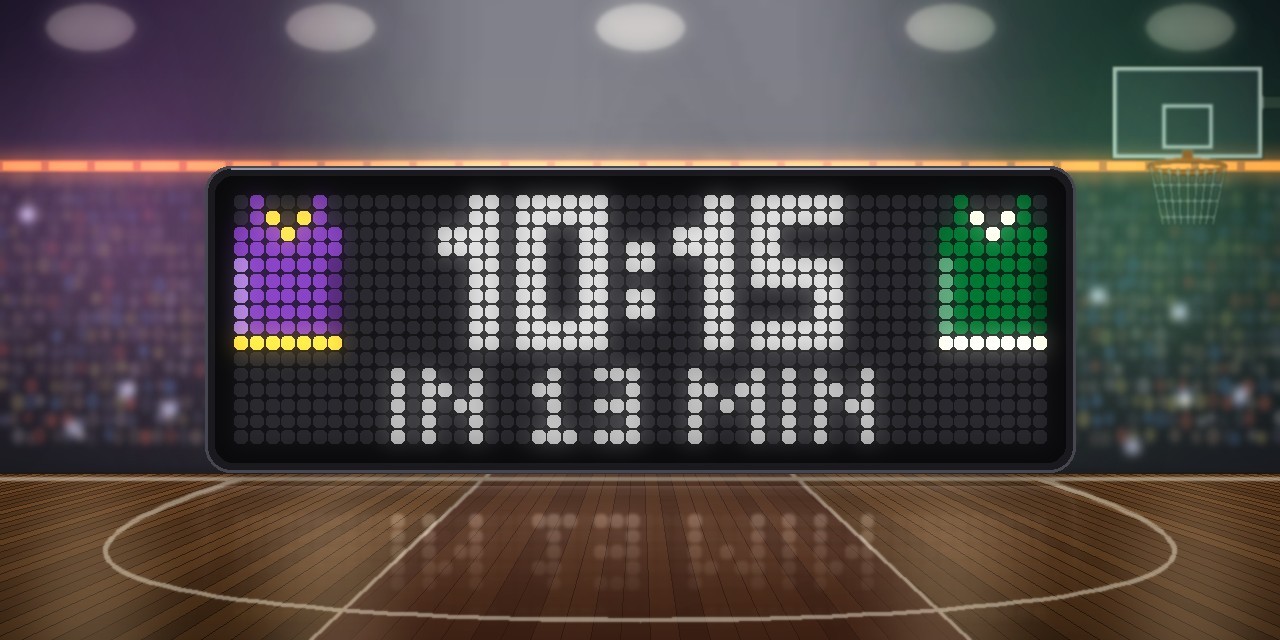
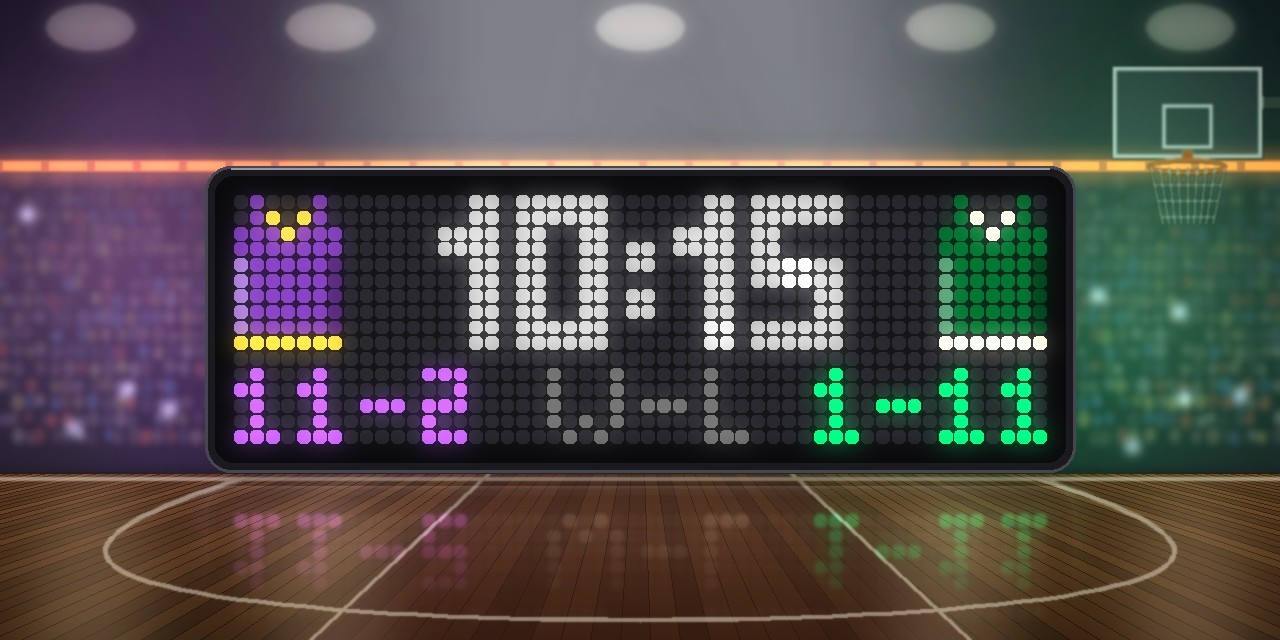
- Preview before tip-off. 15 minutes before the game (adjustable), both jerseys fly in with the tip-off time in your local time, a countdown (
IN 12 MIN) and both teams' records (11-2 W-L 4-6). - Both jerseys. Away left, home right, in ESPN's team colours with trim, light and shadow. When both teams wear the same colour (Lakers and Kings, for example), the home team swaps fabric and trim.
- Big score. 7×10 px block digits, narrower for three-digit scores. A shine sweeps across every few seconds and the colon breathes while the game is live.
- Bottom row in turn. Quarter and game clock (
Q3 4:05), your top scorer (DONCIC 32) and both records under the jerseys, each page sliding in. - Points per quarter. At half-time, between quarters and after the final buzzer, the app shows each quarter (
Q1 30-28), with the team that won it in its colour. - Three-pointer. The ball arcs into a hoop in the middle, the net ripples, sparks burst in your team's colours and SPLASH! jumps in letter by letter with a big +3.
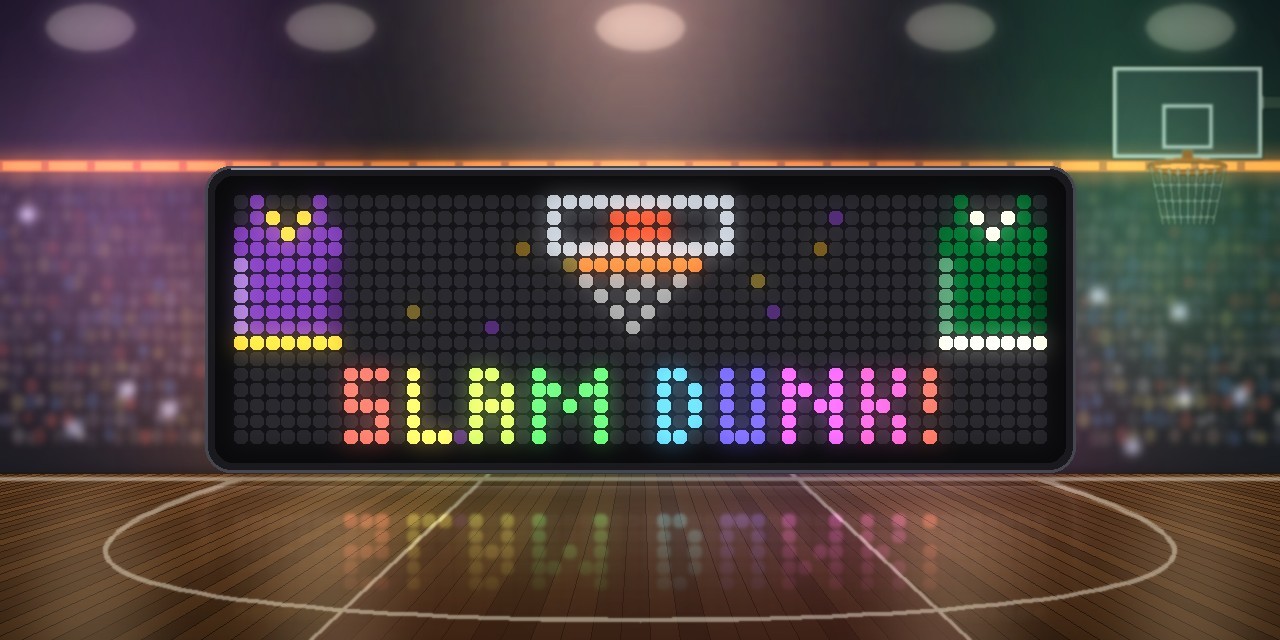
- Slam dunk. The ball comes down from above, the board flashes and shakes, the rim bends.
- Runs. An 8-0 run (adjustable) gets a 8-0 RUN banner, glowing points and flames at the edges.
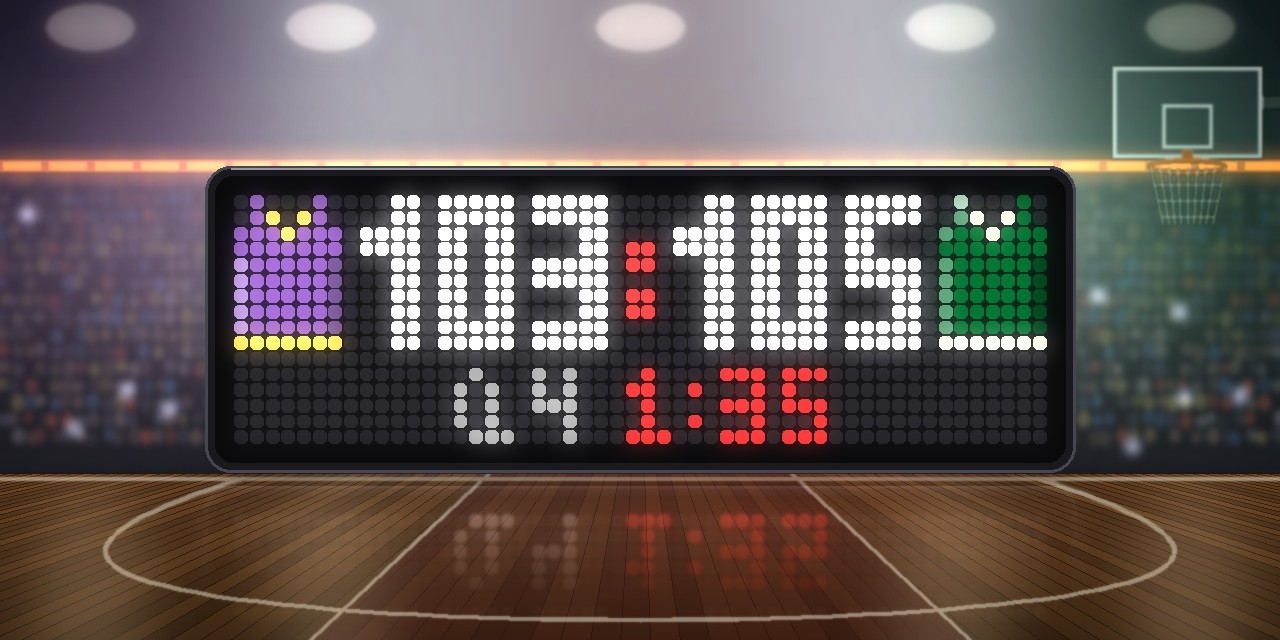
- Clutch time. Last two minutes of the fourth quarter or overtime, margin 5 or less: the clock pulses red and a heartbeat plays.
- Buzzer beater and win. Red flashes, fireworks and confetti; a win ends with LAKERS WIN! and a fanfare.
- Arena sounds. Whistle at tip-off, horn at the end of every quarter and the game, plus a synthesized jingle for every highlight. Optionally a swish on every basket by your team.
- Jumps in on highlights. Tip-off, threes, dunks, runs, clutch time, buzzer beaters and wins bring the app to the front (can be switched off).
Requirements
- An Ulanzi TC002 running AWTRIX NG firmware 1.1.6 or newer (tested on 1.2.3). On older firmware the display works, but sounds may stay silent.
- A 52×16 display. The layout is not meant for 32×8 clocks.
- No icons are needed. Jerseys, hoop and digits are drawn in code.
Installation
The easy way (recommended): Send to AWTRIX
- Open this script's page on the AWTRIX Hub.
- Press Send to AWTRIX and choose your TC002 in the next step.
- Done. The app is installed. It stays hidden until your team plays.
Then: make it yours
Open the AWTRIX web interface (the clock's IP address or http://awtrixng-xxxxxx.local), go to the Apps tab and click the gear on the NBAScore row. The one thing you have to set is My team. Without it you follow the Los Angeles Lakers (LAL). There you can also choose the preview time, the bottom row, sounds and more (see Settings).
As long as your team isn't playing, you won't see the app. That is intended: it shows up 15 minutes before tip-off.
Updates
New versions are announced on the clock itself once your Hub account is connected:
- In the AWTRIX web interface open System → AWTRIX Hub and enter your Hub connection key. You find it in your Hub account settings (Open Hub account).
- Go to the Scripts tab and press Check for updates. Scripts with a newer version on the Hub are marked there.
Manual installation
Only if you can't use the button:
- Open the AWTRIX web interface and go to the Scripts tab.
- Create a new script called
NBAScore, paste the contents ofNBAScore_share.axand press Save. - Choose your team as described above.
If the panel shows a red ERR:, the error message is shown next to the script in the Scripts tab. Please include it in your feedback.
Settings
All settings are behind the gear on the NBAScore row of the Apps tab, in two groups: My Team and Settings. Saving restarts the app.
| Setting | Default | What it does |
|---|---|---|
| My team | LAL | Your team, by ESPN's abbreviation (GS Golden State, NY Knicks, SA Spurs, NO Pelicans, UTAH Jazz, WSH Wizards …). Set this first. |
| Preview before tip-off | 15 min | When the jerseys, tip-off time and records appear. 0 = from tip-off |
| Update during the game | 10 s | How often the score is checked (5–120 s) |
| Show final score | 15 min | How long the result stays. 0 hides the app right away |
| Bottom row | both | info: quarter and clock, points per quarter at breaks. leader: your top scorer. both: everything in turn, plus the records |
| Jump in on highlights | on | Brings the app to the front for tip-off, threes, dunks, runs, clutch time, buzzer beaters and wins |
| Show a run from | 8 pts | A run of this many unanswered points by your team gets a banner |
| Clutch time | on | Red pulsing clock and heartbeat in the last two minutes of a close game |
| Sound | highlights | off, highlights (horns, whistle, jingles) or all (plus a swish on every basket by your team) |
| Score | white | Colour of the digits |
Good to know
- All games. Regular season, NBA Cup and playoffs. Preseason games show up when ESPN lists them as your team's next game.
- The clock runs in steps. ESPN updates the game clock with each answer, so it jumps by the update interval.
- Buzzer beaters are recognised when the basket falls in the last seconds of a quarter and ESPN reports
0.0on the clock. - Postponed or cancelled games are skipped, and so is a game that hasn't tipped off six hours after its planned start.
- Tip-off time follows the clock's time zone and its 12/24-hour setting.
- The app sends the user agent
curl/8.7.1, because ESPN has rejected some others with 403 Forbidden.
Changelog
- 1.2 – Preview before tip-off with jerseys, tip-off time, countdown and both records. Records as a page of the bottom row. Points per quarter at half-time, between quarters and after the game. Fix: since November 2026 ESPN sends the team page in a new order, and the app no longer found the next game.
- 1.1 – Teams in the same colour no longer look alike: the home team swaps fabric and trim. More reliable top scorer.
- 1.0 – First release: jerseys, score, quarter and clock, top scorer, three, dunk, run, clutch time, buzzer beater, win and arena sounds.
Sign in to view and copy the code of this script.
Discussion 0
Ask a question, suggest a change or share how you use it.
No comments yet. Start the conversation.
Have an idea?
Sign in to ask questions and join the conversation.