📰 RSS Headlines → AWTRIX NG + Alexa + Lights (📚 multi-feed + ⏰ chime pre-alert)
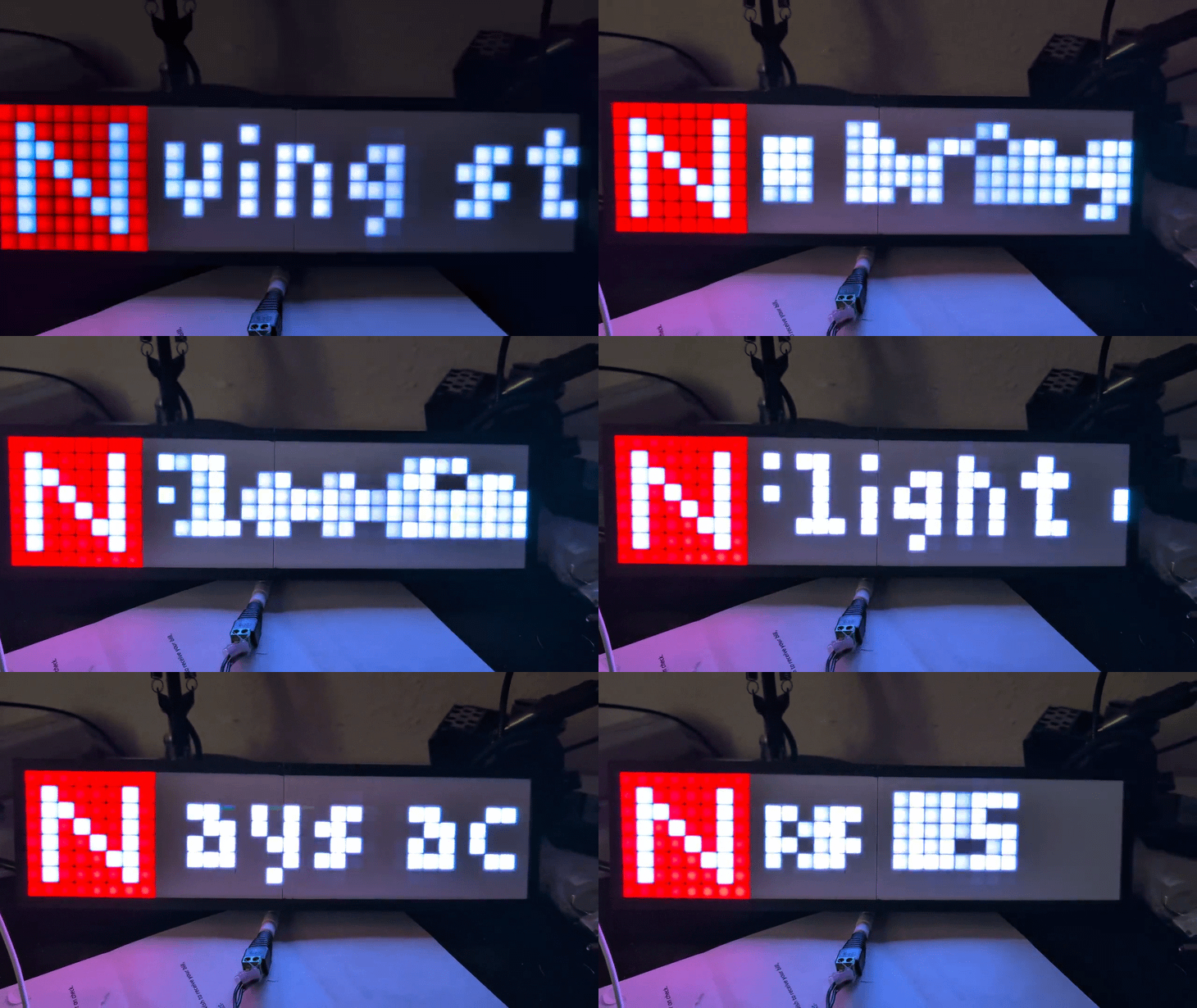
On your display
📰 RSS Headlines → AWTRIX NG + Alexa + Lights (📚 multi-feed + ⏰ chime pre-alert)
- Topic
- News
- Includes
- Script
Runs on
- Runs on 32×8 (TC001 & DIY)
- Runs on 52×16 (TC002)
- Does not run on 32×8 with AWTRIX 3 (TC001 & DIY) Made for AWTRIX NG.
Choose your display in the next step.
Script description
📰 RSS Headlines to AWTRIX NG
Every new item from one or more RSS feeds is sent as a scrolling headline to one or more AWTRIX NG clocks over MQTT. You can also play an Alexa chime or spoken announcement, play a melody on the clock, flash WLED lights and set quiet hours.
✅ Setup required before you use this blueprint
1️⃣ 📡 Feedreader integration Go to Settings → Devices & services → Add integration → Feedreader and add each feed, for example https://feeds.bbci.co.uk/news/world/rss.xml. 📚 Add one Feedreader entry per feed, then list every URL in this blueprint. ⚠️ Each URL must exactly match the configured URL, including https:// and any trailing /. Copy it from the Feedreader entry to be safe.
2️⃣ 📨 MQTT broker and integration Install a broker, such as the Mosquitto broker add-on, and add the MQTT integration in Home Assistant.
3️⃣ 🕹️ Enable MQTT on each AWTRIX NG clock Open the clock web UI → System tab → MQTT section. Turn MQTT on, enter the broker host and port, and choose a prefix such as awtrixNG. 🔁 Reboot the clock, because it reads MQTT settings only at start-up. ℹ️ AWTRIX NG listens on /cmd/notify, not on the AWTRIX 3 /notify topic.
4️⃣ 🖼️ Icon available on the clock (optional) The icon ID or name must exist on the clock. You can add icons from the AWTRIX Hub. Leave the field empty if you do not want an icon.
5️⃣ 🗣️ Alexa Media Player (optional) Install Alexa Media Player through HACS to use chimes and announcements.
6️⃣ 💡 WLED (optional) Add the WLED integration if you want a light or preset effect.
7️⃣ 📝 Text helper (optional) Create an Input text helper, for example input_text.newsitem_title, with a maximum length of 255 to keep the latest headline.
⏰ Chime pre-alert — Set a chime lead time to hear the Alexa chime and the AWTRIX melody first. The headline appears after that many seconds, so you have time to look at the clock. Set it to 0 to play the sound together with the headline.
🧪 Troubleshooting tip — Subscribe to /cmd/# in Settings → MQTT → Configure → Listen to a topic. A valid notification returns {"ok":true} on /cmd/notify/result. Please note the RSS automation is triggered only when agency published/pushes news. If you "run" the automation it will show nothing. You need to wait!
Blueprint link for Home Assistant: https://my.home-assistant.io/redirect/blueprint_import/?blueprint_url=https%3A%2F%2Fcommunity.home-assistant.io%2Ft%2Frss-headlines-awtrix-ng-alexa-lights-multi-feed-chime-pre-alert%2F1036785

Sign in to view and copy the code of this script.
Discussion 0
Ask a question, suggest a change or share how you use it.
No comments yet. Start the conversation.
Have an idea?
Sign in to ask questions and join the conversation.