Tasmota Power
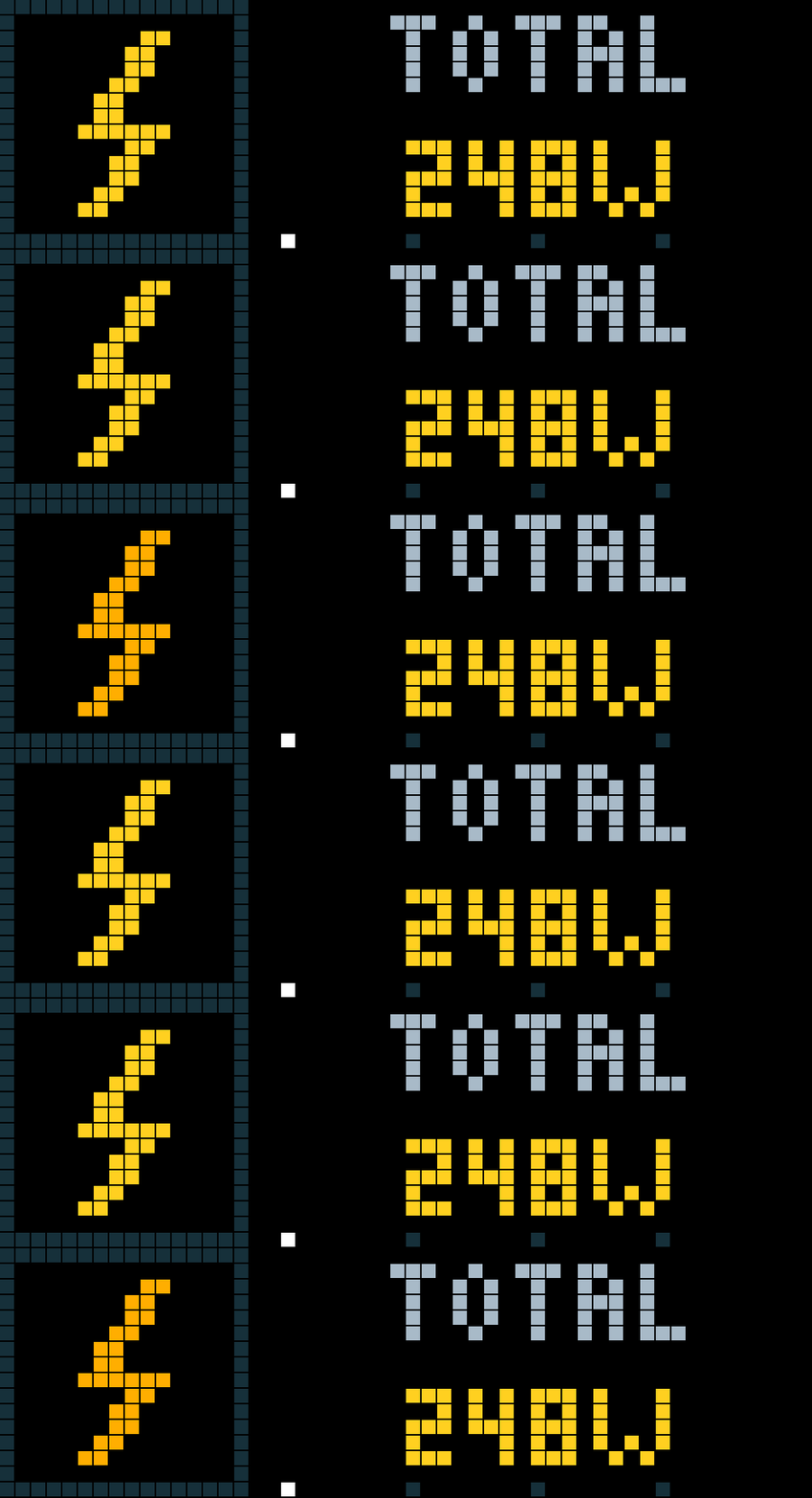
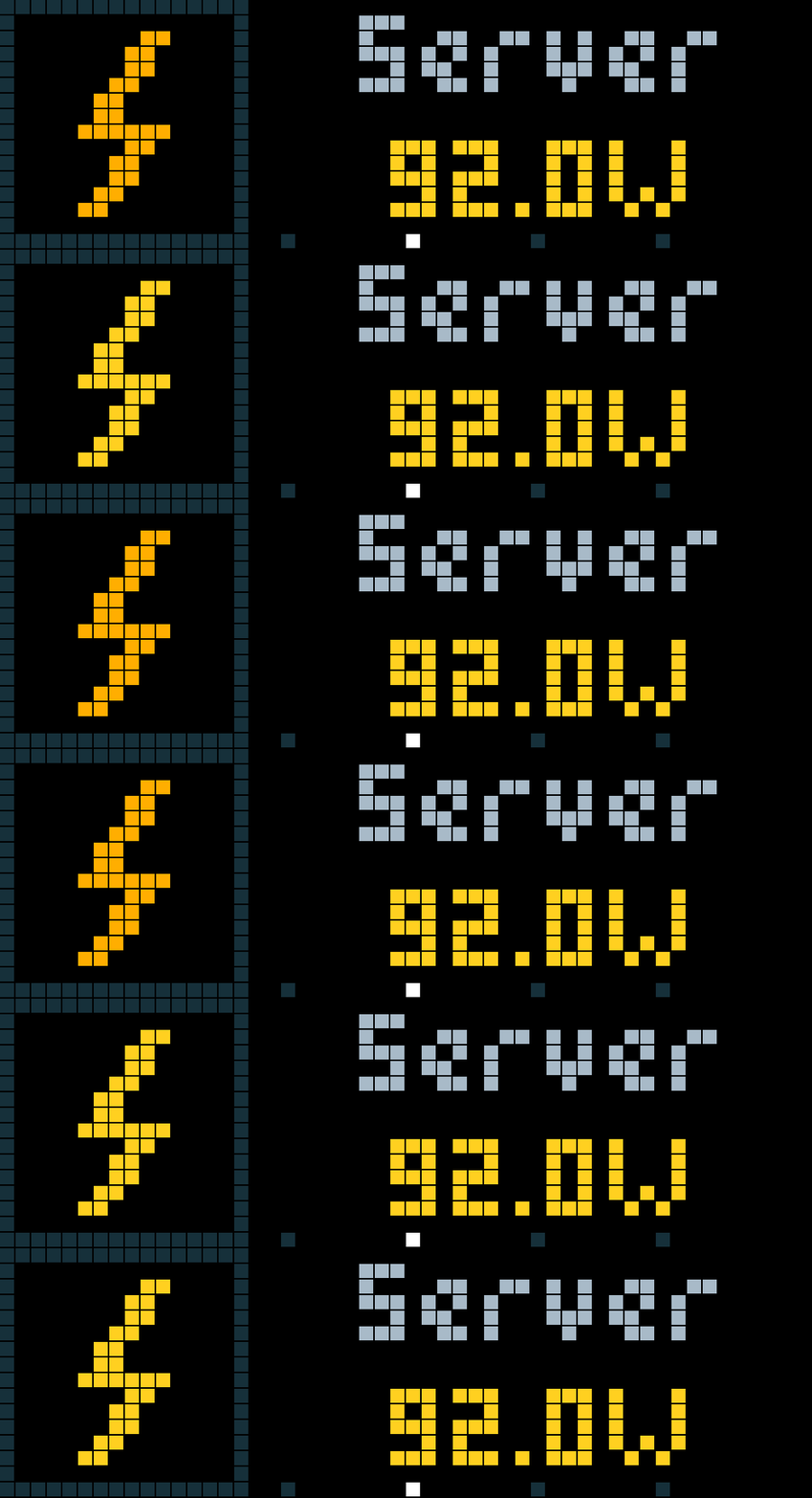
On your display
Monitor the current power consumption of your Tasmota based smart plugs.
- Topic
- Smarthome
- Includes
- Script
Runs on
- Does not run on 32×8 (TC001 & DIY) Made for 52×16 (TC002).
- Runs on 52×16 (TC002)
- Does not run on 32×8 with AWTRIX 3 (TC001 & DIY) Made for AWTRIX NG.
Choose your display in the next step.
Script description
⚡ Tasmota Power
Monitor the current power consumption of your Tasmota based smart plugs directly on your AWTRIX-NG TC002.
View the combined consumption of up to six plugs on the main screen, then turn the top knob to inspect each plug individually.
Features
- Combined power consumption: Main screen showing the total across all configured plugs.
- Individual readings: Turn the top knob to browse each plug.
- Quick return: Press the knob to return to the total.
- Up to six plugs: Configure each plug independently.
- Direct HTTP access: No MQTT broker or additional server required.
- Optional authentication: Separate username and password settings for each plug.
- Configurable refresh: Defaults to 15 seconds.
- Automatic units: Displays watts or kilowatts depending on consumption.
- Animated lightning icon: Built-in visual with configurable color and optional animation.
- Custom labels: Set a total-screen title and a display name for each plug.
- Page indicators: Small dots identify the selected view.
- Unavailable-reading detection: Missing or invalid readings are never treated as zero.
Display and Firmware
- Device: TC002
- Display: 52 × 16 pixels
- Target firmware: AWTRIX-NG 1.2.3 and newer
- App version: 1.0.1
Requirements
- One or more Tasmota-based smart plugs with energy-monitoring hardware.
- A working HTTP interface on each plug.
- A sensor response containing a numeric
StatusSNS.ENERGY.Powervalue. - Network access from the clock to every configured plug.
A plug that only reports its relay state, without a power measurement, is not sufficient.
Configuration
General Settings
| Setting | Description | Default |
|---|---|---|
| Refresh interval | Time between polling cycles | 15 seconds |
| Reading expires after | Maximum reading age before it becomes unavailable | 45 seconds |
The effective reading-expiry interval is at least twice the configured refresh interval.
Display Settings
| Setting | Description | Default |
|---|---|---|
| Total label | Heading on the combined-consumption screen | TOTAL |
| Animate lightning | Enable the lightning icon's color animation | Enabled |
| Power color | Color used for valid readings | Yellow |
Plug Settings
The following settings are available separately for each of the six plugs:
| Setting | Description | Default |
|---|---|---|
| Host or IP | Hostname or IPv4 address; leave empty to disable this slot | Empty |
| HTTP port | Port used by the plug's HTTP interface | 80 |
| Display name | Label shown on the individual plug screen | PLUG 1 to PLUG 6 |
| Username | Username used when a password is configured | admin |
| Password | Password for authenticated HTTP access | Empty |
Enter only the hostname or IPv4 address. Do not include a protocol prefix, path, or leading/trailing spaces.
Controls
| Action | Result |
|---|---|
| Turn knob right | Show the next view |
| Turn knob left | Show the previous view |
| Press knob | Return to the combined total |
The view sequence is:
Total → Plug 1 → Plug 2 → … → Total
Only configured plugs are included. Whenever the app becomes visible again, it returns to the total view.
Handling Unavailable Plugs
The total is displayed only when all configured plugs have valid, current readings.
If one or more readings are unavailable:
- The total screen displays
WAIT x/y, wherexis the number of valid readings andyis the number of configured plugs. - The total value is replaced with
--. - An unavailable individual plug displays
N/A. - Valid individual plug readings remain accessible.
This prevents an incomplete sum from being mistaken for the actual total.
Connection and Privacy
The app reads power measurements using the Tasmota Status 10 HTTP command. It does not switch relays or change plug settings.
HTTP is unencrypted. Use this app only on a trusted local network, particularly when authentication is enabled. Connection URLs containing credentials are not intentionally written to the app log.
Sign in to view and copy the code of this script.
Discussion 0
Ask a question, suggest a change or share how you use it.
No comments yet. Start the conversation.
Have an idea?
Sign in to ask questions and join the conversation.