ScriptAWTRIX NG
OpenCode Go Usage
On an AWTRIX display
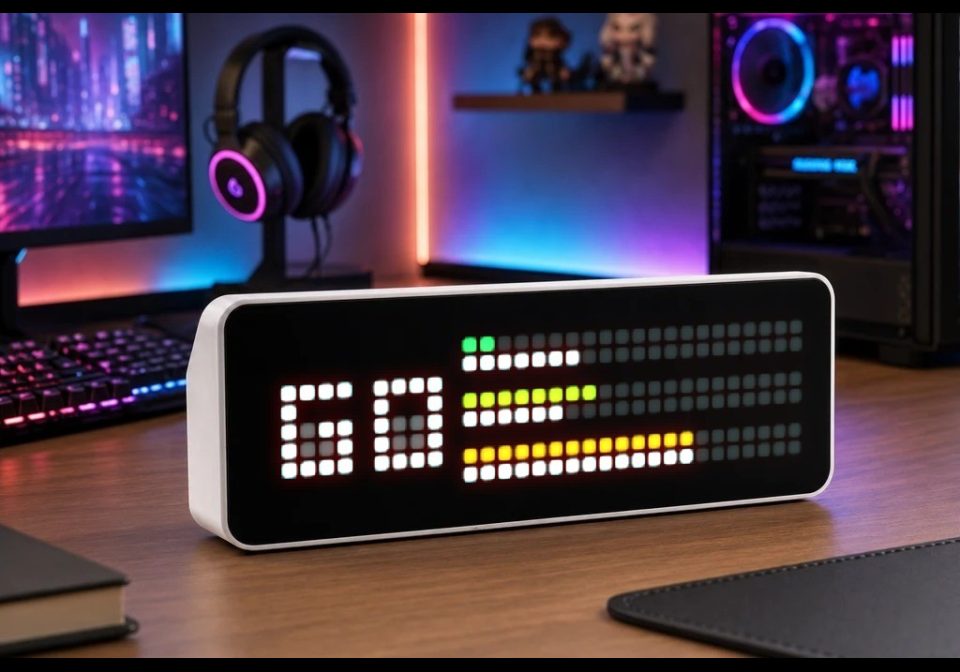
On your display
Shows your OpenCode Go plan usage: 5-hour, weekly and monthly
Which AWTRIX do you have?
See below where it runs, or choose your device.
- Topic
- Miscellaneous
- Includes
- Script
Runs on
- Runs on 32×8 (TC001 & DIY)
- Runs on 52×16 (TC002)
- Does not run on 32×8 with AWTRIX 3 (TC001 & DIY) Made for AWTRIX NG.
Choose your display in the next step.
Script description
Shows how much of your OpenCode Go plan you have used: the 5-hour window, the current week and the month. The script fetches the usage endpoint over HTTPS with your configured API key.
Layouts:
- Timeline (default): split progress bar showing the actual vs. expected usage by displaying the passed time in the windows
- Bars: thicker simple bars per window, showing only the usage
- Numbers: two-digit percentage per window with a mini bar underneath
Colour modes:
- usage (default): green → yellow → red as usage rises
- fix: fixed colour per window
- pace: green = on or under expected pace, yellow = up to 10 points over, red = more than 10 points over
Installation
- Install the script from this page (Send to AWTRIX) or paste it into the Scripts tab of your AWTRIX web interface and save.
- Open Apps → OpenCode Go → ⋯ → Settings and paste your API key.
- Optional: choose layout and colour mode, adjust the refresh interval.
Sign in to view and copy the code of this script.
Community
Discussion 0
Ask a question, suggest a change or share how you use it.
No comments yet. Start the conversation.
More scripts in Miscellaneous
Something wrong with this script? Report it.
Have an idea?
Sign in to ask questions and join the conversation.