Displays live Nightscout blood glucose (mmol/L, mg/dL), trend arrows, full-screen graphs, and estimated eA1c, MBG
On your display
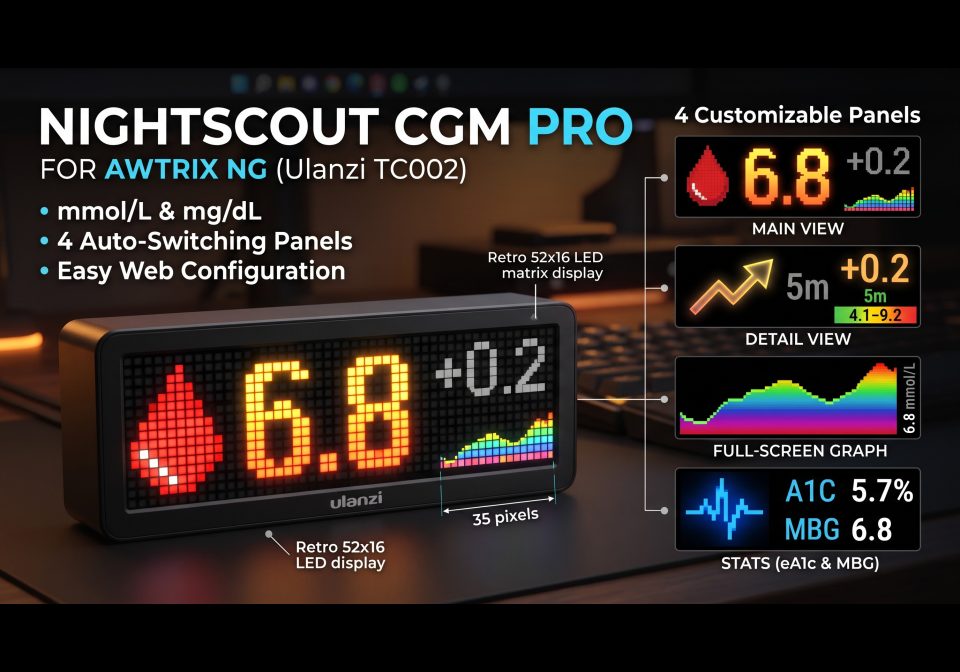
The ultimate 4-panel Nightscout CGM app for Ulanzi TC002 (52x16). Animated drop, large gradient digits, live graphs, eA1c, MBG, mmol/L, mg/dL.
- Topic
- News
- Includes
- Script
Runs on
- Does not run on 32×8 (TC001 & DIY) Made for 52×16 (TC002).
- Runs on 52×16 (TC002)
- Does not run on 32×8 with AWTRIX 3 (TC001 & DIY) Made for AWTRIX NG.
Choose your display in the next step.
Script description
Turn your Ulanzi TC002 (52x16) into a sleek, high-visibility Nightscout CGM dashboard. Built from the ground up for smooth animations, instant readability from across the room, and rock-solid ESP32 stability.
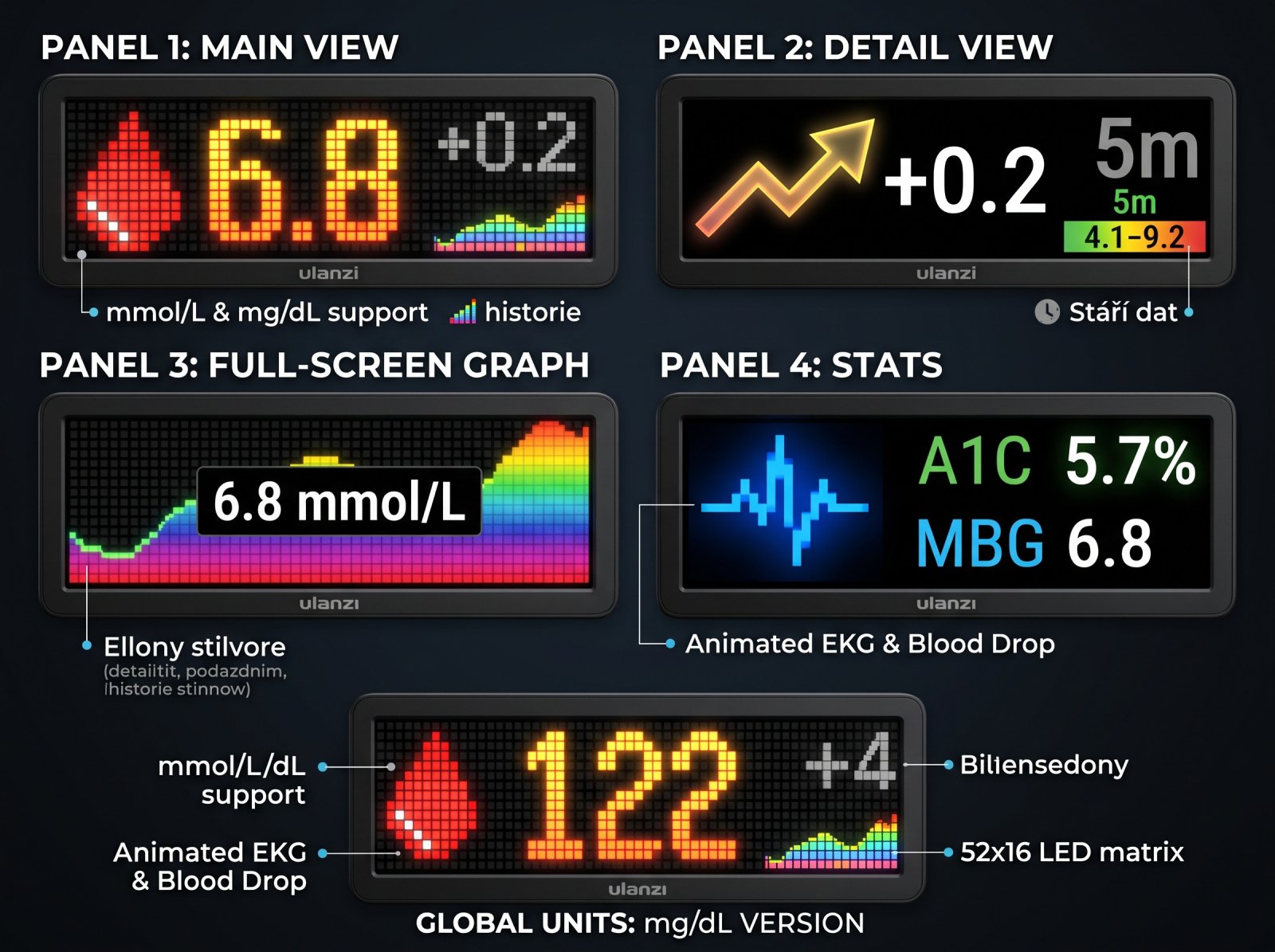
✨ 4 Customizable Panels (Use all 4 or pick your favorites!)
- Main View: Large gradient glucose digits, animated blood drop, delta, and a color-coded mini trend graph.
- Detail View: Animated trend arrow, delta, reading age (minutes ago), and recent min–max range.
- Full-Screen Graph: Vibrant 52px glucose history curve with a scanning glow and scrolling current reading.
- Statistics: Animated EKG icon with estimated A1c (eA1c) and Mean Blood Glucose (MBG).
⚙️ Easy Web UI Configuration (No coding needed!)
• Works everywhere: Supports both Cloud Nightscout (https://) and Local Network servers (http://), including optional Access Token.
• Global Units: One-click switch between mmol/L and mg/dL.
• Flexible Display: Enable or disable any of the 4 panels individually.
• Navigation: Smooth auto-switching with custom timing, or manual switching via the rotary knob.
• Memory-Safe: Fetches the last 16 entries to keep your AWTRIX NG running fast without memory crashes.
⚠️ Medical Disclaimer
This is a community-made display app for informational purposes only and is NOT a certified medical device. Never use it to make insulin dosing or treatment decisions. Always verify readings with your primary CGM receiver or blood glucose meter.
Sign in to view and copy the code of this script.
Discussion 0
Ask a question, suggest a change or share how you use it.
No comments yet. Start the conversation.
Have an idea?
Sign in to ask questions and join the conversation.