Clock with weather and electricity price bar
On your display
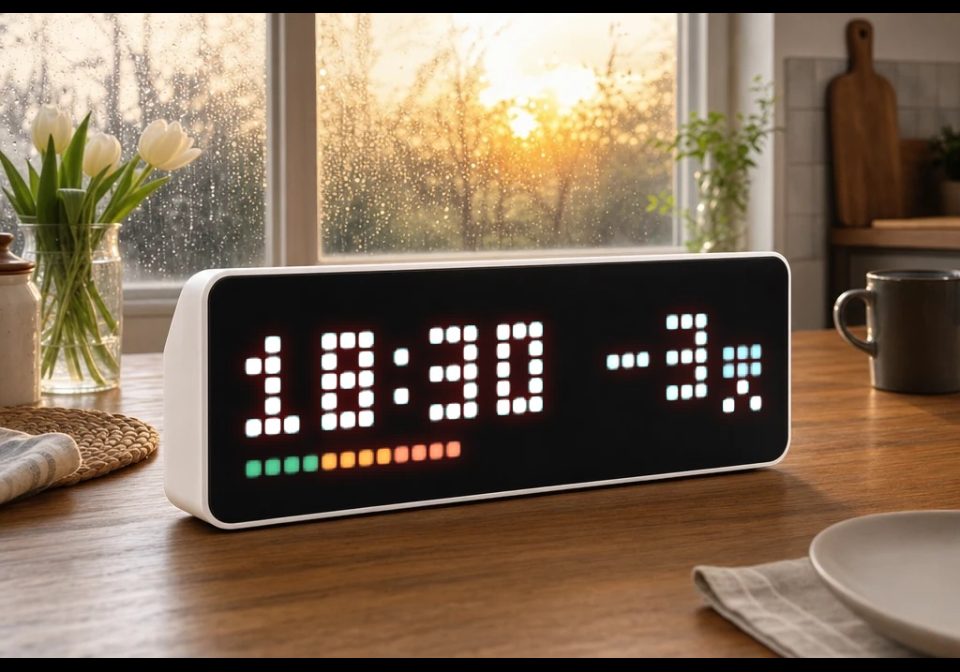
Time, outdoor temperature and a weather icon, with the current electricity price as a coloured bar along the bottom row
- Topic
- Smarthome
- Includes
- Script
Runs on
- Runs on 32×8 (TC001 & DIY)
- Runs on 52×16 (TC002)
- Does not run on 32×8 with AWTRIX 3 (TC001 & DIY) Made for AWTRIX NG.
Choose your display in the next step.
Script description
A clock app for AWTRIX NG written as a Berry script. The time comes from the clock's own NTP sync, so it keeps running if Home Assistant goes down. Outdoor temperature, weather and the electricity price arrive over MQTT.
Layout
- Time on the left
- Outdoor temperature, right aligned
- 3 pixel wide weather icon on the right edge
- Price bar on the bottom row
Price bar
One pixel for every started 25 öre/kWh, growing from the left.
- Pixels 1-4 green, up to 100 öre
- Pixels 5-8 orange, 100-200 öre
- Pixels 9-32 red, over 200 öre
0 öre or less still lights one green pixel. 800 öre or more fills the whole row.
Night icons (new in v2.3)
There is now a partlycloudy-night icon, a moon behind the cloud. Home Assistant has no night variant of partlycloudy, and some weather providers (SMHI among them) never send clear-night at all, so the Home Assistant blueprint in the repo translates both when the sun is below the horizon. The icons flip at sunset and sunrise.
Setup
- In the AWTRIX web UI go to Scripts, create a script called
ClockTempand paste the code. - Publish these MQTT topics with retain on:
awtrix/outdoor/temptemperature, e.g.15awtrix/outdoor/condHome Assistant weather state, e.g.partlycloudyorpartlycloudy-nightawtrix/elprisprice in öre/kWh, e.g.35.82
- Topic names and the clock, temperature and bar colours can be changed in the script settings.
Home Assistant blueprints, automations and a Node-RED flow for the MQTT feeds are in the repo: https://github.com/TSA3000/awtrix-ng-clock
No icons to install, the script draws everything itself.
At -10 degrees and colder the temperature touches the clock digits.
Tested on AWTRIX NG 1.1.0.
Sign in to view and copy the code of this script.
Discussion 0
Ask a question, suggest a change or share how you use it.
No comments yet. Start the conversation.
Have an idea?
Sign in to ask questions and join the conversation.