Minecraft inspired Clock & Weather
On your display
Clock
- Topic
- News
- Includes
- Script
Runs on
- Does not run on 32×8 (TC001 & DIY) Made for 52×16 (TC002).
- Runs on 52×16 (TC002)
- Does not run on 32×8 with AWTRIX 3 (TC001 & DIY) Made for AWTRIX NG.
Choose your display in the next step.
Script description
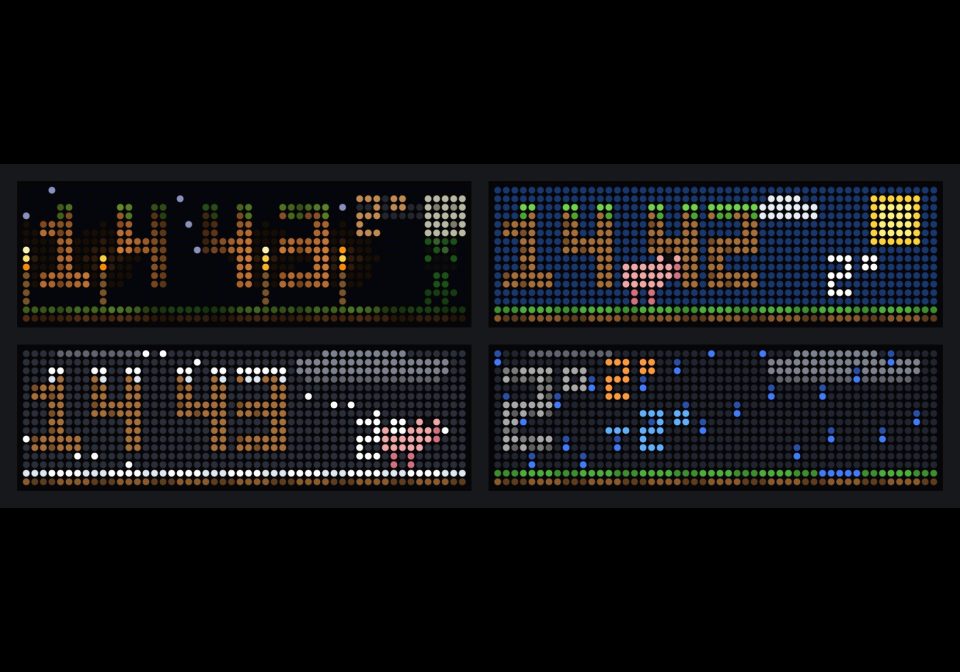
A blocky clock with live weather for the 52×16 display (Ulanzi TC002).
By day: grass-block digits, sun and drifting clouds, and a pig wandering by.
At night: the scene goes dark, and a small flickering torch lights each digit. Zombies and creepers sneak up from the dark, but they stop at the edge of the light and retreat.
The weather shows in the scene: rain, snow (snowy ground and digits), and thunderstorms with lightning. Day and night follow your local sunrise and sunset.
Weather page: current temperature in stone blocks, plus today's high and low.
Knob: turn to switch between clock and weather, press to send a mob.
Settings: location, refresh interval, time on screen, animals and mobs on/off, plus a preview to try every weather and day/night scene.
Weather data from Open-Meteo, no API key needed. All artwork is drawn pixel by pixel in the script, so no icons to install.
Sign in to view and copy the code of this script.
Discussion 0
Ask a question, suggest a change or share how you use it.
No comments yet. Start the conversation.
Have an idea?
Sign in to ask questions and join the conversation.