Beautiful Air
On your display
The air quality where you live, at a glance
- Topic
- Miscellaneous
- Includes
- Script
Runs on
- Does not run on 32×8 (TC001 & DIY) Made for 52×16 (TC002).
- Runs on 52×16 (TC002)
- Does not run on 32×8 with AWTRIX 3 (TC001 & DIY) Made for AWTRIX NG.
Choose your display in the next step.
Script description
Beautiful Air for AWTRIX NG (Ulanzi TC002)
Version 1.2 · by Hank_the_Tank / Claude · for the 52×16 panel of the Ulanzi TC002
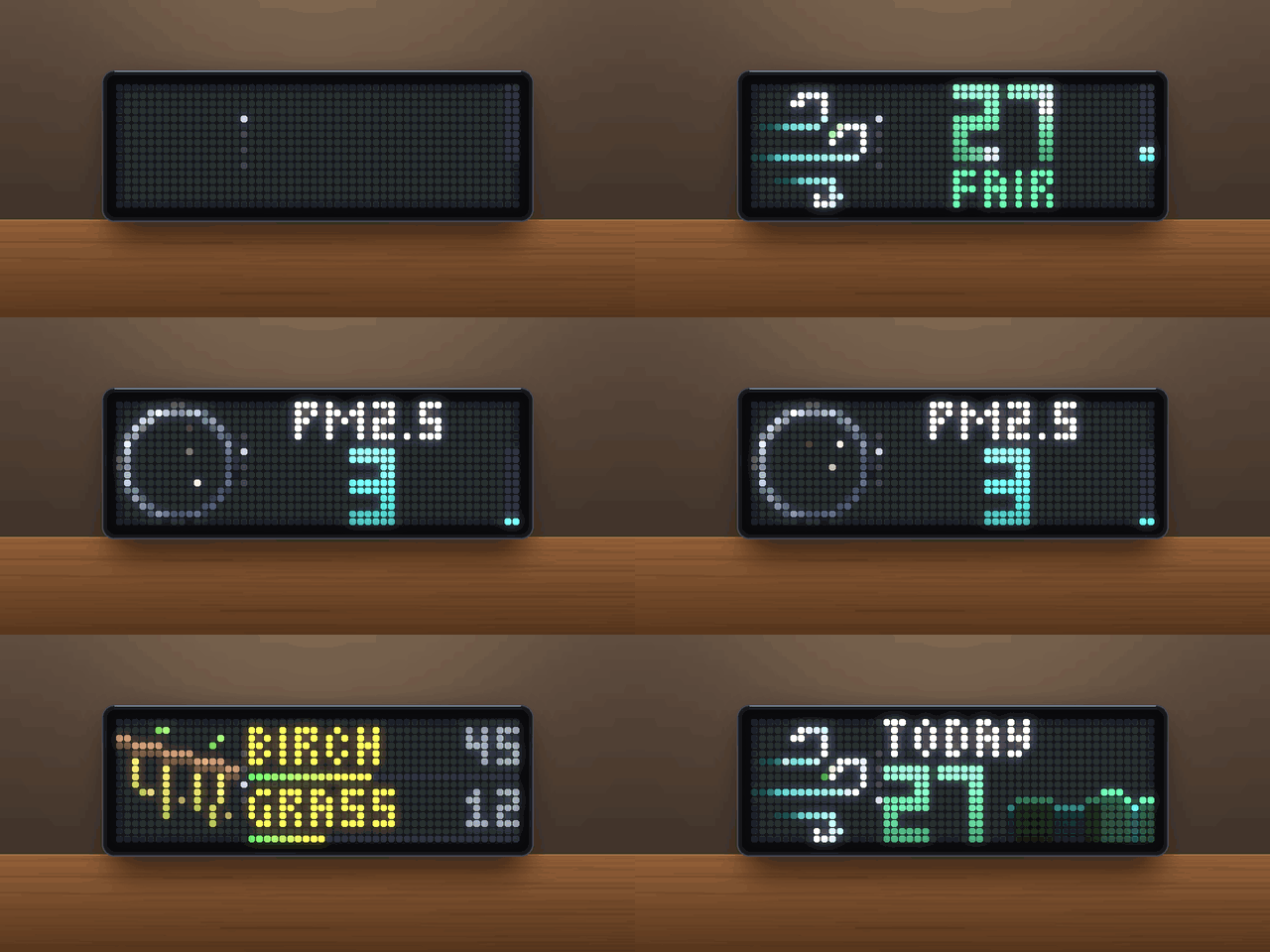
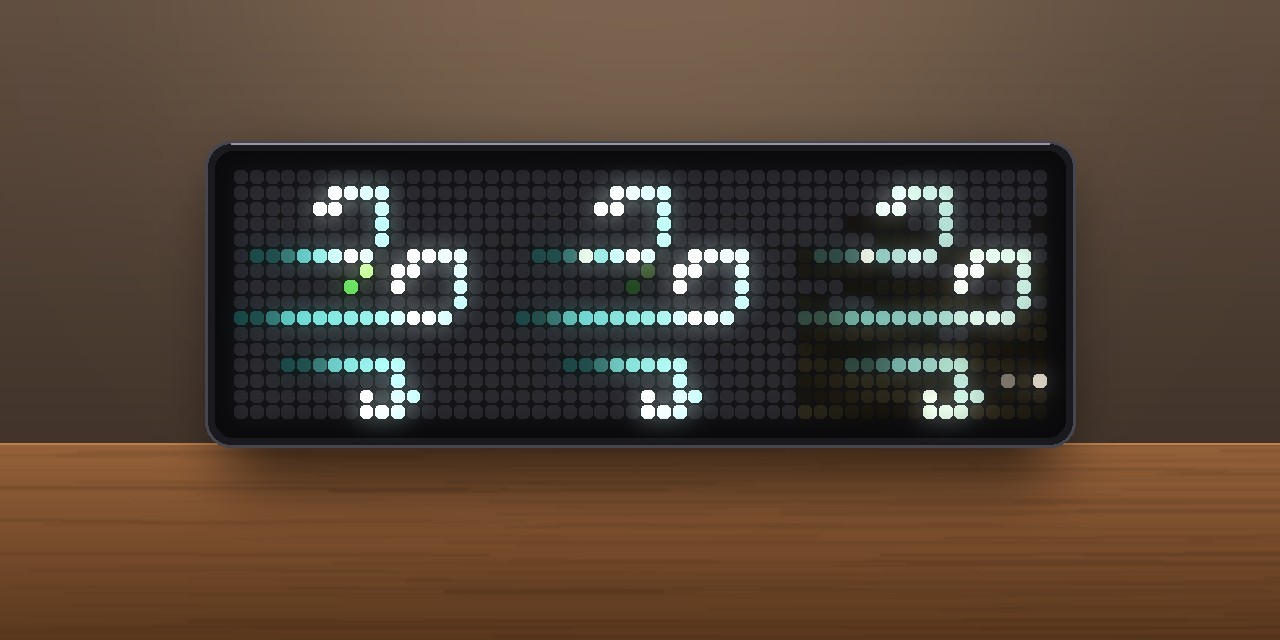
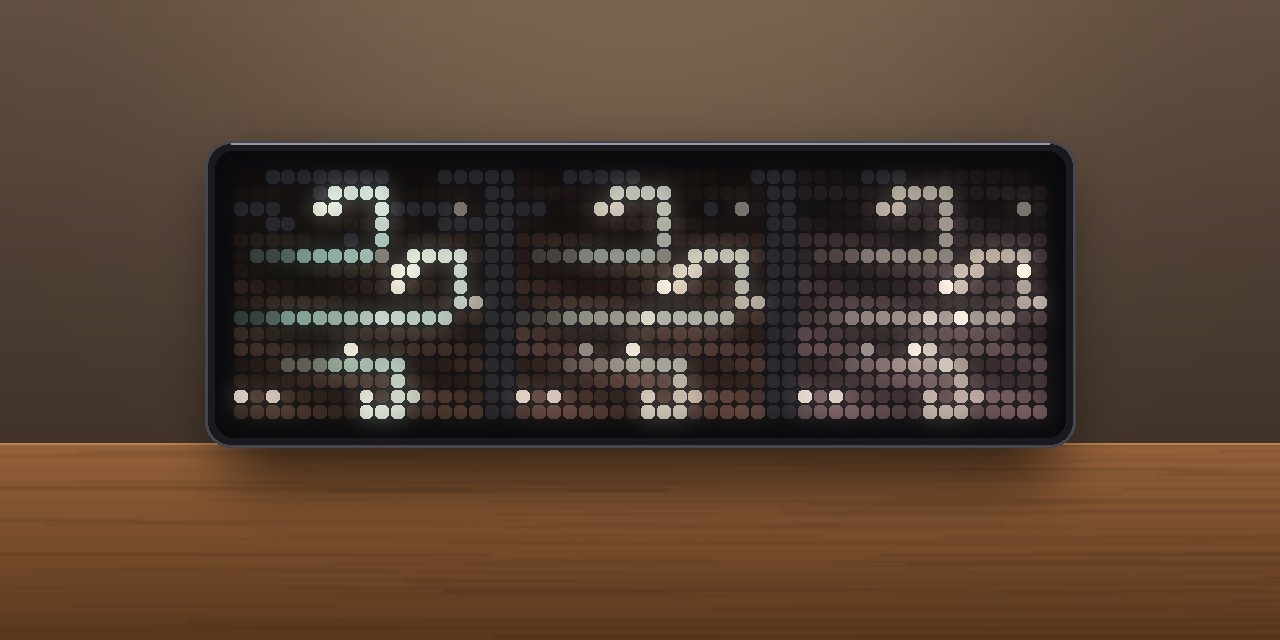
The air quality where you live, at a glance: a big air quality index with an animated 16×16 symbol, a level gauge and the outlook for the next 24 hours. Three more pages open when you turn the knob, or change by themselves: the four main pollutants, the pollen count and a 3-day outlook. The data comes from the Open-Meteo Air Quality API (Copernicus CAMS), so you don't need an API key or an account.
 turn the knob →
┌──────────┬────────────────────────────┐
│ air      │ 22                       ▮ │  1 Air         (start page)
│ streams  │ FAIR   ⇄  ▁▂▃▃▂▂▁▁▂▃       │
├──────────┼────────────────────────────┤
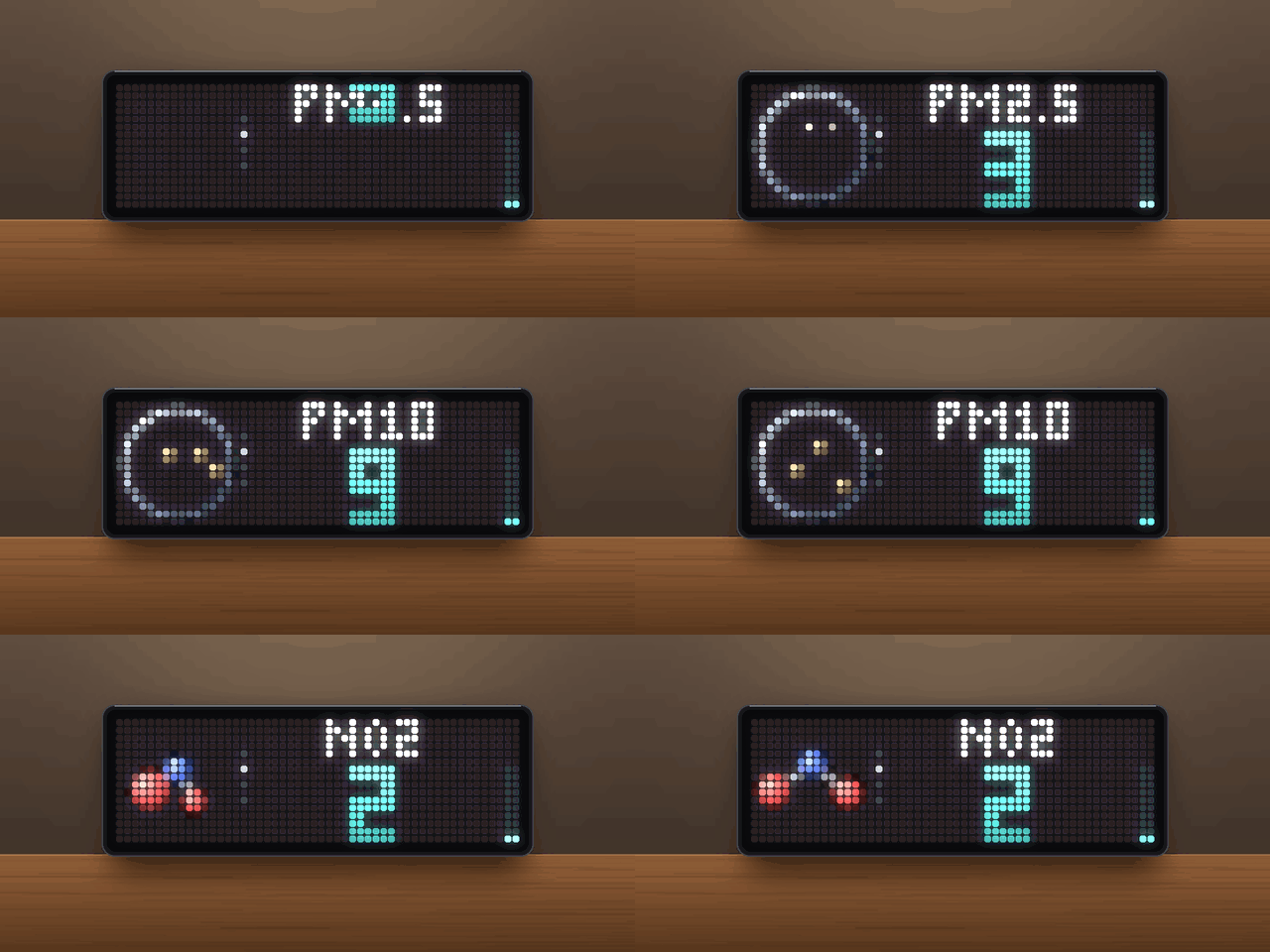
│ micro-   │ PM2.5                      │  2 Pollutants  (PM2.5, PM10, NO2, ozone, 3.5 s each)
│ scope    │ 4                        ▮ │
├──────────┼────────────────────────────┤
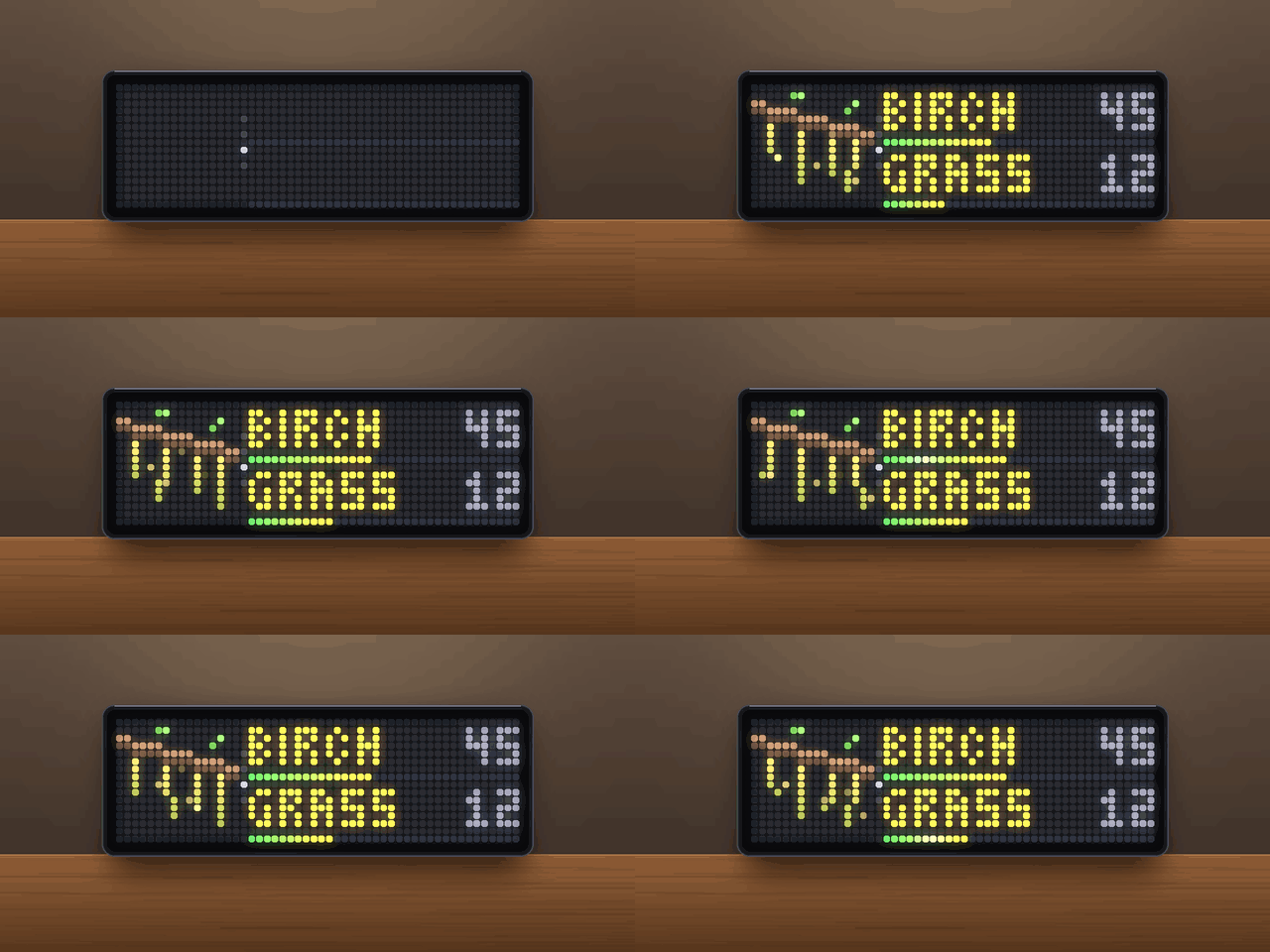
│ plant    │ BIRCH                   45 │  3 Pollen      (the two strongest types)
│          │ GRASS ━━━━━━            12 │
├──────────┼────────────────────────────┤
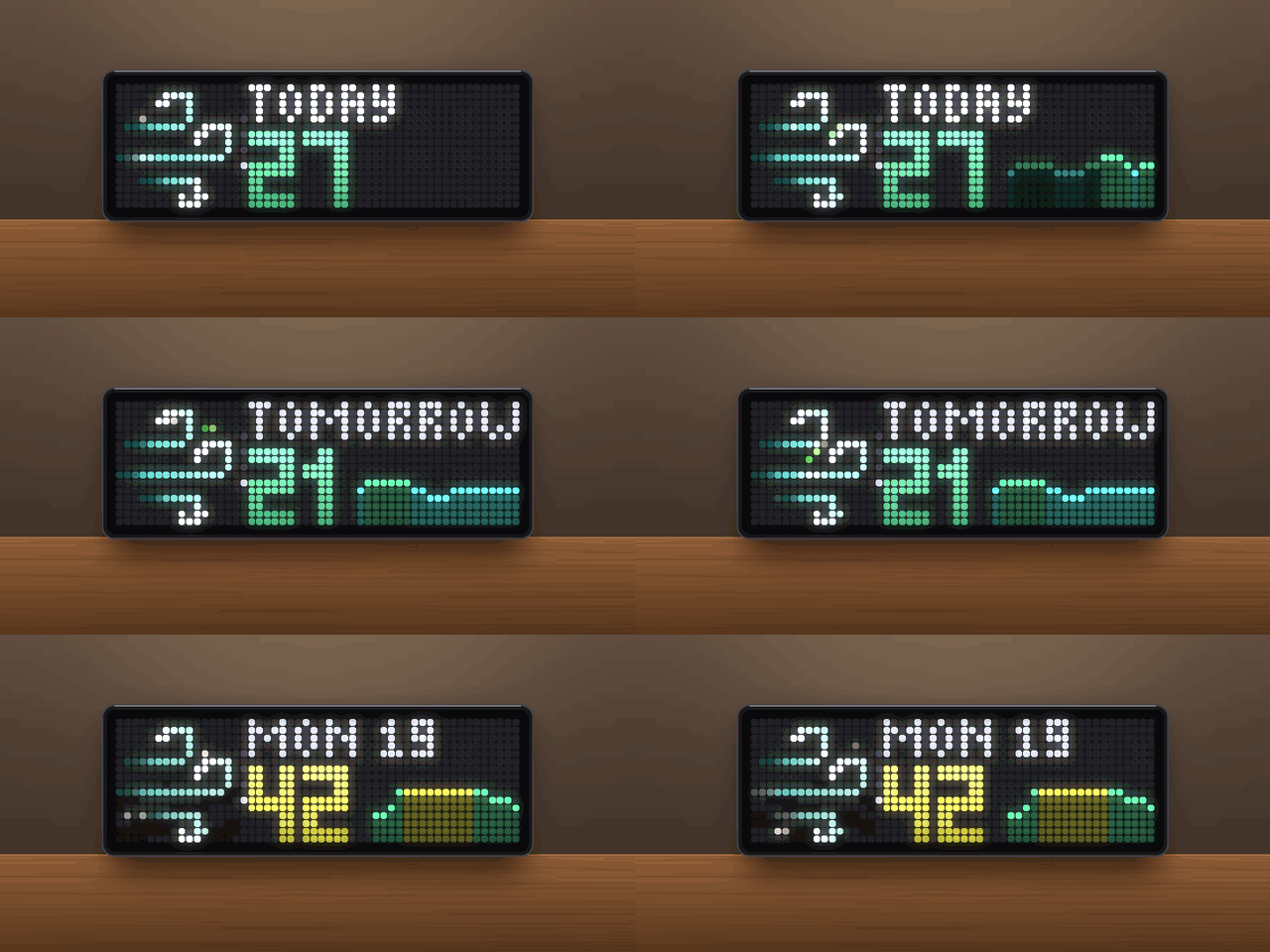
│ air      │ TODAY                      │  4 Outlook     (3 days, 3.5 s each)
│ streams  │ 27   ▁▂▂▃▅▅▃▂              │
└──────────┴────────────────────────────┘
Pages
The app always starts on the air page. Turn the knob right for the next page, left to go back. Each page slides in from below (forward) or above (back). A column of small dots between symbol and numbers shows which page you are on. While you turn the knob the rotation waits; it moves on a while after the last turn (setting After turning).
Prefer to just watch? Set Page change to auto: the pages then slide in one after another by themselves (Time per page; pollutants and the 3-day outlook get at least 3.5 s per entry), and the knob keeps its normal brightness/volume function.
All texts on the panel are available in English and German (setting Language).
1 · Air
- Big index in 6×10 px block digits that drop in one after another, with a shine running across every few seconds. Colour by level.
- Level gauge at the right edge: fills up from the bottom in the colours of the scale.
- Below, taking turns: the level word (4 s) and the next 24 hours as a curve coloured by level (6 s). A small blue tick marks midnight.
- Two scales: the European Air Quality Index (
GOOD,FAIR,MODERATE,POOR,VERY POOR,EXTREME) or the US AQI of the EPA (GOOD,MODERATE,SENSITIVE,UNHEALTHY,VERY BAD,HAZARDOUS). - The symbol: three curling air streams. In clean air they are bright mint, a light pulse runs along them and a leaf rides the middle one. The worse the air, the murkier the streams turn, with more dust in the air and a haze that thickens near the ground.
2 · Pollutants
- PM2.5, PM10, NO2 and ozone, 3.5 s each; the next one pushes the last one out to the left.
- The value in µg/m³ as block digits, coloured by the pollutant's own index, with its own gauge.
- Symbols: fine dust under a microscope (PM2.5 fine specks, PM10 coarser grains, more of them at higher levels) and NO2 and ozone as 3D molecules rocking in space – they vibrate more the higher the level.
3 · Pollen
- The two strongest pollen types of alder, birch, grass, mugwort, olive and ragweed, with grains/m³ and a level bar (low, moderate, high, very high).
- Symbol: a branch with catkins for tree pollen, swaying grass or a herb – pollen puffs drift away with the wind, more of them at higher levels.
- Shown by default only while pollen is in the air. Pollen data is available for Europe only.
4 · 3-day outlook
- The highest index of today (from now on), tomorrow and the day after, 3.5 s each.
- The symbol at that day's level, the day, the highest index in big digits and the day's curve beside it. Hours already past today are dimmed.
Requirements
- An Ulanzi TC002 running AWTRIX NG (tested on firmware 1.2.2). The pages need the TC002's knob.
- A 52×16 display. The layout is not meant for 32×8 clocks.
- No icons and no API key.
Installation
The easy way (recommended): Send to AWTRIX
- Open the script page of Beautiful Air on the AWTRIX Hub.
- Press Send to AWTRIX and choose your TC002 in the next step.
- Done – the app is installed and joins the rotation right away.
Then: set your location
Open the AWTRIX web interface (the clock's IP address or http://awtrixng-xxxxxx.local), go to the Apps tab, click the gear on the BeautifulAir row and enter your own latitude and longitude. Without this you get the air of Berlin.
Manual installation
Only if you can't use the button:
- Open the AWTRIX web interface and go to the Scripts tab.
- Create a new script called
BeautifulAir, paste the contents ofBeautifulAir_share.axand press Save. - Set your location as described above.
If the panel shows a red ERR:, the error message is shown next to the script in the Scripts tab. Please include it in your feedback.
Settings
All settings are on the Apps tab, behind the gear on the BeautifulAir row. Saving restarts the app.
| Setting | Default | What it does |
|---|---|---|
| Language | English | English or Deutsch – texts on the panel |
| Latitude / Longitude | 52.52 / 13.40 (Berlin) | Your location. Set this first. |
| Index | EU | EU: European Air Quality Index (0–100+) · US: AQI of the US EPA (0–500) |
| Bring to front | off | poor or critical: shows the app at once when the air gets this bad, once per rise |
| Page change | knob | knob: turn the knob to switch pages · auto: pages change by themselves |
| Time per page | 6 s | Auto mode only: how long each page is shown |
| Display time | 10 s | Knob mode: how long the app stays in the rotation. In auto mode the app stays for all its pages |
| Pollutant page / 3-day outlook | on | Switch each page on or off |
| Pollen page | auto | auto: only while pollen is in the air · always · off |
| After turning | 20 s | Knob mode: after the last turn of the knob the app stays this long, then the rotation moves on |
Data and refresh
- One request to Open-Meteo every 20 minutes: current index and sub-indices, pollutant and pollen concentrations, and the hourly index for 4 days. Press the middle button while the app is on screen to refresh right away.
- After a reboot the last known values show at once.
- A red dot at the bottom of the dot column means no successful update for more than about 70 minutes.
Credits
- Air quality and pollen data: Open-Meteo (CC BY 4.0), based on the Copernicus Atmosphere Monitoring Service (CAMS).
- Firmware: AWTRIX NG by Blueforcer.
Changelog
- 1.2 – New Language setting: panel texts in English or German.
- 1.1 – New symbol: curling air streams instead of the skyline. New Page change setting: pages can now change by themselves (
auto), as in Beautiful Weather. - 1.0 – First version: air page with 24-h curve, pollutants, pollen and 3-day outlook.
Sign in to view and copy the code of this script.
Discussion 0
Ask a question, suggest a change or share how you use it.
No comments yet. Start the conversation.
More scripts in Miscellaneous
Something wrong with this script? Report it.
Have an idea?
Sign in to ask questions and join the conversation.