Fuel Prices
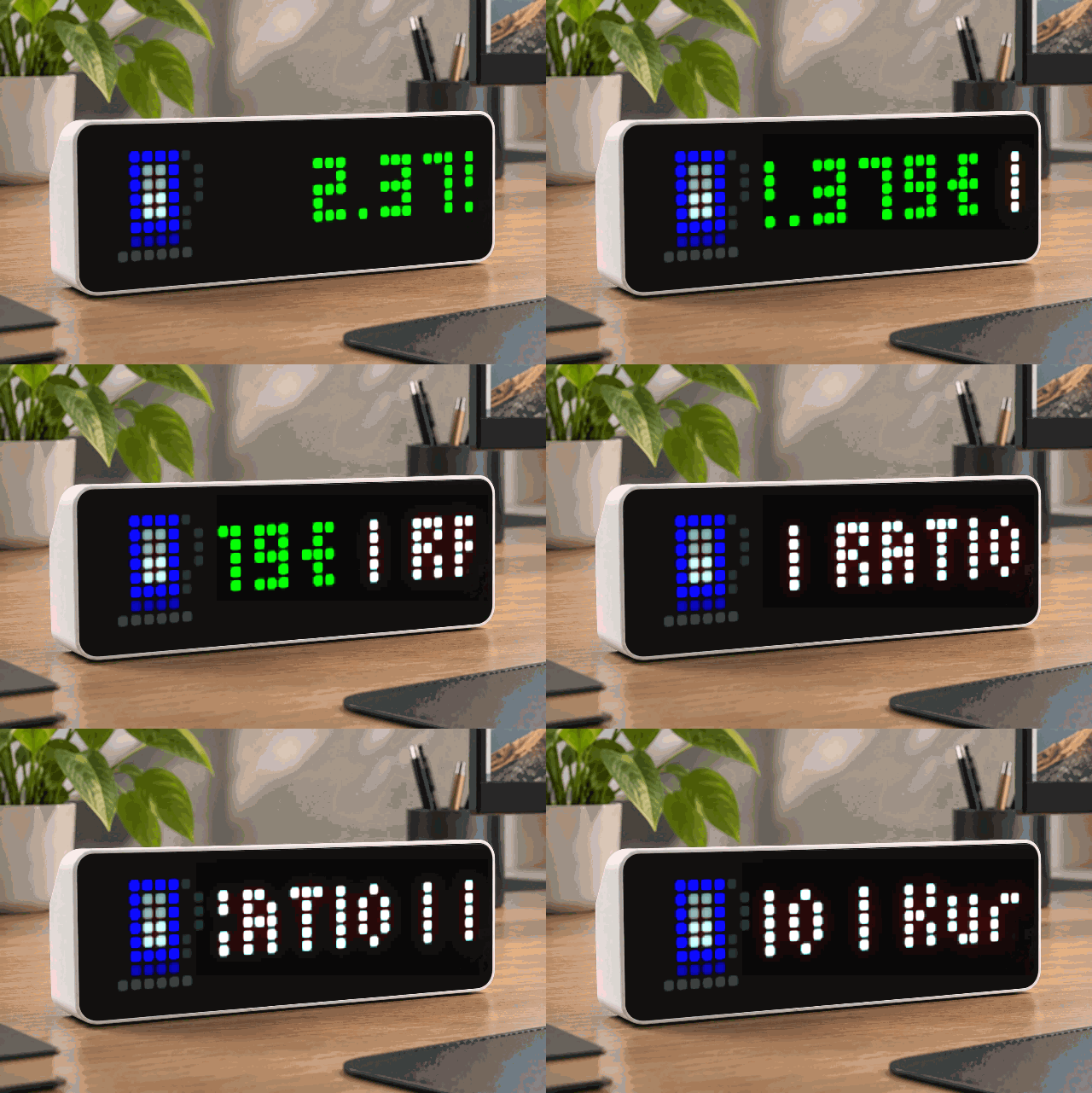
On your display
Shows the cheapest nearby fuel price (Tankerkoenig.de)
- Topic
- Miscellaneous
- Includes
- Script · 1 icon
Runs on
- Runs on 32×8 (TC001 & DIY)
- Runs on 52×16 (TC002)
- Does not run on 32×8 with AWTRIX 3 (TC001 & DIY) Made for AWTRIX NG.
Choose your display in the next step.
Script description
Fuel Prices — AWTRIX NG App
Shows the cheapest nearby fuel price for one fuel type of your choice — Diesel, E5 or E10 —
together with the brand and street of that station, live from the free
tankerkoenig.de API.


What it shows
One scrolling line, right when the app comes up in your rotation:
2.299€ | ARAL | Brunnenstraße
The price is shown in green (configurable), the brand and street in white. A small pump icon
sits to the left of the text — either one you supply yourself, or a simple built-in fallback
shape if none is set or an icon fails to load.
Requirements
- An AWTRIX NG device (32×8 LED matrix) with network access.
- A free API key from creativecommons.tankerkoenig.de.
Registration is free; after signing up you may need to complete a short follow-up
confirmation step before the key becomes active. - Your own approximate coordinates (latitude/longitude), e.g. from
latlong.net or any map app.
Installation
- Open your AWTRIX web interface — its IP address, or
http://awtrixng-xxxxxx.local. - Go to the Scripts tab and create a new script, e.g. named
FuelPrices. - Paste in the code below and press Save.
- The app joins the rotation shortly after. Press the right button on the device to jump
straight to it. - Open Apps → the
⋯menu on theFuelPricesrow → Settings, and fill in your API
key and coordinates (see the table below). Saving restarts the app.
Settings
| Setting | Type | Default | Notes |
|---|---|---|---|
| API key | text | YOUR-API-KEY |
Paste your tankerkoenig.de key here — never share it publicly. |
| Latitude / Longitude | text | Berlin (52.5200 / 13.4050) | Use a dot as the decimal separator, e.g. 48.1374. |
| Radius | number, 1–25 km | 5 km | Search radius; the tankerkoenig API caps this at 25 km. |
| Fuel | select | Diesel | Diesel, E5 or E10 — one fuel type per app instance. |
| Refresh | number, 5–60 min | 10 min | How often prices are re-fetched. tankerkoenig prices themselves only update every 4–5 minutes, and the API asks that automated clients not poll faster than every 5 minutes. |
| Price color | color | Green (#00FF00) |
Colour of the price segment; brand/street are always white. |
| Icon ID | text | (empty) | Optional 8×8 icon ID already installed on your device. Leave empty for a drawn placeholder pump icon. |
To show more than one fuel type, install the script again under a different name and pick a
different fuel in its own settings — each installed copy keeps its own settings and state.
How it works (short version)
- Queries
list.phpsorted by price for the selected fuel type, so the first station in the
response is always the cheapest match in range. - Uses the device's
find/keepHTTP option to pull only a small window of the response
(the first station's record) instead of the whole reply, to stay light on the shared script
memory. - Refetches on a timer in the background (
loop()), so the panel always has something to
show the moment it's this app's turn — never a blank screen. - Pressing the middle/select button while the app is showing forces an immediate refresh.
Notes & limitations
- Needs a valid, activated API key — an invalid or not-yet-active key fails silently on the
panel (keeps showing...), but logs a line under Log in the AWTRIX web UI so you can
tell it apart from a real "no stations found" case. - Shows the single cheapest station in range for the chosen fuel — not a list of several
stations. - Respect tankerkoenig's fair-use terms: don't set the refresh interval below 5 minutes, and
don't share your personal API key.
Sign in to view and copy the code of this script.
These icons are attached to the script. Send them to your AWTRIX separately; they are not included in the script installation.

8×8 px

8×8 px

8×8 px

8×8 px
Sign in to download these icons or send them to your AWTRIX.
Discussion 0
Ask a question, suggest a change or share how you use it.
No comments yet. Start the conversation.
More scripts in Miscellaneous
Something wrong with this script? Report it.
Have an idea?
Sign in to ask questions and join the conversation.