Air Quality (CN)
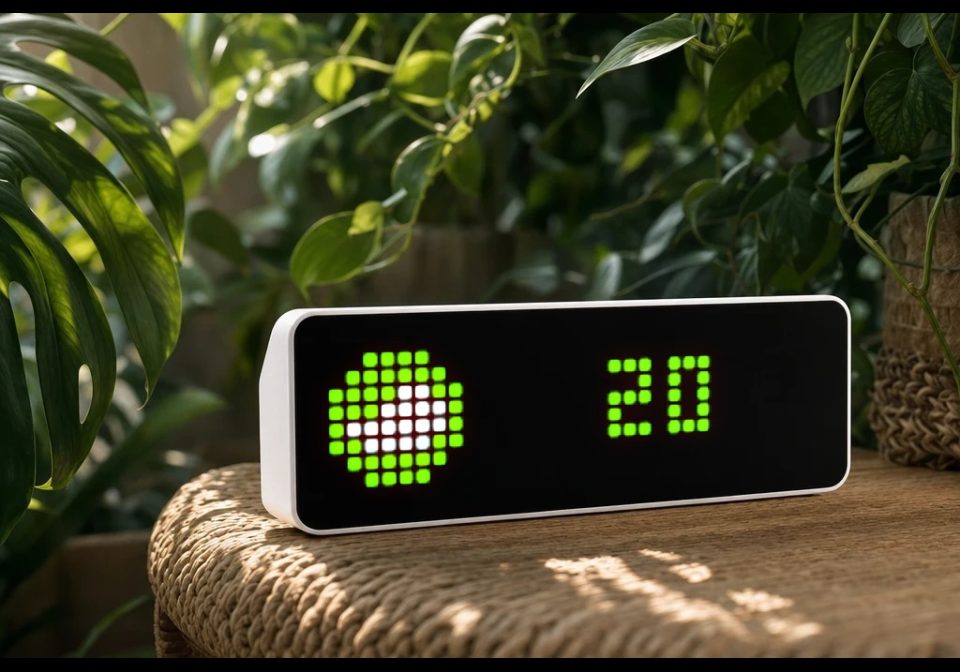
On your display
Current AQI for your city, with the colour and icon of its AQI band — green at 50 and below, shading to purple past 300.
- Topic
- Smarthome
- Includes
- Script · 7 icons
Runs on
- Runs on 32×8 (TC001 & DIY)
- Runs on 52×16 (TC002)
- Does not run on 32×8 with AWTRIX 3 (TC001 & DIY) Made for AWTRIX NG.
Choose your display in the next step.
Is this your script?
If you created this script, open your saved edit link to add it to your account. You can then manage it whenever you sign in. Adding it to your account replaces the edit link.
Script description
Current AQI for your city, with the colour and icon of its AQI band — green at 50 and below, shading to purple past 300.
Press the select button for an instant refresh.
Setup: get a key at https://tianapi.com — register, activate the 空气质量指数 (air quality index) interface in your console, then copy your API key into settings. Enter the city name in Chinese (南京, 上海).
Heads-up: the Tianapi AQI interface covers mainland China only.
| Setting | Value |
|---|---|
| API Key | Your tianapi.com API key |
| City | Chinese city name, e.g. 南京, 上海 (default 北京) |
| Refresh | Refresh interval in minutes (min 1) |
The six band icons are fixed IDs (47651–47657), not configurable, and must be installed on your device.
Learn more at https://github.com/Golevka2001/awtrix-scripts.
Sign in to view and copy the code of this script.
These icons are attached to the script. Send them to your AWTRIX separately; they are not included in the script installation.

8×8 px

8×8 px

8×8 px

8×8 px

8×8 px

8×8 px

8×8 px
Sign in to download these icons or send them to your AWTRIX.
Discussion 0
Ask a question, suggest a change or share how you use it.
No comments yet. Start the conversation.
Have an idea?
Sign in to ask questions and join the conversation.