Dino Runner
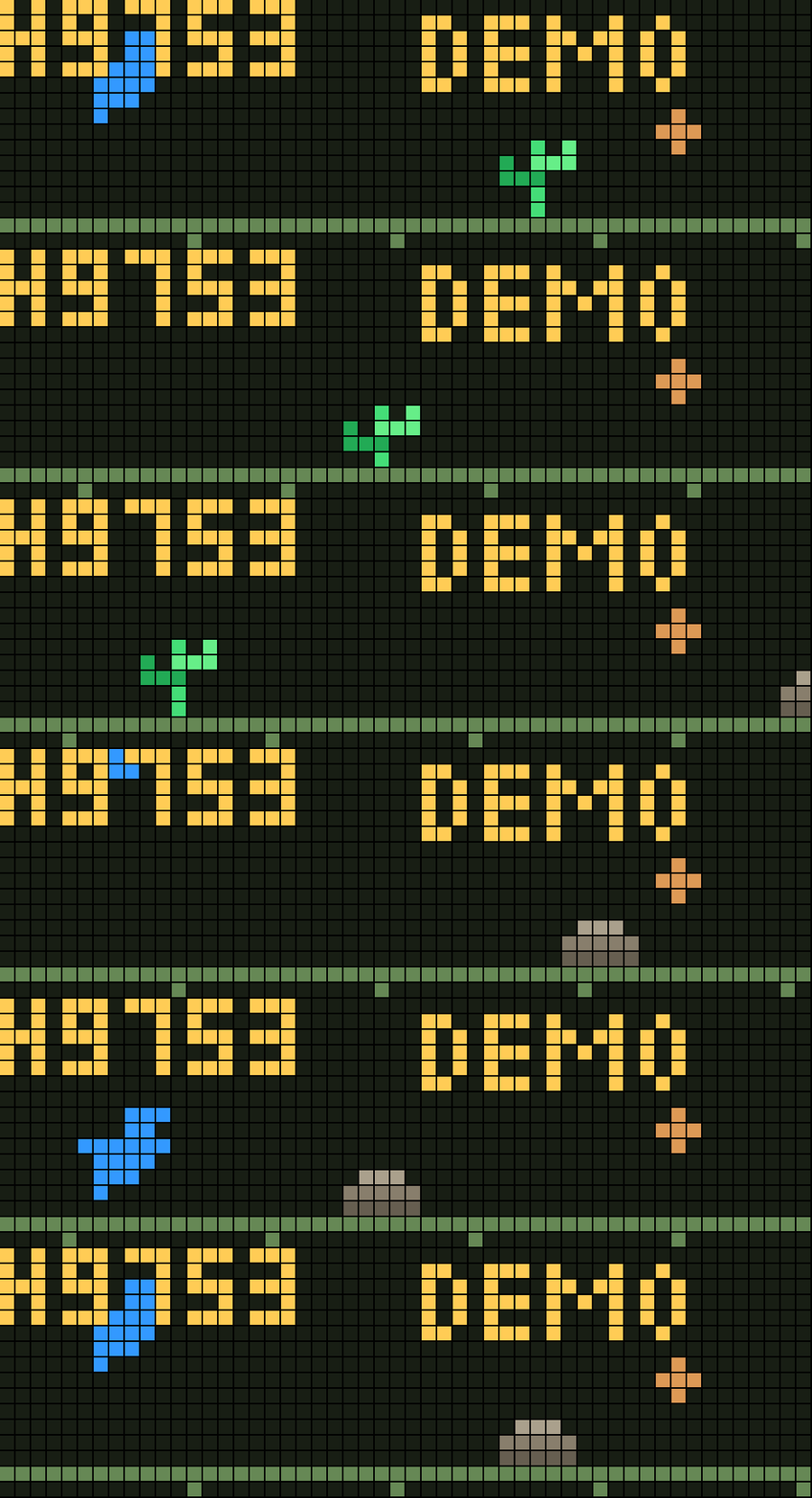
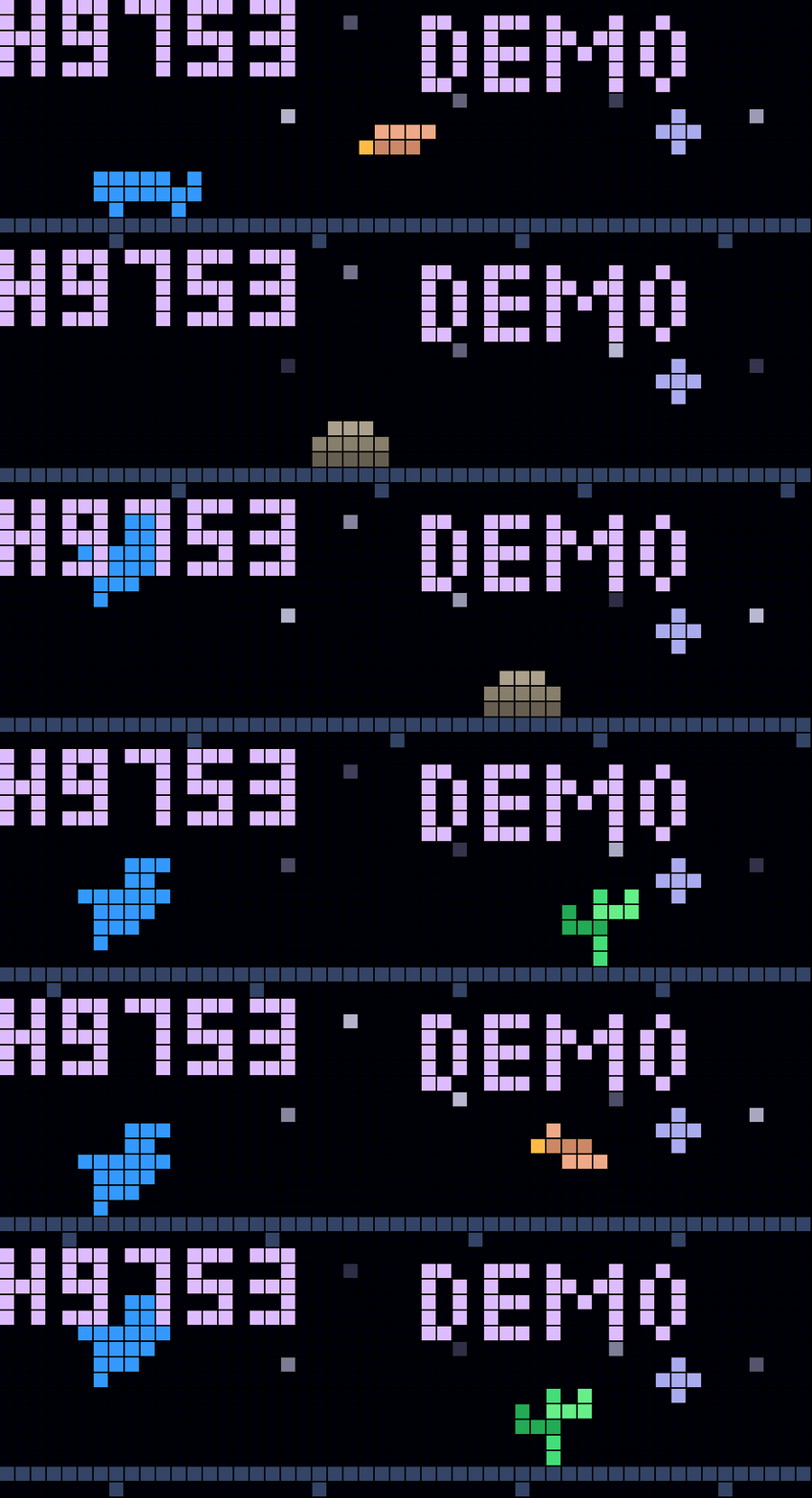
On your display
A small Chrome Dino-inspired runner
- Topic
- Gaming
- Includes
- Script
Runs on
- Does not run on 32×8 (TC001 & DIY) Needs a Bluetooth gamepad.
- Runs on 52×16 (TC002) Gamepad: turn Bluetooth on and pair one under System → Gamepad on your AWTRIX.
- Does not run on 32×8 with AWTRIX 3 (TC001 & DIY) Made for AWTRIX NG.
Choose your display in the next step.
Script description
Dino Runner for Ulanzi TC002
A small Chrome Dino-inspired runner written in Berry for AWTRIX NG on the
52 x 16 TC002. It runs on the clock, with no Python server, MQTT broker,
downloaded sprites or external dependencies. It uses the current documented
TC002 gamepad module; older firmware or unofficial ports may lack it.
This is not an AWTRIX 3 script.
Install
- Open the clock's web interface. Enable scripting if disabled.
- Open Scripts, press +, and name the script
Dino. - Paste all of
dino.beinto the editor and press Save. - Enable it under Apps -> On the display and select/show it on the clock.
Dino appears in Apps -> On the display and can be activated or deactivated
like a normal display app. There is no @ondemand header.
Each normal rotation visit shows the invitation for 10 seconds, then the demo
for another 10 seconds. Starting a real game pauses rotation, so the clock does
not switch away while you play or view the game-over screen. Gamepad SELECT
resumes rotation and switches to the next app. You can also switch/deactivate
Dino from the web interface; leaving it saves a real record, releases the
controller, resumes rotation and resets to the invitation for its next visit.
Controller
The game automatically accepts Player 1 or Player 2. In the clock web UI, open System -> Gamepad -> Pair with
a compatible Bluetooth LE controller in pairing mode. Classic-Bluetooth-only
controllers cannot pair through this API. The official documentation gives
the 8BitDo Ultimate 2 in BT mode as an example; other controller models and
firmware need their own compatibility check.
For your phone, open the AWTRIX NG app, select the clock, and open its
gamepad on the same Wi-Fi network. No Bluetooth pairing is needed. Either player slot can start the game. The game locks to the controller that
starts it and can switch to a connected controller if that one disconnects. This script uses AWTRIX's existing phone controller,
not a separate browser controller.
| Action | Gamepad / phone | Clock buttons |
|---|---|---|
| Start / retry | A | Select, short press |
| Small / high jump | Tap / hold A or D-pad up | Tap / hold select |
| Duck | Hold B or D-pad down | Hold right |
| Pause / resume | START | Left |
| Quit / return to rotation | SELECT | Hold select to open the clock menu |
Press once to start, then again to jump. Holding A gives a high jump but does not repeatedly jump.
Duck works on the ground. Jump over cacti; duck under birds, which appear
after 300 points. Points rise with survival time, and movement gradually
speeds up. At game over the display alternates your score and high score.
The best score is saved on death or exit and survives reboots. Disconnecting
a controller releases its controls; it does not automatically pause the game.
App options
Save the script, then open Apps -> Dino -> gear/settings. Saving settings
restarts the script. Keep the same script install name to retain your records.
| Option | Default | Meaning |
|---|---|---|
| Game sounds | On | Enable/disable all game effects |
| Game sound volume | 60% | Relative synth volume; device volume also applies |
| Dino color | Blue (#3399FF) | Color picker |
| Daylight color | Dim green-grey (#181E14) | Daytime background color picker |
| Day/night switch score | 700 pixels | Range 100–10000; switch after each interval |
| Speed increase per switch | 5% | 0–25% compounding increase; no gameplay speed cap |
| Start speed | 20 pixels/s | Range 8–40 |
| Reset high score (one shot) | Off | Turn on and Save; resets record and switches itself off |
| Obstacle type randomness | 100% | Range 0–100%; 0 = identical cacti; higher = more varied cacti/rocks/birds |
| Obstacle distance randomness | 100% | Range 0–100%; 0 = fixed gap for whole run; higher = random extra spacing |
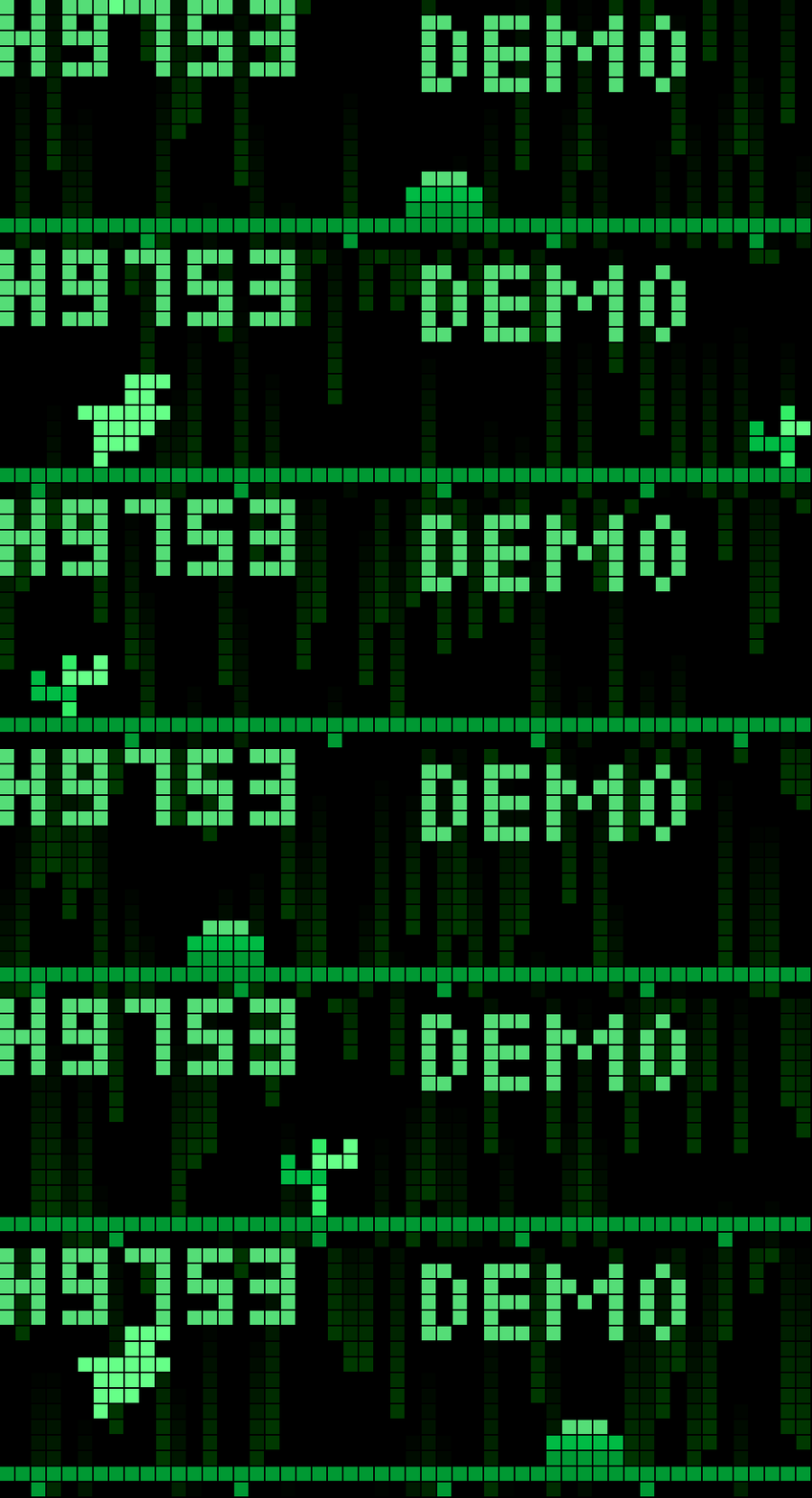
| Matrix graphics | Off | Green foreground with dim falling rain; no day/night changes |
| Matrix rain brightness | 40% | 0 = off; 100 = brightest allowed rain |
| Moving haze | Off | Drifting neutral mist behind the foreground |
| Haze intensity | 25% | Mist opacity from 0–100%; 0 is invisible |
Existing settings are preserved by AWTRIX: if you already saved a start
speed of 8, choose 20 manually once. A new installation defaults to 20.
The reset toggle clears the score immediately when the settings restart the
script; it is not a permanent disable-high-score mode.
Numeric option labels now show their minimum and maximum in AWTRIX settings;
input limits are enforced by the existing min/max metadata. Color options use
color pickers, and toggles are on/off, so neither has a numeric range.
Speed progression fix: the old 40 pixels/s gameplay cap was removed.
Starting at 40 with a 5% increase now gives 40 -> 42 -> 44.1 -> 46.305 after
successive intervals. A start speed of 20 gives 20 -> 21 -> 22.05 -> 23.1525.
The starting-speed setting still accepts 8–40 pixels/s, but that does not limit
speed reached during play. Difficulty 0 means no increase. Matrix mode retains
these speed increases without a visual day/night change. Switch speeds are
logged in the Scripts tab for verification. Very long runs get progressively
harder; the finite physics timestep and fixed hold threshold remain practical
limits at extreme speeds.
Jumps and obstacles
Tap A and release before 0.4 seconds for a small jump reaching the
screen top (8 pixels). Hold A for 0.4 seconds or longer to extend the jump
to 17 pixels above the ground. The tap window is twice the previous 0.2 seconds.
Each jump starts on the small trajectory and is extended only once the hold
threshold is reached, so a longer tap cannot accidentally rise too high.
D-pad up and the clock's select button use the same tap/hold behaviour.
Holding select for 0.5 seconds still opens AWTRIX's clock menu.
Jump velocity scales with game speed relative to 20 pixels/s; gravity scales
with the square of that ratio. This keeps heights unchanged but makes ascent
and descent faster as scrolling speeds up. The scale is captured at takeoff
so a mode-switch speed increase does not change an ongoing jump's height.
A high jump adds its extension after the fixed 0.4-second hold window.
Demo jumps use the high trajectory directly.
A press up to 300 ms before landing queues the next jump. The tap/hold timer
for a buffered jump begins at takeoff; a released queued press gives a small
jump. Holding A does not repeatedly jump automatically.
Type randomness 0 always produces the same 4-pixel cactus. At higher levels,
the configured percentage of spawns draws from a varied pool including rocks.
Birds join that pool after 300 pixels. Duck under birds by holding B/down.
Distance randomness now varies spacing both closer and farther, with a
much wider relative range. The game maintains six recycled obstacles instead
of two, and the average gap is smaller than in the previous version.
| Distance randomness | Edge-to-edge gap |
|---|---|
| 0% | Always 51 pixels |
| 25% | 47–55 pixels |
| 50% | 43–59 pixels |
| 100% | 34–68 pixels |
The settings apply to every obstacle, including the initial sequence. Because
jump movement scales with game speed, the short-jump horizontal distance stays
roughly constant; minimum spacing includes landing room. Long jumps can carry
you over several obstacles, but may also leave you airborne when a bird arrives.
Duck under birds and use short jumps for closely spaced ground obstacles.
Matrix graphics
Enable Matrix graphics in app settings. Dino, floor, obstacles, scores and
messages use green/mint shades, with falling green rain drawn behind them.
Matrix rain brightness defaults to 40%: higher means brighter, 0 hides the
rain. It replaces the old fade slider; old fade values are ignored. Rain stays
below the solid foreground's peak brightness.
Each 10–15-pixel comet trail fades linearly from green to exactly black.
Brightness scales the head directly, without a minimum channel value,
square-root compensation or a forced-lit tail. At 2% the head is green 2/255
(2% of the rain's 144/255 safety maximum), and the tail reaches zero. Nearby
pixels may share a level because RGB channel values are whole numbers.
Very low brightness cannot provide 15 distinct visible levels. No temporal
dithering is used, so there is no extra modulation introduced to simulate
fractional levels. Foreground brightness is unaffected.
Matrix mode ignores day/night visuals, daylight color, Dino color, haze,
sun/moon and stars. Normal-mode settings remain saved for when Matrix mode is
turned off. Score-interval speed increases still apply, using the configured
pixel interval, but no visual day/night switch happens. Demo mode, tap/hold
jumps and scoring remain unchanged. Rain uses independent randomness, so it
cannot alter obstacle types or spacing. Animation movement is timer-based,
not tied to render frame rate.
Atmosphere, scoring and demo
The game starts in day mode, switches to night at 700 pixels, back to day at
1400, and so on. Night has a distinct five-pixel-tall crescent moon and individually twinkling stars. Daylight
uses the chosen background color. Haze drifts horizontally in broad wisps,
strongest near the ground, with neutral grey-blue shading instead of rainbow
plasma. Haze is behind obstacles, the dinosaur and HUD. Hardware brightness
is unchanged. The low-resolution treatment suits the 52x16 LED matrix.
Score is one point per pixel travelled; fractional movement accumulates.
The floor and obstacles share the same motion. Speed increases only on a
mode switch: 20 -> 21 -> 22.05 pixels/s with default difficulty; there is no
40 pixels/s gameplay cap.
After 10 seconds on the start or game-over screen, autoplay begins. The demo
jumps and ducks, restarts after a crash, and never affects the high score.
Press A/up/select to start a fresh real game; START also starts a real game
from the demo. Gamepad SELECT quits. Live HUD numbers cap at 9999; the full
real score is stored. Old records remain unless you use Reset high score.
Game sounds
All sounds are generated on the clock using Berry's sound.effect({'song': ...})
and the AWTRIX synthesizer. No WAV files, downloads or sound uploads are needed.
The five preview files were approximations of the chosen melodies; the clock's
synth and speaker may sound different.
- Small jump: rising C5/E5 blip, played when the button release selects a short jump.
- High jump: C5/G5/C6 leap, played at the 0.4-second hold threshold. A high jump
does not also play the small-jump sound. - Mode interval: short G5/C6 ta-ta on every day/night switch. Matrix mode also
plays it when the same score interval increases speed. - New record: longer rising fanfare, once per real run when score exceeds the
record saved at the start of that run. It does not repeat on every new point. - Game over: three descending notes and a long final downward slide with mild
vibrato, giving the ta-ta-ta-taaaa effect.
Demo runs are silent and never trigger record jingles. Turn Game sounds off
in app settings to disable all five effects. Volume 0 also mutes them. Device
speaker volume still controls final loudness. Effects can overlap briefly;
audio errors disable effects for that app instance and log a message without
stopping gameplay. Sound toggles do not change scoring or controller input.
Controller input update
The start screen shows DINO P1, DINO P2, or NO PAD. The game reads
both player slots, selects the slot sending buttons on the invitation/demo
screen, and uses one consistent button snapshot for press/hold detection.
Controller polling happens before rain animation updates. Claim/release uses
the selected slot explicitly; both slots are released on leaving the app.
Clock controls are retained.
If the display shows NO PAD, check System -> Gamepad and reconnect the
controller, or reopen the phone gamepad. If it shows a player number but A
still does nothing, send that player number, firmware version and any script
error from the Scripts tab. Actual controller input cannot be tested here.
This is an independent Dino-inspired game. Built with GPT 6.1. I've made this for my son. Feel free to improve it.
Sign in to view and copy the code of this script.
Discussion 0
Ask a question, suggest a change or share how you use it.
No comments yet. Start the conversation.
Have an idea?
Sign in to ask questions and join the conversation.