Year Progress
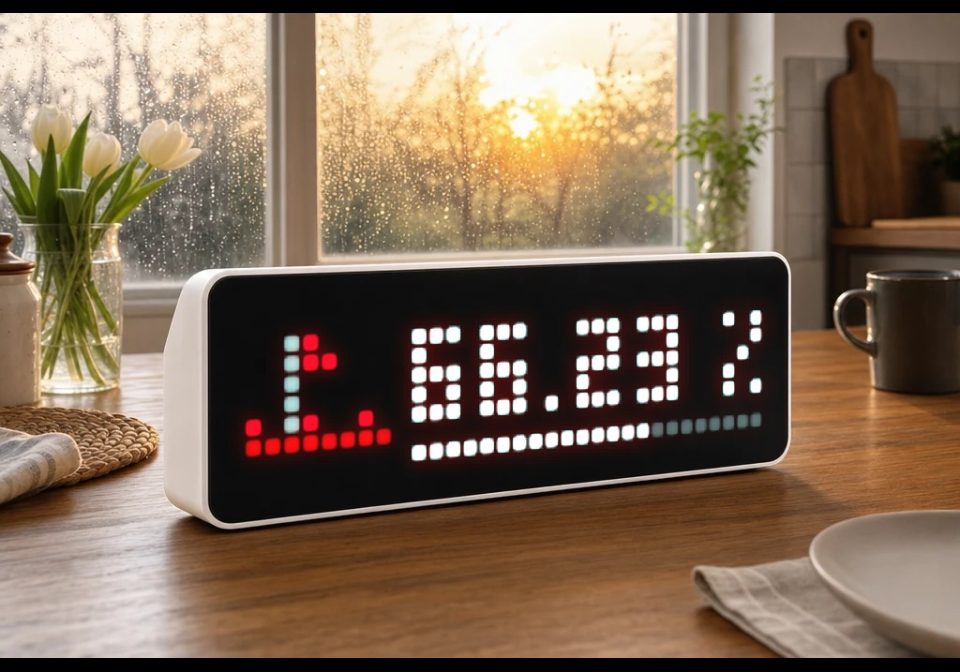
On your display
The percentage of the current year elapsed, with a progress bar along the bottom. Fully offline — no key, no requests.
- Topic
- Miscellaneous
- Includes
- Script · 1 icon
Runs on
- Runs on 32×8 (TC001 & DIY)
- Runs on 52×16 (TC002)
- Does not run on 32×8 with AWTRIX 3 (TC001 & DIY) Made for AWTRIX NG.
Choose your display in the next step.
Is this your script?
If you created this script, open your saved edit link to add it to your account. You can then manage it whenever you sign in. Adding it to your account replaces the edit link.
Script description
The percentage of the current year elapsed, with a progress bar along the bottom. Fully offline — no key, no requests.
Setup: none. Optional: bar colour (the track behind it auto-dims to a quarter of whatever you pick).
| Setting | Value |
|---|---|
| Bar colour | Colour of the filled bar (and its dimmed track); default white |
| Icon ID | LaMetric icon ID (default 12111) |
Learn more at https://github.com/Golevka2001/awtrix-scripts.
Sign in to view and copy the code of this script.
These icons are attached to the script. Send them to your AWTRIX separately; they are not included in the script installation.

8×8 px
Sign in to download these icons or send them to your AWTRIX.
Discussion 0
Ask a question, suggest a change or share how you use it.
No comments yet. Start the conversation.
More scripts in Miscellaneous
Something wrong with this script? Report it.
Have an idea?
Sign in to ask questions and join the conversation.