Abfall


On your display
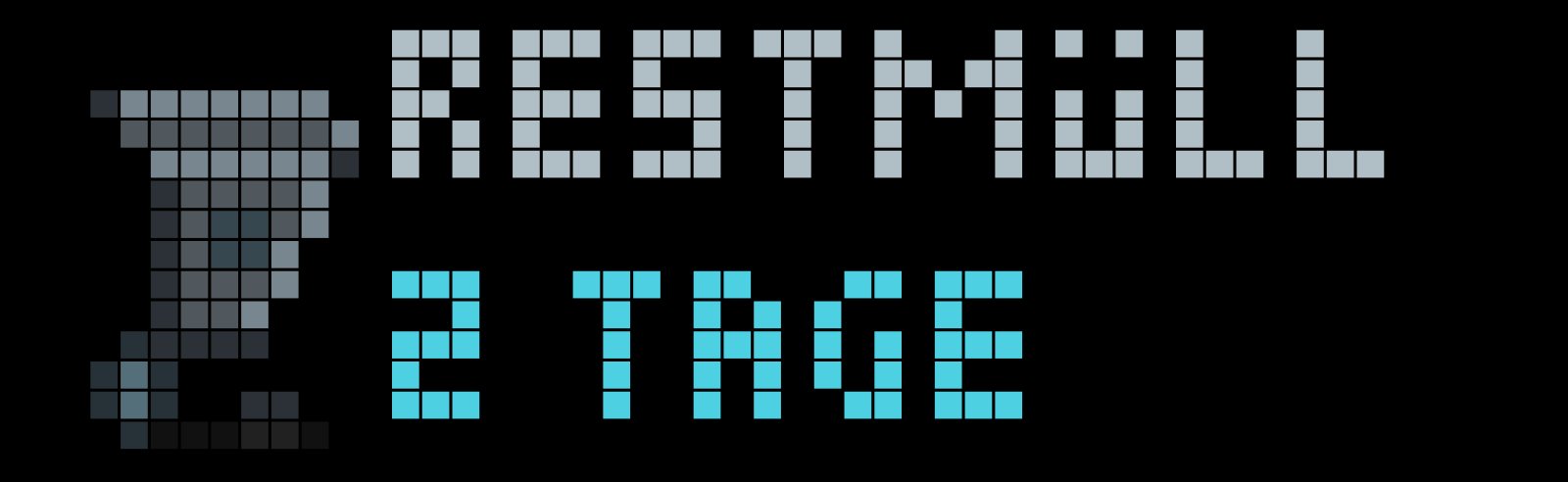
Visualisiert anstehende Müllabfuhr-Termine mit automatischer Farbcodierung nach Müllart.
- Topic
- Smarthome
- Includes
- Script
Runs on
- Does not run on 32×8 (TC001 & DIY) Made for 52×16 (TC002).
- Runs on 52×16 (TC002)
- Does not run on 32×8 with AWTRIX 3 (TC001 & DIY) Made for AWTRIX NG.
Choose your display in the next step.
Script description
Die App Abfall visualisiert die nächsten Müllabfuhr-Termine auf dem Display. Sie ermittelt aus der MQTT-Message die verbleibende Zeit bis zum Abholtermin und zeigt entsprechende Animationen an.
Features
- Stufenbasierte Animationen je nach Dringlichkeit (Abholung heute, morgen oder in mehreren Tagen).
- Echte Seitenansicht der Mülltonne mit physikalisch korrektem Profil (ein sichtbares Hinterrad und vorderer Standfuß).
- Müllwagen-Szene mit Entleerung der Tonne am Abholtag.
- Automatische Farbwelten und passende Embleme für gängige Müllarten (Restmüll, Gelber Sack/Wertstoff, Papier, Bio, Glas, Schadstoffe).
MQTT Schnittstelle
Die App empfängt die Abfuhrdaten über das konfigurierte MQTT-Topic (Standard: awtrix/trash/next).
Erwartet wird ein standardkonformes JSON-Objekt mit zwei Feldern:
Felder
type(String): Bezeichnung der Müllart (z. B. "Restmüll", "Gelber Sack", "Biomüll", "Papier", "Glas", "Schadstoff"). Alternativ werden auch die Schlüsselwaste_typeodernameakzeptiert.days(Integer): Anzahl der Tage bis zur Abholung als Ganzzahl. Alternativ werden auch die SchlüsseldaysTooderdayakzeptiert.0: Abholung findet heute statt1: Abholung findet morgen statt2: Abholung findet in 2 Tagen statt (usw.)
Hinweis: Zusätzliche Felder im JSON-Objekt (wie z. B. date) werden von der App ignoriert und können im Payload verbleiben.
Beispiele
Restmüll-Abholung am heutigen Tag:
{
  "type": "Restmüll",
  "days": 0
}
Gelber Sack am nächsten Tag:
{
  "type": "Gelber Sack",
  "days": 1
}
Papiermüll in 3 Tagen:
{
  "type": "Papier",
  "days": 3
}
Biotonne mit alternativen Schlüsseln (z. B. direkt aus Home Assistant):
{
  "waste_type": "Biomüll",
  "daysTo": 2
}
Konfiguration
Folgende Einstellungen stehen in der AWTRIX Web-Oberfläche unter den App-Einstellungen (Zahnrad-Symbol) zur Verfügung:
| Parameter | Bezeichnung im Web-UI | Typ | Standard | Funktion |
|---|---|---|---|---|
topic |
MQTT-Topic | Text | awtrix/trash/next |
MQTT-Topic für die Termindaten |
warn_days |
Vorlaufzeit in Tagen (1-14) | Zahl | 3 |
Maximale Vorlaufzeit in Tagen (1-14) |
hide_far |
Ausblenden wenn Termin weit entfernt | Schalter | false |
App in der Rotation überspringen, wenn Termin > warn_days |
Sign in to view and copy the code of this script.
Discussion 0
Ask a question, suggest a change or share how you use it.
No comments yet. Start the conversation.
Have an idea?
Sign in to ask questions and join the conversation.