NINA Warnung
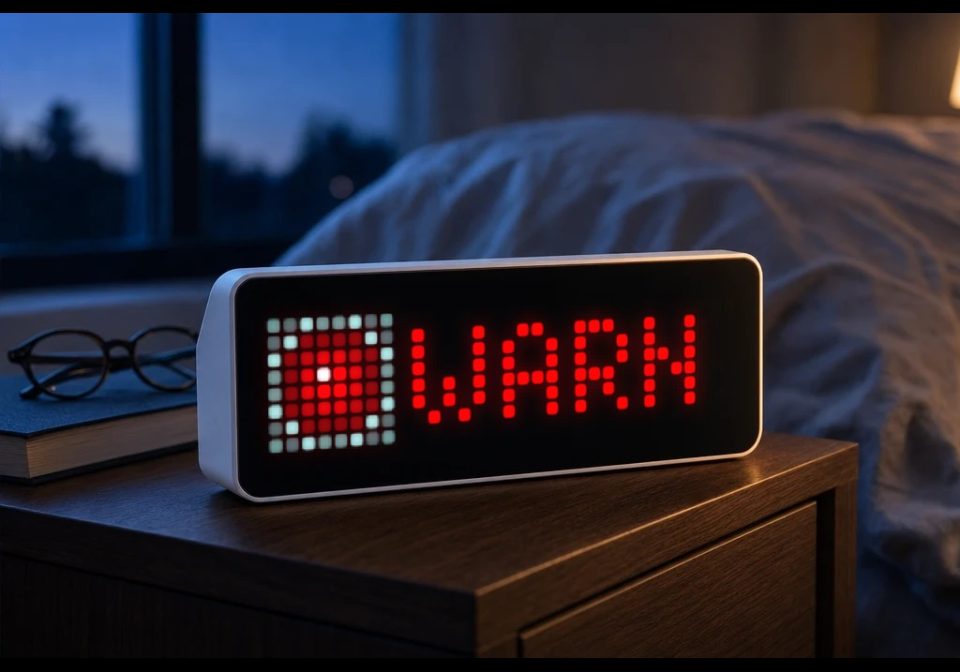
On your display
NINA Warnung for AWTRIX NG that shows official German civil-protection warnings
- Topic
- News
- Includes
- Script · 3 icons
Runs on
- Runs on 32×8 (TC001 & DIY)
- Runs on 52×16 (TC002)
- Does not run on 32×8 with AWTRIX 3 (TC001 & DIY) Made for AWTRIX NG.
Choose your display in the next step.
Is this your script?
If you created this script, open your saved edit link to add it to your account. You can then manage it whenever you sign in. Adding it to your account replaces the edit link.
Script description
NINA Warnung — AWTRIX NG App
A Berry app for AWTRIX NG that shows official German civil-protection warnings (the same feed
that powers the NINA warning app from Germany's Federal Office of Civil Protection and
Disaster Assistance, BBK) directly on your LED matrix.
What it does
- Polls the public BBK warning feed for your district (
Landkreis/Kreisfreie Stadt) on a
configurable interval. - Shows a colour-coded severity badge (yellow → orange → red → magenta, matching the CAP
severity scale Minor/Moderate/Severe/Extreme) with the warning headline scrolling next to it. - Flashes the badge when a warning is rated Extreme.
- Fires a buzzer alarm and a device notification the moment a new warning appears — with the
notification held on screen and the alarm repeating for Extreme warnings until dismissed. - Stays out of the rotation entirely when there's nothing to report (optional), so it only takes
up panel time when it actually has something to say. - Everything is a real setting in the AWTRIX web UI — no code editing required.
Settings
| Setting | What it does |
|---|---|
| Kreisschlüssel (AGS) | The 5-digit official district code (Amtlicher Gemeindeschlüssel / Regionalschlüssel) for your district. This is how the app knows which region to watch. |
| Aktualisierung | How often to refresh, in minutes (1–60). |
| Ab Warnstufe | Minimum severity that triggers the app being shown / notifying (Minor, Moderate, Severe, Extreme). |
| Bei neuer Warnung benachrichtigen | Whether a new warning triggers an interrupting notification. |
| Signalton über Buzzer | Whether the notification includes an audible alarm tone. |
| Auch ohne Warnung anzeigen | If on, the app always shows a green checkmark when nothing is active (useful for confirming the app is alive); if off, the app is skipped by the rotation entirely when there's no relevant warning. |
Finding your district code
The feed only resolves down to district (Kreis) level, identified by a 5-digit
Amtlicher Gemeindeschlüssel (AGS) / district-level Regionalschlüssel. You can look yours up
in the Destatis Regionalschlüssel list
or just search "AGS Kreisschlüssel ".
Testing it
- With "Auch ohne Warnung anzeigen" on, you should see a green "OK" as soon as the app has
fetched successfully. - Press the right button on the device to fire a test alarm tone at any time — no need to
wait for a real (or drill) warning. - Germany's annual Warntag (a nationwide test alert, usually the second Thursday of
September) is a good opportunity to confirm the app reacts to a real warning end-to-end.
Data source
Data comes from the public BBK dashboard endpoint
(warnung.bund.de/api31/dashboard/<AGS>0000000.json), the same source the official NINA app and
warnung.bund.de website use. It aggregates warnings from MoWaS (civil protection), DWD (weather),
and flood-warning services.
Disclaimer
This is an unofficial, hobbyist integration and is not a certified life-safety warning
channel. It depends on your panel's power, Wi-Fi, and the third-party feed all being available
at the moment a warning is issued, none of which is guaranteed. Keep sirens, radio, and the
official NINA app as your primary sources — treat this as a convenient extra glance, not a
replacement.
Sign in to view and copy the code of this script.
These icons are attached to the script. Send them to your AWTRIX separately; they are not included in the script installation.

8×8 px

8×8 px

8×8 px
Sign in to download these icons or send them to your AWTRIX.
Discussion 0
Ask a question, suggest a change or share how you use it.
No comments yet. Start the conversation.
Have an idea?
Sign in to ask questions and join the conversation.