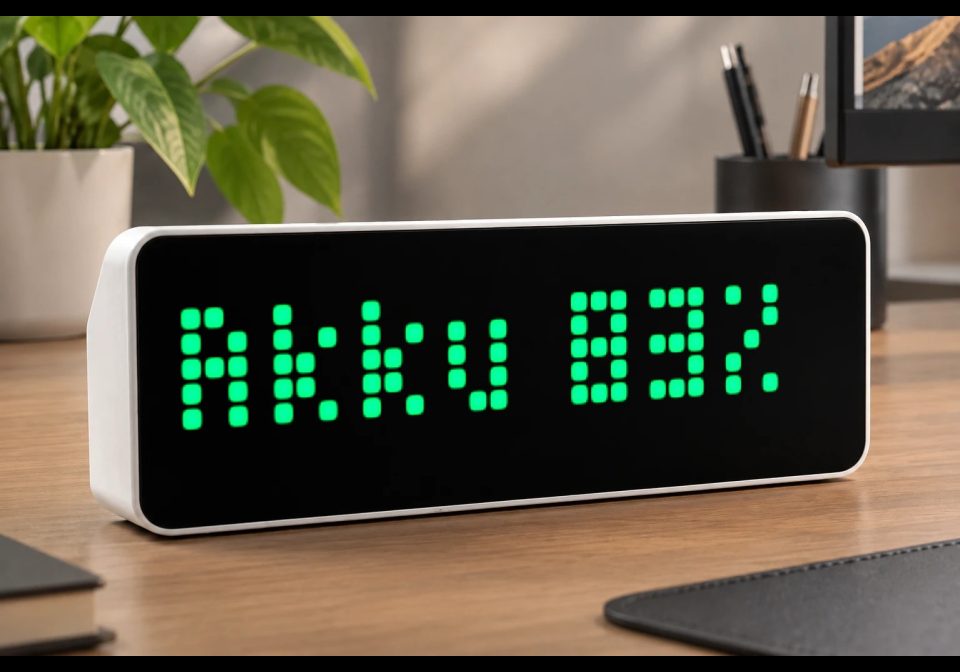
EVCC Battery Status via MQTT
Shows EVCC battery SOC and live charge/discharge power directly on AWTRIX NG.
About this flow
| System | AWTRIX NG Scripts |
|---|---|
| AWTRIX version | AWTRIX NG |
| Topic | Smarthome |
| Built by | Daniel Bonanno |
| File | ndQBG4dO6YcP.ax · 1.6 KB |
| Icons | — |
| Published | 16 Aug 2026 |
| Downloads | 40 |
Is this your flow?
If you created this flow, open your saved edit link to add it to your account. You can then manage it whenever you sign in. Adding it to your account replaces the edit link.
Flow description
Displays the current EVCC home-battery state of charge and live charge/discharge power as a permanently rotating AWTRIX NG script app.
Requirements
- AWTRIX NG connected to the same MQTT broker as EVCC
- EVCC battery topics enabled
MQTT topics
- evcc/site/battery/soc — state of charge in percent
- evcc/site/battery/power — battery power in watts (positive = discharging, negative = charging)
Setup
- Open the AWTRIX NG web interface.
- Go to Scripts and create a new script.
- Paste the code and save it.
- Add the script to the app rotation if it is not enabled automatically.
The text is green while charging, orange while discharging, and gray while idle. Values update immediately when EVCC publishes new MQTT messages. The ±50 W threshold prevents small standby fluctuations from changing the status.
ndQBG4dO6YcP.ax
# @name    EVCC Battery
# @desc    SOC and charge/discharge power directly from evcc via MQTT
# @author  Daniel
# @version 1.0

import string

class EVCCBattery
  var soc
  var power
  var label
  var color

  def init()
    self.soc = nil
    self.power = nil
    self.label = nil
    self.color = 0xAAAAAA
  end

  def setup()
    mqtt.subscribe("evcc/site/battery/soc", / t, p -> self.on_msg(t, p))
    mqtt.subscribe("evcc/site/battery/power", / t, p -> self.on_msg(t, p))
  end

  def on_msg(topic, payload)
    var value = num(payload)
    if value == nil
      return
    end

    if topic == "evcc/site/battery/soc"
      self.soc = value
    elif topic == "evcc/site/battery/power"
      self.power = value
    end

    self.rebuild()
  end

  def rebuild()
    if self.soc == nil || self.power == nil
      return
    end

    var direction = "Idle"
    var watts = self.power
    self.color = 0xAAAAAA

    if self.power > 50
      direction = "Discharging"
      self.color = 0xFFAA00
    elif self.power < -50
      direction = "Charging"
      self.color = 0x00FF66
      watts = -watts
    elif watts < 0
      watts = -watts
    end

    var kw = watts / 1000.0
    self.label = "Battery " + str(int(round(self.soc))) + "% | " +
                 direction + " " + string.format("%.2f", kw) + " kW"
  end

  def should_show()
    return self.label != nil
  end

  def draw()
    clear()
    if self.label == nil
      text(1, 6, "...", 0x666666)
      return
    end
    scroll_text(0, 6, width(), self.label, self.color)
  end
end

return EVCCBattery()
Install it on your AWTRIX NG
Add this flow to your AWTRIX NG. It will start appearing on your display after installation.
Unable to connect? Download the flow and add it in the Scripts section of your AWTRIX. Advanced users can also use this command:
Discussion 0
Ask a question, suggest a change or share how you use it.
No comments yet. Start the conversation.
More flows for AWTRIX NG Scripts or Smarthome
Something wrong with this flow? Report it.
Have an idea?
Sign in to ask questions and join the conversation.