FlightDisplay: Wer fliegt da über mir?
Use with Node-RED
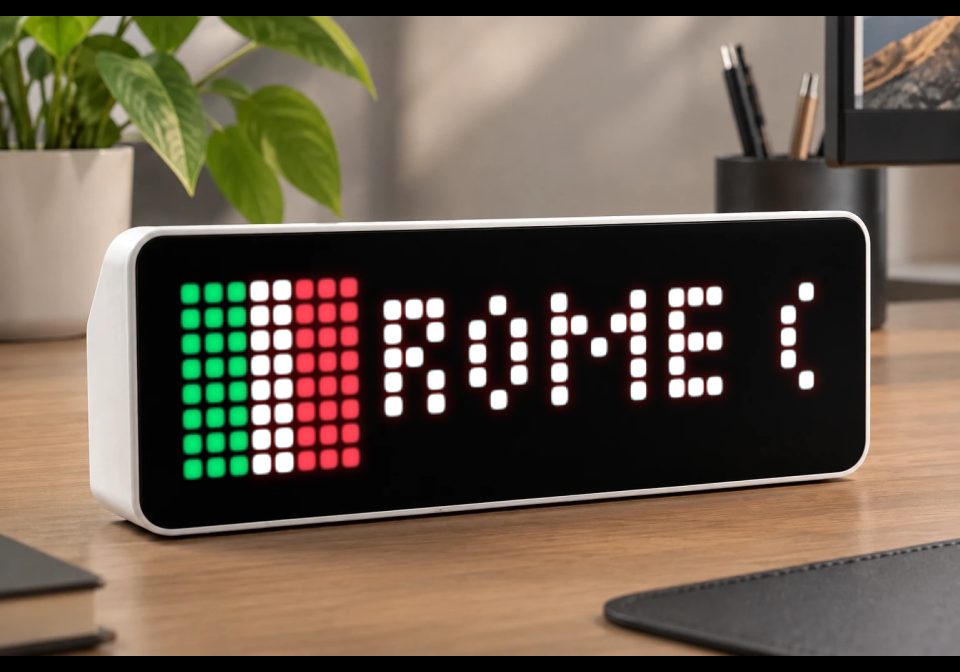
Zeigt Flugzeuge über deinem Zuhause inkl. Route und Herkunftsland auf der AWTRIX an. (🇬🇧 English version below)
- Topic
- Smarthome
- Includes
- Flow
Runs on
- Might run on 32×8 (TC001 & DIY)
- Might run on 52×16 (TC002)
- Does not run on 32×8 with AWTRIX 3 (TC001 & DIY) Made for AWTRIX NG.
? The author has not said which devices it runs on.
Is this your flow?
If you created this flow, open your saved edit link to add it to your account. You can then manage it whenever you sign in. Adding it to your account replaces the edit link.
Flow description
🇬🇧 English version below
Erkennt über die kostenlose ADS-B API (adsb.lol) alle Flugzeuge, die innerhalb eines einstellbaren Radius über deinem Standort fliegen.
Zum Callsign wird automatisch die Flugroute (Start- und Zielort) über adsbdb.com abgefragt und zusammen mit einer kleinen Länder-Flagge des Zielorts als Notification an deine AWTRIX gesendet.
Funktionen
- Konfigurierbar über einen einzigen Change-Node (Koordinaten, Radius, Anzeigedauer, Sound, Nachtruhe, Cooldown pro Flugzeug)
- Verhindert Doppel-Meldungen durch Cooldown pro Flugzeug (Standard: 10 Minuten)
- Optionaler Sound, der in einer einstellbaren Nachtruhe automatisch stumm bleibt
- Einfache Pixel-Flaggen für ca. 20 Länder (DE, FR, GB, US, TR, ...)
Einrichtung
- Den Node "⚙️ Konfiguration (hier anpassen!)" öffnen und eigene Koordinaten, MQTT-Topic deiner AWTRIX usw. eintragen
- Beim "An AWTRIX senden"-Node den eigenen MQTT-Broker eintragen
- Deployen — fertig
Beide verwendeten APIs (adsb.lol, adsbdb.com) sind kostenlos und benötigen keinen API-Key.
FlightDisplay: Who's flying over me?
Shows aircraft flying over your home, including route and country of origin, on your AWTRIX.
Uses the free ADS-B API (adsb.lol) to detect all aircraft flying within an adjustable radius of your location.
The flight route (origin and destination) is automatically looked up for the callsign via adsbdb.com and sent to your AWTRIX as a notification, together with a small flag icon for the destination country.
Features
- Configurable via a single Change node (coordinates, radius, display duration, sound, quiet hours, per-aircraft cooldown)
- Prevents duplicate notifications with a per-aircraft cooldown (default: 10 minutes)
- Optional sound that automatically stays muted during an adjustable quiet-hours window
- Simple pixel flags for about 20 countries (DE, FR, GB, US, TR, ...)
Setup
- Open the "⚙️ Configuration (edit here!)" node and enter your own coordinates, your AWTRIX's MQTT topic, etc.
- In the "Send to AWTRIX" node, enter your own MQTT broker.
- Deploy — done.
Both APIs used (adsb.lol, adsbdb.com) are free and require no API key.
Sign in to view and copy the code of this flow.
Discussion 0
Ask a question, suggest a change or share how you use it.
No comments yet. Start the conversation.
Have an idea?
Sign in to ask questions and join the conversation.