Awtrix NG – Claude Usage Display
Use with Home Assistant Blueprint
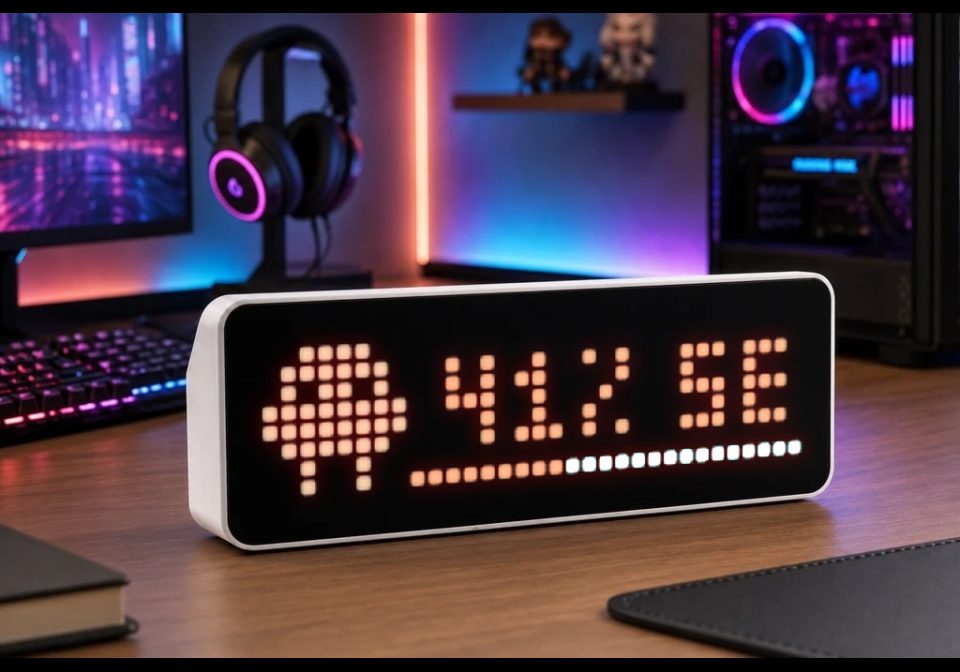
Display your Claude AI usage as a live progress bar on an AWTRIX NG LED matrix - color-coded and always up to date.
- Topic
- Miscellaneous
- Includes
- Flow
Runs on
- Might run on 32×8 (TC001 & DIY)
- Might run on 52×16 (TC002)
- Does not run on 32×8 with AWTRIX 3 (TC001 & DIY) Made for AWTRIX NG.
? The author has not said which devices it runs on.
Is this your flow?
If you created this flow, open your saved edit link to add it to your account. You can then manage it whenever you sign in. Adding it to your account replaces the edit link.
Flow description
Adaption of tnusch's Flow for Awtrix NG:
https://flows.blueforcer.de/flow/dZKgA28EOyE2
Original Description:
What it does
Reads a Claude usage sensor (0–100%) from Home Assistant and pushes it to your Awtrix device via MQTT. The display shows the usage percentage alongside a progress bar, with text color that shifts from green → yellow → red as you approach your limits. Both thresholds are configurable.
The blueprint updates immediately whenever the sensor changes, and again on HA restart. If the sensor is unavailable, it gracefully falls back to an N/A state.
Tip: You can create this automation multiple times — for example once for weekly usage and once for session usage, each with its own app_name so both apps coexist in the Awtrix display rotation.
Prerequisites
Home Assistant 2024.6 or newer
Awtrix 3 with MQTT enabled
MQTT broker (e.g. the Mosquitto add-on)
A sensor exposing Claude usage as a percentage (0–100) — e.g. via hass-claude-usage
A Claude icon installed on your Awtrix device — see the Awtrix icon docs (default icon ID: 74725)
Sign in to view and copy the code of this flow.
Discussion 0
Ask a question, suggest a change or share how you use it.
No comments yet. Start the conversation.
More flows for Home Assistant Blueprint or Miscellaneous
Something wrong with this flow? Report it.
Have an idea?
Sign in to ask questions and join the conversation.