Weather Script for TC002
On your display
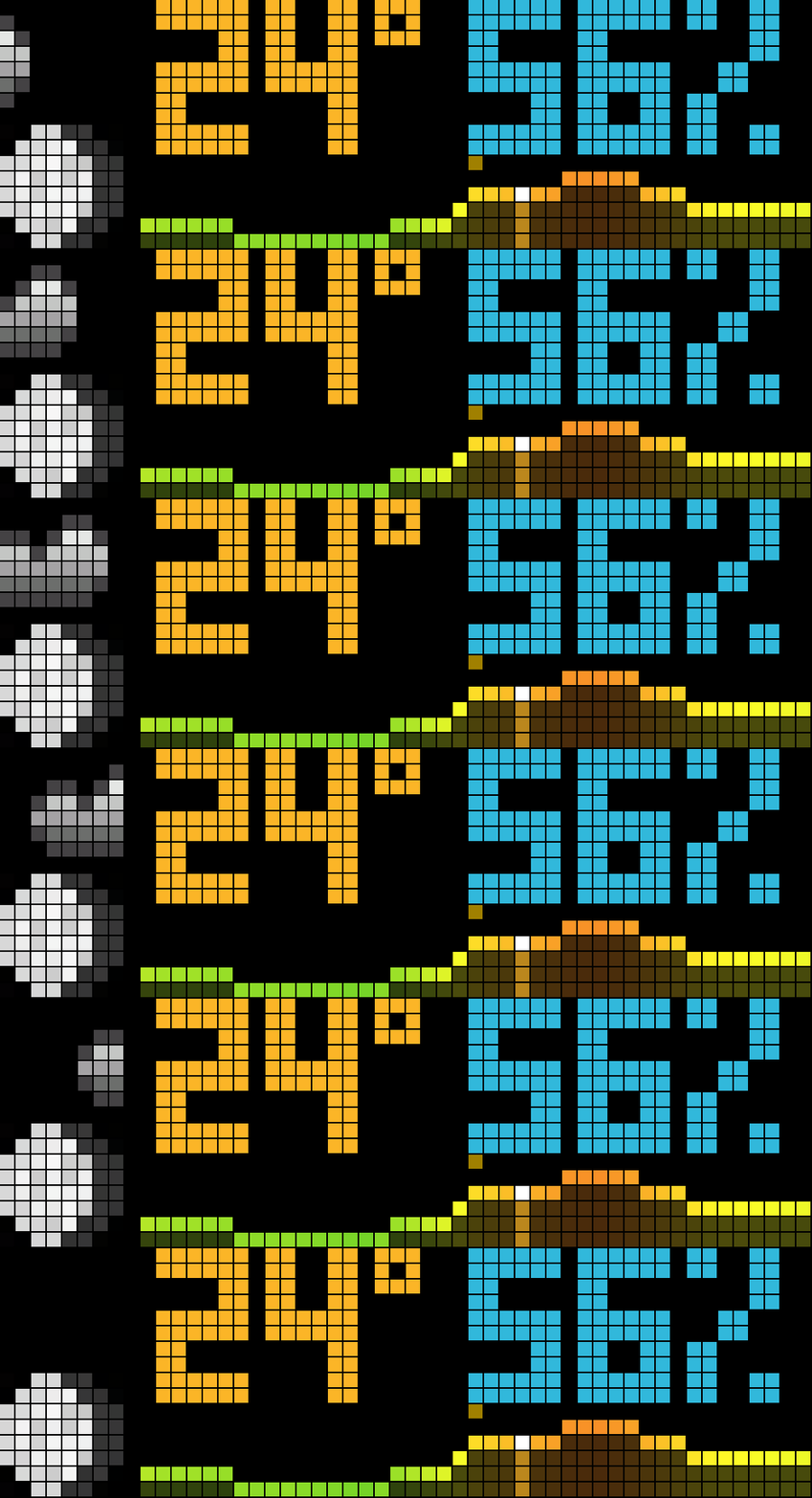
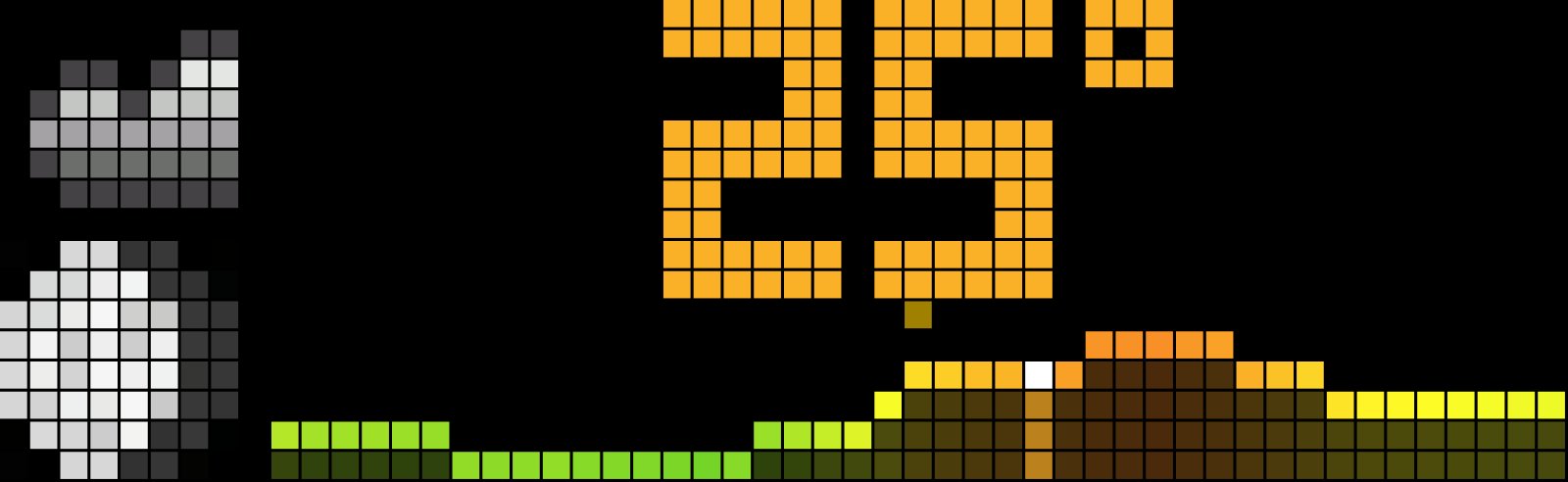
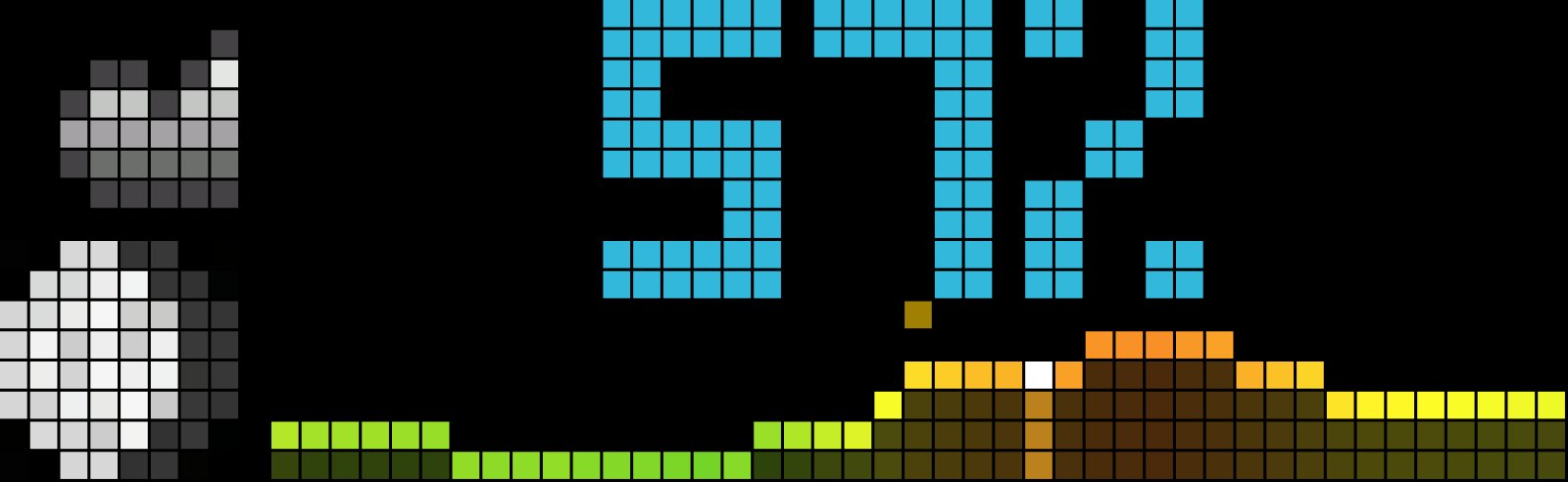
big temperature and humidity, forecast area below
- Topic
- Miscellaneous
- Includes
- Script · 20 icons
Runs on
- Does not run on Ulanzi TC001 Needs a panel of at least 52×16; its panel is 32×8.
- Runs on Ulanzi TC002
- Runs on ESP32 (DIY) Needs a panel of at least 52×16.
- Runs on ESP32-S3 (DIY) Needs a panel of at least 52×16.
- Does not run on Ulanzi TC001 with AWTRIX 3 Made for AWTRIX NG.
Choose your display in the next step.
Flow description
Weather for AWTRIX NG (Ulanzi TC002)
Version 5.6 · by Hank_the_Tank / Claude · for the 52×16 panel of the Ulanzi TC002
Current weather, humidity, moon phase and an hourly temperature forecast on a single screen. The weather data comes from Open-Meteo, so you don't need an API key or an account.
┌────────┬──────────────────────────────────────────┐
│ weather│        24°      58%                      │  ← big temperature + humidity
│  icon  │                                          │
├────────┤  ·            ·                          │  ← noon / midnight ticks
│  moon  │ ▁▁▂▃▄▅▅▆▆▇▇█▇▆▅▄▃▃▂▂▁▁                   │  ← forecast area, "now" lit up
│ phase  │                                          │
└────────┴──────────────────────────────────────────┘
Features
- Big temperature and humidity side by side. Both use 6×10 px block digits. The temperature is coloured on a scale that runs from violet (frost) through green and yellow to red (heat).
- If a pair like
-12°/100%doesn't fit, the digits switch to a narrow 5 px form. If that still doesn't fit, the%sign is dropped. - Humidity can also alternate with the temperature every 4 s, or be hidden.
- If a pair like
- Forecast area. A filled temperature curve with a bright edge and a dimmed fill, coloured by temperature.
- today: 0–24 h of the current day. A white-topped column marks now and moves across the day.
- next24: the coming 24 hours from the current hour.
- auto (default): today until 18:00, then next24, so in the evening you can see the coming night.
- The area always spans the shown hours' own min/max, so the 5 rows are fully used.
- Small ticks mark noon and midnight (midnight in the next24 view only).
- Weather icon. It follows the WMO weather code, plus two extra rules:
- A clear-night icon after sunset.
- A windy icon on dry days once the wind reaches a set speed.
- Moon phase. Eight phases, calculated on the device. No extra request is needed.
- Starts with data. After a reboot the last known values show at once, instead of an empty panel.
- Stale-data warning. A red dot under the moon means no successful update for more than 25 minutes.
- Refresh. Every 15 minutes. Press the middle button while the app is on screen to refresh right away.
Requirements
- An Ulanzi TC002 running AWTRIX NG (tested on firmware 1.1.3).
- A 52×16 display. The layout is written for it and is not meant for 32×8 clocks.
- The weather and moon icons listed below.
Installation
- Open the AWTRIX web interface in a browser, using the clock's IP address or
http://awtrixng-xxxxxx.local. - Go to the Scripts tab and create a new script called
Weather. - Paste the contents of
Weather_share.axand press Save. - The app shows a button to install the missing icons. Press it.
- Open the Apps tab, click the gear on the Weather row and enter your own latitude and longitude.
The app joins the rotation right away. If the panel shows a red ERR:, the error message is shown next to the script in the Scripts tab. Please include it in your feedback.
Settings
All settings are on the Apps tab, behind the gear on the Weather row. Saving restarts the app.
| Setting | Default | What it does |
|---|---|---|
| Latitude / Longitude | 52.52 / 13.40 (Berlin) | Your location. Set this first. |
| Temperature unit | C | C or F |
| Humidity | beside | beside the temperature, alternate every 4 s, or off |
| Humidity colour | #31B8DB | Colour of the humidity value |
| Windy from | 30 km/h | On dry days (clear, cloudy, fog), this wind speed or more shows the windy icon |
| Graph | auto | auto (today, from 18:00 next 24 h), today (0–24 h), next24 |
| Midnight tick | #2040A0 | Colour of the midnight tick (next24 view) |
| Noon tick | #A08000 | Colour of the noon tick |
Icons
All icons are 8×8 and available on the AWTRIX Hub. The script lists them in its @icons header, so the web UI can install them in one go.
| Condition | WMO codes | Hub icon |
|---|---|---|
| Clear (day) | 0 | weather-clear-sky-sunny |
| Clear (night) | 0–1 at night | weather-clear-night |
| Partly cloudy | 1–2 | weather-partly-cloudy |
| Cloudy | 3 | cloud-cloudy-overcast |
| Fog | 45–48 | weather-fog |
| Drizzle | 51–57 | weather-drizzle |
| Rain | 61–67 | weather-rain-or-drizzle |
| Snow | 71–77, 85–86 | weather-snow |
| Showers | 80–82 | weather-rain-showers |
| Thunderstorm | 95 | weather-thunder |
| Thunderstorm with hail | 96, 99 | weather-hail |
| Windy (dry, wind ≥ threshold) | – | weather-windy |
| Moon phase | Hub icon |
|---|---|
| New moon | moon-new-moon |
| Waxing crescent | moon-waxing-crescent |
| First quarter | moon-first-quarter |
| Waxing gibbous | moon-waxing-gibbous |
| Full moon | moon-full-moon |
| Waning gibbous | moon-waning-gibbous |
| Last quarter | moon-last-quarter |
| Waning crescent | moon-waning-crescent |
Feedback
This is a test release. Useful feedback:
- Something looks wrong: a photo of the panel, plus your location, the time and the weather at that moment.
- The panel shows
ERR:: the error text from the Scripts tab. - A condition shows the wrong icon: the weather you actually had outside.
Credits
- Weather data: Open-Meteo (CC BY 4.0).
- Icons: the AWTRIX Hub and its authors.
- Firmware: AWTRIX NG by Blueforcer.
Sign in to view and copy the code of this flow.
Discussion 0
Ask a question, suggest a change or share how you use it.
No comments yet. Start the conversation.
More flows for AWTRIX NG Scripts or Miscellaneous
Something wrong with this flow? Report it.
Have an idea?
Sign in to ask questions and join the conversation.