Clock plus VOC Quality from the IKEA VINDSTYRKA
Use with Home Assistant
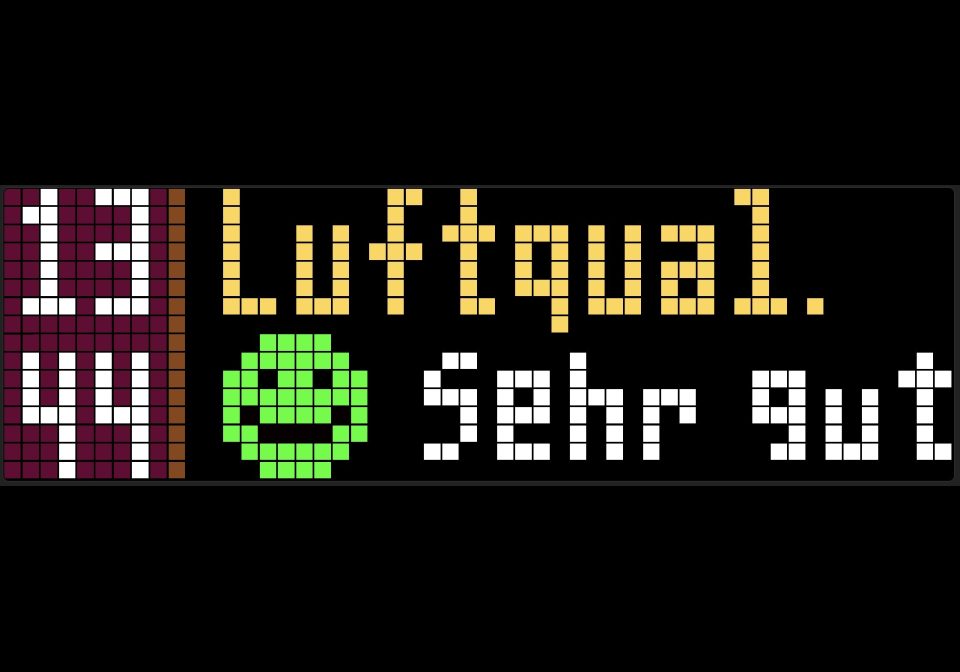
Shows the VOC Quality from the IKEA with 4 emojis and short description and the clock on the left side
- Topic
- Smarthome
- Includes
- Flow
Runs on
- Does not run on 32×8 (TC001 & DIY) Made for 52×16 (TC002).
- Runs on 52×16 (TC002)
- Does not run on 32×8 with AWTRIX 3 (TC001 & DIY) Made for AWTRIX NG.
Flow description
What you need:
Ikea VINDSTYRKA sensor
Home Assistant
Working MQTT
You must change the MQTT Prefix in the code (ccc4b27798af) to the MQTT Prefix of your awtrix in the code!
Use the script, use 4 icons "green, yellow, orange, red from" the library (animated 8x8 pixel) and you need a little script in your configuration.yaml in Home Assistant:
template:
  - sensor:
      - name: "VOC Interpretation"
        unique_id: voc_interpretation
        state: >
          {% set voc_value = states('sensor.ikea_of_sweden_vindstyrka_voc_index') | float(0) %}
          {% if voc_value <= 80 %}
            Unauffällig (Sehr gut)
          {% elif voc_value <= 150 %}
            Leicht belastet (Lüften sinnvoll)
          {% elif voc_value <= 250 %}
            Deutlich belastet (Handlung empfohlen)
          {% else %}
            Stark belastet (Sofort lüften)
          {% endif %}
        attributes:
          rohwert: "{{ states('sensor.ikea_of_sweden_vindstyrka_voc_index') }}"
Sign in to view and copy the code of this flow.
Discussion 0
Ask a question, suggest a change or share how you use it.
No comments yet. Start the conversation.
More flows for Home Assistant or Smarthome
Something wrong with this flow? Report it.
Have an idea?
Sign in to ask questions and join the conversation.